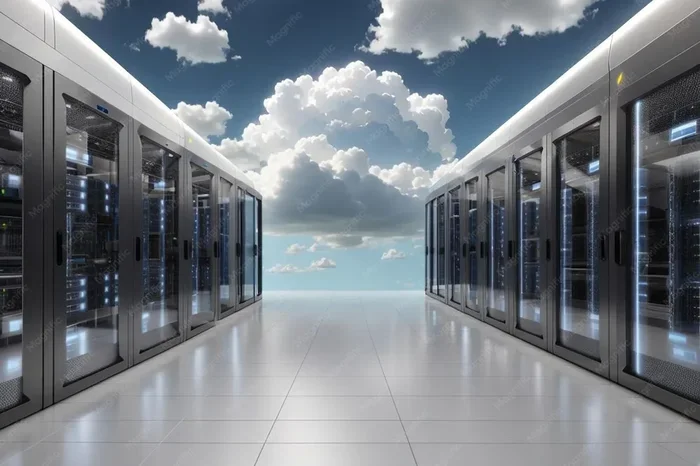
Datacenter in Cloud Computing Explained Simply for Everyone
A datacenter in cloud computing is the physical facility that powers everything you do online, from streaming videos to sending emails. It houses thousands of servers, storage systems, and networking equipment that work together to deliver cloud resources instantly. Understanding how a datacenter in cloud computing operates helps you make smarter decisions about cloud hosting, cloud migration, and IT infrastructure for your business.
A datacenter in cloud computing is the physical home where all the data and applications you use online actually live. Think of it as a massive, highly secure building filled with thousands of computers that work together to deliver the services you use every day.
From streaming your favorite shows to sending emails or shopping online, a datacenter in cloud computing makes it all possible. These facilities are the hidden engines behind the internet, and understanding them helps you appreciate how modern technology truly works.
In this guide, we will break everything down in plain language. You will learn what a datacenter in cloud computing is, how it operates, the different types available, and why businesses of all sizes rely on them. By the end, you will have a clear picture of one of the most important pieces of modern cloud infrastructure.
Key Takeaways
- A datacenter in cloud computing is the physical facility that stores and processes data for online services.
- Cloud infrastructure relies on server virtualization, networking gear, and advanced cooling systems to operate reliably.
- There are three main types: public cloud, private cloud, and hybrid cloud datacenters.
- Scalability, cost savings, and enhanced cloud security are the top benefits of using a datacenter in cloud computing.
- Choosing the right provider requires evaluating location, reputation, support, and service level agreements.
- Cloud migration to a well-chosen datacenter can transform business performance and reliability.
📑 Table of Contents
What Is a Datacenter in Cloud Computing?
A datacenter in cloud computing is a specialized facility that houses computer systems, storage devices, and networking equipment. These systems work together to store, process, and deliver data to users around the world. Unlike a regular office building, a datacenter is designed with one goal: keeping technology running 24 hours a day, 7 days a week.
The Simple Definition
At its core, a datacenter in cloud computing is a large building filled with racks of servers. These servers are powerful computers that handle requests from users like you. When you open a website, watch a video, or save a file to the cloud, you are sending a request to a datacenter somewhere in the world. That datacenter processes your request and sends back the information you need.
The concept of cloud computing basics revolves around making these resources available over the internet. You do not need to own or manage the physical hardware. Instead, you access cloud resources remotely, and the datacenter handles everything behind the scenes. This is what makes cloud technology so convenient and accessible for everyday users.
Why Datacenters Matter in Today’s World
Every major website, app, and online service you use relies on data center services. Google, Netflix, Amazon, and countless other platforms run on vast networks of server farms spread across the globe. Without these facilities, the cloud technology you use daily simply would not exist.
Datacenter operations involve managing power, cooling, security, and network connections. These are complex tasks that require specialized teams and significant investment. But the result is a reliable IT infrastructure that supports billions of users every single day. The scale of modern datacenters is truly remarkable, with some facilities spanning hundreds of thousands of square feet.
How Does a Datacenter in Cloud Computing Work?
Understanding how a datacenter in cloud computing works is easier than you might think. The process follows a simple flow: you make a request, the datacenter processes it, and you receive a response. Let us look at each step in more detail.
Inside the Server Room
The heart of any datacenter is the server room. This is a climate-controlled space packed with rows of servers. Each server is a powerful computer that can handle many tasks at once. These servers run server virtualization software, which allows one physical machine to act like multiple virtual machines. This makes cloud hosting much more efficient and cost-effective.
Virtual servers are a key part of modern datacenter architecture. Instead of dedicating one physical server to a single task, virtualization lets providers share resources across many users. This means you get the power you need without wasting expensive hardware. Cloud platforms like AWS, Azure, and Google Cloud all rely on this approach to serve millions of customers simultaneously.
How Data Flows Through the Network
When you click a link or open an app, your device sends a signal through the internet to the datacenter. The datacenter receives this signal, finds the requested data, and sends it back to your device. All of this happens in milliseconds.
Networking equipment inside the datacenter includes routers, switches, and fiber optic cables. These components ensure data moves quickly and reliably. A well-designed datacenter in cloud computing uses redundant network paths, so if one connection fails, another takes over instantly. This redundancy is what keeps your favorite apps running smoothly even during hardware failures.
Cloud platforms depend on these networks to deliver cloud resources to millions of users. The speed and reliability of the internal network directly affect your experience as an end user. Faster networks mean quicker load times and smoother performance for everyone.
Types of Datacenters in Cloud Computing
Not all datacenters are the same. Different businesses have different needs, and the cloud infrastructure world offers several options. Let us explore the main types of datacenters used in cloud computing.
Public Cloud Datacenters
A public cloud datacenter is owned and operated by a third-party provider. Companies like Amazon, Google, and Microsoft run massive server farms that serve millions of customers. You access cloud resources over the internet, and the provider handles all the hardware and maintenance.
Public cloud datacenters are ideal for small businesses and startups. They offer scalability, meaning you can increase or decrease your usage based on demand. You pay only for what you use, which makes cloud hosting very affordable. This model is at the heart of cloud computing basics and has democratized access to powerful technology.
Private Cloud Datacenters
A private cloud datacenter is dedicated to a single organization. It may be owned and operated by the business itself or managed by a third party. Private cloud datacenters offer greater control and customization, which is important for companies with strict security or compliance requirements.
Cloud migration to a private cloud setup allows organizations to keep sensitive data on their own servers while still enjoying the benefits of cloud technology. This approach is common in industries like healthcare, finance, and government where data protection is critical. Data center services providers often offer managed private cloud solutions for these clients.
Hybrid Cloud Datacenters
A hybrid cloud combines public cloud and private cloud elements. A company might keep sensitive data in a private cloud datacenter while using public cloud resources for less sensitive workloads. This gives the best of both worlds: security and flexibility.
Hybrid cloud datacenter setups are growing in popularity. They allow businesses to scale quickly during peak times while keeping core systems secure. Many enterprises use hybrid cloud as their go-to cloud infrastructure strategy. This approach provides the scalability of the public cloud with the control of a private setup.
Key Components of a Datacenter in Cloud Computing
A datacenter in cloud computing is made up of many parts working together. Each component plays a vital role in keeping the facility running smoothly. Let us look at the most important ones.
Servers and Storage Systems
Servers are the workhorses of any datacenter. They process requests, run applications, and store data. A large datacenter can have tens of thousands of servers, all working together to deliver cloud resources to users. These servers are organized in racks and connected through a sophisticated internal network.
Storage systems include hard drives, solid-state drives, and backup devices. These systems hold the massive amounts of data that power websites, apps, and online services. Data center architecture is designed to ensure that storage is fast, reliable, and easily accessible. Cloud storage solutions within a datacenter use replication and backup systems to protect your data from loss.
Networking Equipment
Networking equipment connects all the servers and storage devices inside a datacenter. Routers direct traffic, switches connect devices, and fiber optic cables carry data at incredible speeds. A datacenter in cloud computing needs top-notch networking gear to handle huge volumes of traffic without slowdowns.
Redundancy is a key principle here. The best data center services providers build duplicate network paths so that a single failure does not cause an outage. This level of planning is what makes cloud platforms so reliable. When you stream a movie or load a webpage, you are benefiting from this carefully engineered network.
Cooling and Power Systems
Servers generate a lot of heat. Without proper cooling, they would overheat and fail. Datacenter operations rely on advanced cooling systems, including air conditioning, liquid cooling, and hot-aisle containment. These systems keep the temperature stable and protect the hardware inside the datacenter.
Power systems are equally important. A datacenter consumes enormous amounts of electricity. Backup generators, uninterruptible power supplies, and redundant power feeds ensure the facility stays online even during outages. Cloud security and reliability depend heavily on these systems working without interruption. The best datacenters are built with multiple layers of power protection to prevent any downtime.
Benefits of Using a Datacenter in Cloud Computing
More and more businesses are moving their operations to a datacenter in cloud computing. There are many compelling reasons for this shift. Let us look at the biggest benefits that drive this trend.
Scalability and Flexibility
Scalability is one of the biggest advantages of cloud technology. A datacenter in cloud computing lets you grow your resources as your business grows. Need more storage or computing power? You can add it in minutes without buying new hardware. This agility is a game-changer for businesses of all sizes.
This flexibility is perfect for businesses with changing demands. A retailer might need extra cloud resources during the holiday season and then scale back afterward. Cloud hosting makes this easy and cost-effective. You never have to over-provision or worry about running out of capacity.
Cost Savings and Efficiency
Running your own IT infrastructure is expensive. You need to buy servers, pay for cooling and power, hire technical staff, and handle ongoing maintenance. A datacenter in cloud computing shifts all of that burden to the provider.
With cloud resources, you pay a predictable monthly fee. There is no need for large upfront investments. This model, known as cloud computing basics, allows businesses of all sizes to access world-class IT infrastructure without breaking the bank. Small companies can now compete with large enterprises thanks to affordable cloud hosting options.
Enhanced Security and Reliability
Cloud security is a top priority for any datacenter provider. Leading facilities use advanced measures like encryption, firewalls, intrusion detection, and multi-factor authentication. Data center services providers also follow strict compliance standards such as ISO 27001 and SOC 2 to protect customer data.
Reliability is another major benefit. A well-run datacenter has backup power, duplicate systems, and disaster recovery plans in place. This means your data and applications stay available even during unexpected events. Cloud migration to a reputable datacenter can significantly improve your overall uptime and business continuity.
How to Choose the Right Datacenter in Cloud Computing
Choosing the right datacenter in cloud computing is an important decision. The right choice can boost performance and save money, while the wrong one can cause headaches. Here are some practical tips to guide you through the process.
Factors to Consider
Start by identifying your needs. How much storage and computing power do you require? What level of cloud security do you need? Do you prefer public cloud, private cloud, or hybrid cloud? Answering these questions will narrow your options and help you find the best fit.
Location matters too. The physical distance between your users and the datacenter affects speed. Choosing a datacenter close to your audience reduces latency and improves performance. Also, consider the provider’s reputation, pricing structure, and the quality of their data center services. Read customer reviews and ask for references before making a decision.
Common Mistakes to Avoid
One common mistake is choosing a provider based solely on price. The cheapest option may lack the scalability and cloud security you need. Another mistake is ignoring cloud migration costs. Moving your existing systems to a new datacenter can be complex and time-consuming.
Do not overlook the importance of support. A good datacenter in cloud computing provider offers 24/7 technical support. When something goes wrong, you want experts ready to help immediately. Take time to research providers, read reviews, and ask for recommendations before committing to a contract.
Quick Tip: Always ask for a service level agreement (SLA) before signing a contract. The SLA should clearly outline uptime guarantees, support response times, and what happens if the provider fails to meet their promises. A strong SLA protects you and gives you peace of mind.
Conclusion
A datacenter in cloud computing is the foundation of everything we do online. From cloud hosting to cloud storage, these facilities power the digital experiences we rely on every day. Understanding how they work helps you make better decisions about your own technology needs.
Whether you are a small business exploring cloud migration or an enterprise building a robust IT infrastructure, the right datacenter can transform your operations. The key is to choose wisely, plan carefully, and partner with a trusted provider that delivers on its promises.
The world of cloud technology is constantly evolving, and datacenters will continue to be at the center of that evolution. By staying informed and making smart choices, you can harness the full power of cloud computing for years to come. Start exploring your options today and discover what the right datacenter in cloud computing can do for you.
Frequently Asked Questions
What exactly is a datacenter in cloud computing?
A datacenter in cloud computing is a physical facility that houses servers, storage systems, and networking equipment to store and process data for cloud services. It is the behind-the-scenes infrastructure that makes websites, apps, and online platforms work.
How is a datacenter different from a regular server room?
A regular server room is usually small and serves a single organization. A datacenter in cloud computing is much larger, designed for high availability, redundancy, and 24/7 operation. It includes advanced cooling, power backup, and security systems that a typical server room does not have.
What is the difference between public and private cloud datacenters?
A public cloud datacenter is shared among many customers and owned by a third-party provider. A private cloud datacenter is dedicated to a single organization. Hybrid cloud options combine both approaches for flexibility and security.
Why is cloud security important in a datacenter?
Cloud security protects sensitive data from breaches, unauthorized access, and cyberattacks. A well-secured datacenter in cloud computing uses encryption, firewalls, and compliance standards to keep customer data safe and maintain trust.
What should I look for when choosing a datacenter provider?
Look for factors like location, uptime guarantees, cloud security certifications, customer support quality, and pricing transparency. Always review the service level agreement (SLA) to understand what the provider promises and how they handle outages.
Can small businesses benefit from a datacenter in cloud computing?
Absolutely. Small businesses benefit from scalability, predictable costs, and enterprise-grade IT infrastructure without the high upfront investment. Cloud hosting through a datacenter levels the playing field, letting small companies access the same powerful technology as large corporations.