Everything You Need To Know About Cloud Based Computing
Cloud based computing lets you access powerful technology over the internet instead of relying on local servers or hard drives. It transforms how businesses and individuals store data, run applications, and scale their operations. This guide covers everything from the basics to advanced cloud models, so you can make smart decisions about your tech needs.
You have probably used cloud based computing without even realizing it. Every time you stream a movie on Netflix, save a photo to Google Drive, or open a document in Google Docs, you are tapping into the cloud. But what exactly is cloud based computing, and why has it become the backbone of modern technology? In simple terms, it means using remote servers hosted on the internet to store, manage, and process data instead of relying on your own computer or a local server.
The shift to cloud based computing has been nothing short of revolutionary. Businesses of all sizes, from startups to global corporations, have embraced cloud technology to cut costs, improve efficiency, and scale faster. Individuals use it daily for entertainment, communication, and productivity. Understanding how the cloud works and what it offers can give you a real advantage, whether you are a business owner, a student, or simply someone curious about modern technology.
Key Takeaways
- Cloud based computing delivers computing resources over the internet, eliminating the need for physical hardware and local servers.
- The three main service models — SaaS, PaaS, and IaaS — cater to different needs and technical requirements.
- Public, private, and hybrid cloud models offer flexibility in how you manage data and applications.
- Cloud computing benefits include cost savings, scalability, and accessibility from anywhere in the world.
- Major providers like AWS, Microsoft Azure, and Google Cloud dominate the market with powerful infrastructure and tools.
- Cloud security is a shared responsibility between providers and users, and understanding this is essential for safe adoption.
📑 Table of Contents
- What Is Cloud Based Computing?
- How Cloud Computing Works
- Types of Cloud Computing Services
- Cloud Computing Models: Public, Private, and Hybrid
- Benefits of Cloud Based Computing
- Popular Cloud Computing Providers
- Is Cloud Computing Secure?
- Common Uses of Cloud Computing
- Cloud Based Computing vs Traditional Computing
- Getting Started with Cloud Based Computing
What Is Cloud Based Computing?
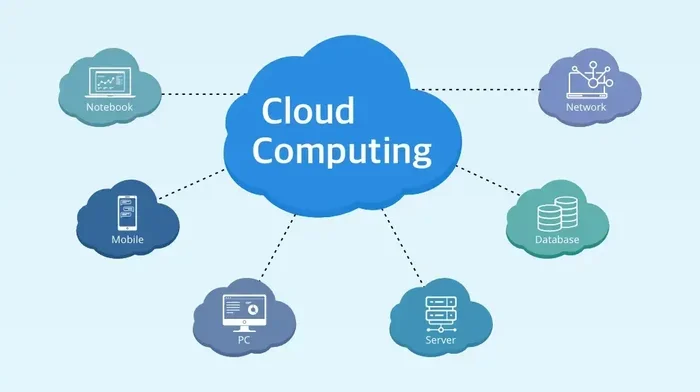
Cloud based computing is the delivery of computing services over the internet. These services include storage, servers, databases, networking, software, and analytics. Instead of buying and maintaining physical hardware, you rent access to these resources from a cloud provider. You pay for what you use, much like how you pay for electricity or water.
The concept has been around for decades, but it has exploded in popularity over the last fifteen years. Cloud computing explained in simple terms means your data and applications live on powerful remote machines, and you access them through your web browser or an app. You do not need expensive equipment sitting in your office or home.
Why the Cloud Matters Today
The cloud has become essential because of its flexibility and power. Think about it. In the past, if you wanted to run a business website, you had to buy a server, install software, and hire someone to maintain it. That was expensive and complicated. Today, cloud services let you launch a website in minutes with just a few clicks. The cloud handles the heavy lifting behind the scenes.
Cloud technology also enables remote work, which became especially important during recent global events. Teams can collaborate on the same documents in real time, access company systems from anywhere, and communicate seamlessly. This level of connectivity would be nearly impossible without cloud based computing infrastructure.
How Cloud Computing Works
Understanding how cloud computing works is simpler than you might think. At its core, the cloud relies on a network of powerful data centers located around the world. These data centers house thousands of servers that store data and run applications. When you use a cloud service, your device sends a request over the internet to one of these servers. The server processes your request and sends the result back to you.
Here is a quick look at the basic flow:
- You make a request — For example, you open a file stored in the cloud.
- The request travels over the internet — It reaches the cloud provider’s data center.
- The server processes your request — It finds the file and sends it back.
- You see the result — The file appears on your screen instantly.
All of this happens in milliseconds. You do not need to know where the server is or how it works. The cloud infrastructure handles everything seamlessly behind the scenes.
Key Components of Cloud Infrastructure
Several components make cloud based computing possible. Virtualization is one of the most important. It allows a single physical server to run multiple virtual machines, each acting as an independent computer. This makes resource usage far more efficient and cost-effective.
Networking connects all the pieces. High-speed internet links data centers to users around the world. Storage systems hold massive amounts of data securely. And management software coordinates everything, ensuring that resources are allocated efficiently and services remain available.
Another critical piece is the API, or Application Programming Interface. APIs let different software applications communicate with each other. They allow developers to build powerful cloud-based tools and integrate them with existing systems. Without APIs, the cloud ecosystem would not be as rich or versatile as it is today.
Types of Cloud Computing Services
Cloud computing services fall into three main categories. Each one serves a different purpose and appeals to different types of users. Understanding these categories is key to choosing the right cloud solution for your needs.
SaaS — Software as a Service
SaaS is the most common type of cloud service for everyday users. It delivers fully functional software applications over the internet. You do not need to install anything on your device. You simply log in through a browser and start using the tool.
Popular SaaS examples include Google Workspace, Microsoft 365, Salesforce, and Slack. These platforms handle everything from email and document editing to customer relationship management and team communication. For businesses, SaaS eliminates the hassle of software installation, updates, and maintenance.
PaaS — Platform as a Service
PaaS provides a platform for developers to build, test, and deploy applications without worrying about the underlying infrastructure. It includes tools, frameworks, and environments that simplify the development process.
Think of PaaS as a workshop where developers can focus on writing code instead of managing servers. Popular PaaS providers include Heroku, Google App Engine, and AWS Elastic Beanstalk. Startups and development teams love PaaS because it speeds up the building process and reduces costs.
IaaS — Infrastructure as a Service
IaaS offers the most control over cloud resources. It provides virtualized computing infrastructure, including servers, storage, and networking. Users have full control over operating systems, applications, and configurations.
IaaS is ideal for businesses that need custom environments but do not want to invest in physical hardware. Amazon Web Services (AWS), Microsoft Azure, and Google Cloud Platform all offer robust IaaS solutions. Companies use IaaS to run complex workloads, host websites, and manage large databases.
Cloud Computing Models: Public, Private, and Hybrid
Not all cloud deployments are the same. Cloud computing models vary based on who has access to the infrastructure and how it is managed. Let us look at the three main types.
Public Cloud
A public cloud is owned and operated by a third-party cloud provider. Resources like servers and storage are shared among multiple customers, known as tenants. Public clouds offer excellent scalability and cost efficiency because you share the infrastructure with others.
Most individuals and small businesses use public cloud services without even realizing it. Google Drive, Dropbox, and iCloud are all public cloud solutions. They are easy to set up, affordable, and perfect for everyday needs.
Private Cloud
A private cloud is dedicated to a single organization. It can be hosted on-premises or by a third-party provider. Private clouds offer greater control, security, and customization compared to public clouds.
Large enterprises and government agencies often prefer private cloud deployments. They handle sensitive data and have strict compliance requirements that demand exclusive control over their infrastructure. The trade-off is higher cost and more maintenance responsibility.
Hybrid Cloud
A hybrid cloud combines public and private cloud environments. It allows data and applications to move between the two, giving organizations the best of both worlds. You can keep sensitive data in a private cloud while using the public cloud for less critical workloads.
Hybrid cloud adoption has grown rapidly in recent years. It offers incredible flexibility and helps businesses optimize costs. Many companies start with a public cloud and gradually move sensitive operations to a private setup as their needs evolve.
Benefits of Cloud Based Computing
The advantages of cloud based computing are hard to ignore. Organizations and individuals alike have embraced the cloud for its many practical benefits. Here are the key reasons why the cloud has become so popular.
- Cost savings — You eliminate the need to buy expensive hardware and pay for maintenance. Cloud services operate on a pay-as-you-go model, which keeps costs predictable and low.
- Scalability — Need more storage or computing power? The cloud lets you scale up or down in minutes. This is especially valuable for businesses that experience fluctuating demand.
- Accessibility — You can access your data and applications from any device with an internet connection. This supports remote work, collaboration, and on-the-go productivity.
- Disaster recovery — Cloud providers back up your data across multiple locations. If something goes wrong, your information is safe and can be restored quickly.
- Automatic updates — Cloud providers handle software updates and security patches. You always have access to the latest features without lifting a finger.
- Collaboration — Teams can work together on documents and projects in real time, no matter where they are located in the world.
These benefits make cloud technology attractive to almost everyone. Whether you are a solo freelancer or a multinational corporation, the cloud can transform the way you work.
Quick Tips for Maximizing Cloud Benefits
To get the most out of cloud based computing, keep these tips in mind. First, analyze your actual usage patterns and right-size your resources. Many businesses overpay because they do not adjust their cloud plans as their needs change. Second, take advantage of free tiers offered by major providers. They let you test services without any financial risk. Third, set up cost alerts so you are notified if your spending exceeds a certain threshold. Finally, invest in training for your team. The cloud is only as effective as the people using it.
Popular Cloud Computing Providers
The cloud market is dominated by a few major players. Each provider offers a unique set of tools, pricing models, and strengths. Understanding the top providers helps you choose the right partner for your cloud journey.
Amazon Web Services (AWS) is the largest cloud provider in the world. It offers over 200 services, including computing power, storage, and machine learning tools. AWS serves millions of customers, from startups to government agencies.
Microsoft Azure is the second-largest provider. It integrates seamlessly with Microsoft products like Office 365 and Windows Server. Azure is a popular choice for enterprises already invested in the Microsoft ecosystem.
Google Cloud Platform (GCP) stands out for its data analytics and machine learning capabilities. Google’s expertise in handling massive data sets gives GCP a strong edge in these areas. It is also known for competitive pricing and a developer-friendly interface.
Other notable providers include IBM Cloud, Oracle Cloud, and Alibaba Cloud. Each has its own strengths and target markets. The best choice depends on your specific needs, budget, and technical requirements.
Is Cloud Computing Secure?
Security is one of the most common concerns people have about the cloud. The truth is, cloud providers invest heavily in protecting their infrastructure. They employ teams of security experts, use advanced encryption, and follow strict compliance standards. Major providers hold certifications like SOC 2, ISO 27001, and GDPR compliance.
However, cloud security is a shared responsibility. The provider secures the infrastructure, but you are responsible for securing your data, access controls, and configurations. This is why it is important to use strong passwords, enable multi-factor authentication, and review your security settings regularly.
Common cloud security risks include misconfigured storage buckets, weak access controls, and insider threats. These risks exist in any computing environment, not just the cloud. By following best practices and staying informed, you can use cloud services safely and confidently.
Cloud Computing Security Best Practices
Here are some practical steps you can take to strengthen your cloud security. Always encrypt sensitive data, both in transit and at rest. Limit access permissions to only those who need them. Regularly audit your cloud environment for vulnerabilities. Use a virtual private cloud (VPC) to isolate your resources. And make sure you understand the shared responsibility model fully so you know exactly what you are accountable for.
Cloud computing security has improved dramatically over the years. Providers now offer built-in security tools that make it easier than ever to protect your data. The key is to stay proactive and take security seriously at every level.
Common Uses of Cloud Computing
Cloud based computing has a wide range of applications. It is not just for tech companies. Here are some of the most common ways people and organizations use the cloud.
- Data backup and recovery — Storing copies of important files in the cloud protects against hardware failures, accidents, and cyberattacks.
- Web hosting — Businesses host their websites and web applications on cloud servers for reliability and scalability.
- Big data analytics — The cloud provides the massive computing power needed to analyze large data sets and extract valuable insights.
- Software development and testing — Developers use cloud environments to build, test, and deploy applications quickly and efficiently.
- Streaming media — Services like Spotify, YouTube, and Netflix rely on cloud infrastructure to deliver content to millions of users worldwide.
- Email and communication — Platforms like Gmail, Outlook, and Microsoft Teams run on cloud based computing infrastructure.
As you can see, the cloud touches nearly every aspect of digital life. Its versatility and power make it an indispensable tool for modern living and working.
Cloud Based Computing vs Traditional Computing
To truly appreciate the cloud, it helps to compare it with traditional computing. In a traditional setup, you buy physical servers and store all your data on-site. You are responsible for maintenance, upgrades, and security. This model works, but it comes with significant limitations.
Cloud computing flips this model on its head. Instead of owning and managing hardware, you rent computing resources from a provider. The comparison table below highlights the key differences.
- Cost: Traditional computing requires a large upfront investment. Cloud computing uses a pay-as-you-go model with no upfront costs.
- Scalability: Traditional setups are difficult and expensive to scale. The cloud lets you scale resources up or down instantly.
- Maintenance: Traditional computing demands ongoing maintenance. Cloud providers handle maintenance and updates for you.
- Accessibility: Traditional systems are limited to your local network. Cloud services are accessible from anywhere with internet.
- Disaster recovery: Traditional setups require you to build your own backup systems. Cloud providers offer built-in redundancy and backup.
For most users and businesses today, cloud based computing is the clear winner. It offers greater flexibility, lower costs, and easier management. Traditional computing still has a place in specific scenarios, but the cloud is the future.
Getting Started with Cloud Based Computing
If you are new to the cloud, getting started is easier than you think. Start by identifying what you need. Are you looking for storage, computing power, software applications, or a platform to build on? Once you know your goals, research providers that offer the right services for those needs.
Most major cloud providers offer free tiers or trial periods. This lets you experiment without spending any money. Take advantage of these offers to learn the ropes. Start small, and gradually expand your usage as you become more comfortable.
Next, focus on learning the basics of cloud computing models and services. You do not need to become an expert overnight. Even a basic understanding will help you make smarter decisions and avoid common pitfalls. Many providers also offer free training courses and certifications that can boost your knowledge and career prospects.
Finally, always keep security at the forefront of your mind. Set up proper access controls, enable logging and monitoring, and review your configurations regularly. A secure cloud setup protects your data and gives you peace of mind.
Cloud based computing is not just a trend. It is a fundamental shift in how we use technology. By understanding the cloud and its capabilities, you position yourself for success in an increasingly digital world. Start exploring the cloud today, and you will wonder how you ever managed without it.
Frequently Asked Questions
What is cloud based computing in simple terms?
Cloud based computing means using remote servers on the internet to store data and run applications instead of your own computer or local server. You access everything through the web, and the provider handles the hardware and maintenance behind the scenes.
Is cloud computing safe and secure?
Yes, cloud computing is generally very safe. Major providers invest heavily in security measures like encryption, firewalls, and compliance certifications. However, security is a shared responsibility, so you should also follow best practices like using strong passwords and enabling multi-factor authentication.
How much does cloud computing cost?
Costs vary depending on the provider and services you use. Most cloud platforms operate on a pay-as-you-go model, meaning you only pay for the resources you consume. Many providers also offer free tiers for basic services, making it affordable to get started.
Can I switch cloud providers after I start using one?
Yes, you can switch providers, but it may require some effort. Data migration, application reconfiguration, and compatibility checks are all part of the process. This is why it is important to choose a provider carefully from the start and consider portability options before committing.
What are the most popular cloud computing providers?
The most popular providers are Amazon Web Services (AWS), Microsoft Azure, and Google Cloud Platform (GCP). Each offers a wide range of services and tools. The best choice depends on your specific needs, budget, and existing technology stack.
Do I need technical skills to use cloud computing?
Not necessarily. Many cloud services are designed for everyday users and require no technical expertise. Services like Google Drive or Dropbox are simple to use. However, more advanced services like IaaS and PaaS do require some technical knowledge, and many providers offer training resources to help you learn.
=== CONCLUSION ===
Cloud based computing has transformed the way we store, manage, and access data. It offers incredible flexibility, cost savings, and power that traditional computing simply cannot match. Whether you are a business owner looking to scale operations or an individual seeking better ways to manage your digital life, the cloud has something to offer.
From SaaS applications to IaaS infrastructure, the cloud covers a wide range of needs and use cases. Major providers like AWS, Azure, and Google Cloud make it easier than ever to get started. And with strong security practices in place, you can trust that your data is in good hands.
The best time to explore cloud computing is now. Start small, learn as you go, and soon you will see how the cloud can simplify your work and open up new possibilities. Embrace the cloud, and you will be ready for whatever the digital future holds.