Cloud Based ERP Software for Small Business Solutions
Cloud based ERP software for small business is transforming how small companies manage operations, finances, and inventory. This guide covers everything you need to know about choosing and implementing the right cloud ERP solution. You’ll learn about key features, top platforms, pricing, and how to avoid common pitfalls.
Running a small business means wearing many hats. You handle sales, manage inventory, track finances, and keep customers happy. Doing all of this manually is exhausting. That is where cloud based erp software for small business comes in. It simplifies everything by putting your operations into one smart, online system.
If you have been wondering whether your small business needs an ERP system for small business, the answer is probably yes. More and more small companies are switching to cloud ERP solutions because they are affordable, flexible, and easy to use. In this article, we will walk you through everything you need to know. We will cover what cloud ERP is, why it matters, what features to look for, and how to pick the best option for your business.
By the end of this guide, you will have a clear picture of how cloud based business software can save you time, reduce costs, and help your company grow. Let us dive in.
Key Takeaways
- Centralized Management: Cloud based erp software for small business brings all your tools into one easy-to-use platform.
- Cost Savings: SaaS ERP models eliminate the need for expensive hardware and IT teams.
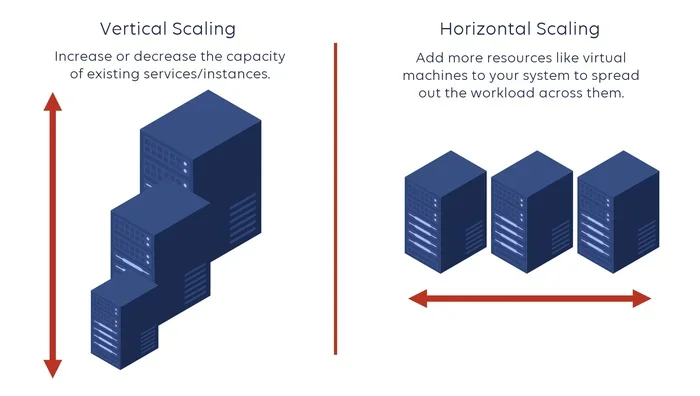
- Scalability: These systems grow with your business, so you only pay for what you need.
- Remote Access: Access your data from anywhere with an internet connection.
- Faster Implementation: Cloud ERP setups take days or weeks, not months.
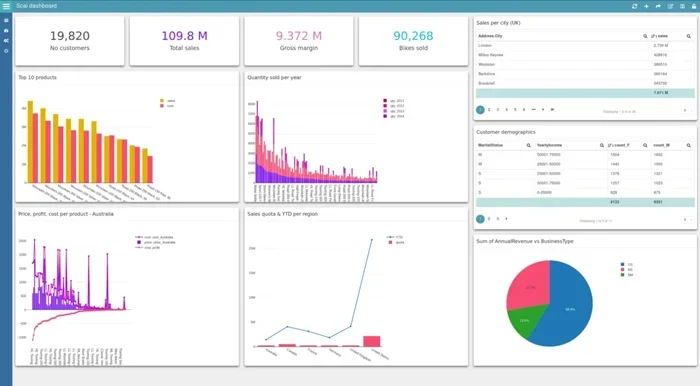
- Better Decision Making: Real-time dashboards give small business owners instant insights.
- Integration Friendly: Most cloud ERP platforms connect easily with tools you already use.
📑 Table of Contents
What Is Cloud Based ERP Software for Small Business?
ERP stands for Enterprise Resource Planning. It is a software system that manages all the core parts of a business in one place. Think of it as the brain of your company. A cloud based ERP system runs online instead of on your office computers. You access it through a web browser, just like you check email.
Traditional ERP software used to be expensive and complicated. It required big servers, IT staff, and long installation times. Cloud computing for business changed all of that. Now, small businesses can use SaaS ERP (Software as a Service) platforms that are hosted on remote servers and delivered over the internet.
With a cloud based erp software for small business, you get modules for accounting, inventory, customer relationship management (CRM), human resources, and more. Everything updates in real time. You do not need to switch between different apps anymore.
How Does Cloud ERP Work?
Here is a simple way to understand it. Imagine all your business data lives in one digital building. Your sales team, your warehouse, and your accounting department all work in the same building. They share information instantly. That is what a cloud ERP platform does.
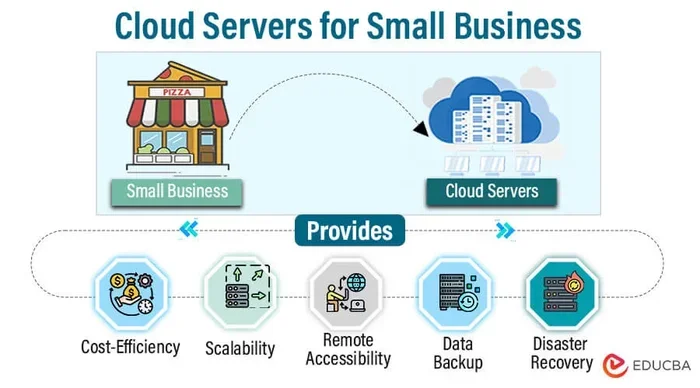
The software provider hosts the system on their servers. You log in through the internet. Your data is stored securely in the cloud. You pay a monthly or annual subscription fee instead of buying a huge license upfront. This model is called cloud ERP software, and it is perfect for small businesses that want to stay lean.
Why Small Businesses Need ERP Software
You might be thinking, “I run a small team. Do I really need an ERP system for small business?” The answer is yes, and here is why.
As a small business grows, so does the complexity of managing it. You start with a spreadsheet for inventory. Then you add another spreadsheet for invoices. Then you need a third one for payroll. Before you know it, you have ten different tools and no clear picture of how your business is doing.
A cloud based erp software for small business solves this problem. It brings everything together into one system. Here are the main reasons small businesses need ERP:
- One Source of Truth: Everyone in your team sees the same data at the same time. No more conflicting spreadsheets.
- Time Savings: Automating repetitive tasks like invoicing and reporting frees up hours every week.
- Better Customer Service: With all customer data in one place, your team can respond faster and smarter.
- Cost Control: Cloud ERP pricing for small business is much lower than traditional systems. You avoid huge upfront costs.
- Scalability: As your business grows, your scalable ERP software grows with you. You add modules or users as needed.
- Remote Work Support: Your team can access the system from home, on the road, or from a coffee shop.
Small business operations management becomes so much easier when you have the right tools. A cloud based ERP solution gives you control without the headache.
Top Features to Look For in Cloud ERP
Not all cloud based erp software for small business platforms are the same. Some offer dozens of features, while others keep things simple. Here are the key features you should look for when evaluating options.
1. Inventory Management
If your business sells products, inventory tracking is essential. A good inventory management software built into your ERP lets you track stock levels, set reorder points, and avoid overstocking or stockouts. You can see what is selling and what is sitting on the shelf.
2. Accounting and Financial Management
Look for accounting software for small business features like invoicing, expense tracking, and financial reporting. Your ERP should generate profit and loss statements, balance sheets, and cash flow reports with just a few clicks.
3. Customer Relationship Management (CRM)
A built-in CRM helps you manage leads, track customer interactions, and improve sales. When your CRM and ERP are in the same system, you get a complete view of each customer. This makes your business automation tools much more powerful.
4. Real-Time Dashboards and Reporting
Real-time dashboards give you instant visibility into your business performance. You can see sales trends, revenue, expenses, and key metrics at a glance. This helps you make quick, informed decisions.
5. Integration Capabilities
Your cloud ERP solution should connect easily with tools you already use. Look for integrations with payment processors, e-commerce platforms, email marketing tools, and shipping services. Strong ERP integration saves you from data silos.
6. Security and Data Backup
Since your data lives in the cloud, security is critical. Choose a provider that offers encryption, regular backups, and role-based access controls. This ensures your small business data stays safe and compliant.
7. Mobile Access
Many small business owners manage operations on the go. A cloud based ERP system with a mobile app or responsive web interface lets you check inventory, approve expenses, and view reports from your phone.
Best Cloud Based ERP Software for Small Business
Now that you know what features matter, let us look at some of the best cloud based ERP software for small business options available today. Each platform has its strengths, so you can choose based on your needs.
| Software | Best For | Starting Price (Monthly) | Key Strength |
|---|---|---|---|
| Zoho ERP | Growing startups and SMBs | $20/user | Affordable and feature-rich |
| Odoo | Customizable business needs | Free (Community) | Open-source flexibility |
| NetSuite | Scaling businesses | $999/month | Advanced analytics and scalability |
| QuickBooks Enterprise | Accounting-focused businesses | $150/month | Strong financial management |
| SAP Business One | Manufacturing and distribution | $69/month | Industry-specific solutions |
| Microsoft Dynamics 365 | Microsoft ecosystem users | $65/user | Deep Microsoft integration |
Each of these cloud ERP platforms offers something different. Zoho ERP is a great choice for small businesses watching their budget. Odoo is perfect if you want full customization. NetSuite suits businesses that plan to scale quickly. QuickBooks Enterprise works well if accounting is your top priority.
How to Compare ERP Platforms
When comparing ERP for startups and small businesses, consider these factors:
- Your Budget: Calculate total cost including setup, training, and monthly fees.
- Your Industry: Some platforms specialize in retail, manufacturing, or services.
- Ease of Use: Your team will actually use the system. Choose something intuitive.
- Implementation Time: Ask how long setup takes. Cloud ERP implementation can be as fast as a few days.
- Support and Training: Good onboarding makes a huge difference in adoption.
How to Choose the Right ERP Solution for Your Business
Choosing the right cloud based erp software for small business is a big decision. Here is a step-by-step approach to help you make the right choice.
Step 1: Identify Your Business Needs
Start by listing the problems you want to solve. Are you struggling with inventory? Do you need better financial reporting? Is your team spending too much time on manual tasks? Write down your top priorities. This list will guide your search for the right small business management software.
Step 2: Set a Realistic Budget
ERP pricing for small business varies widely. Some platforms start at $20 per user per month. Others cost several hundred dollars. Factor in implementation costs, training, and any add-on modules. Remember that cloud based ERP systems usually operate on a subscription model, which keeps upfront costs low.
Step 3: Involve Your Team
The people who will use the system every day should have a say in the selection process. Talk to your accounting team, your warehouse staff, and your sales reps. Their input will help you choose a platform that fits real workflows.
Step 4: Take Advantage of Free Trials
Most cloud ERP solutions offer free trials or demos. Use them. Test the software with your actual data. See how it feels. Check if the interface is intuitive and if the features you need are included.
Step 5: Plan for Implementation
Even the best cloud based ERP software for small business will fail if implementation goes wrong. Create a timeline. Assign responsibilities. Train your team thoroughly. A smooth ERP implementation process sets you up for long-term success.
Quick Tips for a Smooth ERP Adoption
- Start with core modules and add more later.
- Set clear goals for what you want to achieve in the first 90 days.
- Designate an internal champion who will lead the rollout.
- Document your processes before migrating data.
- Celebrate small wins to keep your team motivated.
Common Mistakes to Avoid When Choosing ERP
Many small businesses make avoidable mistakes when selecting and implementing cloud based erp software for small business. Here are the most common ones and how to dodge them.
1. Choosing Based on Price Alone
The cheapest option is not always the best. A low-cost cloud ERP platform might lack the features you need or have poor support. Look at value, not just price.
2. Ignoring Scalability
Your business will grow. If your cloud based business software cannot scale with you, you will outgrow it in a year or two. Choose a system that can handle increased volume, more users, and additional modules.
3. Skipping the Training Phase
Even the most user-friendly ERP system for small business requires proper training. Skipping this step leads to low adoption and frustration. Invest time in onboarding your team.
4. Overlooking Data Migration
Moving your existing data into a new system can be tricky. Plan your data migration strategy carefully. Clean up old records before importing them. Test the migration in stages.
5. Not Checking Integration Options
If your new cloud ERP solution does not integrate with your existing tools, you will create more work, not less. Always verify compatibility with your payment gateway, e-commerce platform, and other key tools.
6. Forgetting About Support
When something goes wrong, you need help fast. Choose a provider known for responsive customer support. Check reviews and ask about support channels before you commit.
Conclusion
Cloud based erp software for small business is no longer a luxury reserved for large corporations. It has become an essential tool for small businesses that want to compete, grow, and operate efficiently. Whether you need better inventory tracking, streamlined accounting, or improved customer management, the right cloud ERP solution can transform the way you work.
Start by identifying your needs, comparing platforms, and involving your team in the process. Take advantage of free trials and demos. Avoid the common pitfalls that trip up so many small businesses. With the right approach, you can find a cloud based ERP system that fits your budget, your workflows, and your growth goals.
The world of cloud computing for business is moving fast. The sooner you embrace it, the better positioned your small business will be. Take that first step today and explore what cloud based erp software for small business can do for you.
Frequently Asked Questions
What is cloud based ERP software for small business?
Cloud based erp software for small business is an online system that manages all core business functions like accounting, inventory, sales, and HR in one platform. It runs on remote servers and is accessed through the internet, eliminating the need for expensive hardware or IT staff.
How much does cloud ERP cost for small businesses?
Cloud ERP pricing for small business typically ranges from $20 to $150 per user per month. Some platforms offer free community editions. Total costs depend on the number of users, modules needed, and any customization required.
Is cloud ERP secure for small business data?
Yes, reputable cloud ERP providers use strong encryption, regular backups, and role-based access controls. In many cases, cloud security is better than what a small business could achieve on its own with local servers.
How long does it take to implement cloud ERP?
Cloud ERP implementation is much faster than traditional systems. Most small businesses can go live within a few weeks to a few months, depending on the complexity of the setup and the number of modules being deployed.
Can cloud ERP grow with my business?
Absolutely. Scalable ERP software is one of the biggest advantages of cloud-based systems. You can add users, modules, and features as your business grows without replacing the entire platform.
Which cloud ERP is best for startups?
Platforms like Zoho ERP, Odoo, and QuickBooks Enterprise are popular choices for ERP for startups. They offer affordable pricing, intuitive interfaces, and strong feature sets that meet the needs of early-stage businesses.