Why Cloud-Based Security Camera Systems for Business Matter
Cloud-based security camera systems for business are changing how companies protect their property, employees, and assets. Unlike traditional setups, these systems store footage online, giving you remote access from anywhere. They offer real-time alerts, easy scalability, and lower upfront costs. Whether you run a small shop or a large office, this technology delivers reliable surveillance without the hassle of on-site servers. Read on to discover why every business should make the switch.
Key Takeaways
- Remote Access: Monitor your business from anywhere using a phone or computer.
- Cost Savings: No expensive on-site servers means lower setup and maintenance costs.
- Scalability: Add or remove cameras easily as your business grows or changes.
- Real-Time Alerts: Get instant notifications when motion or unusual activity is detected.
- Secure Storage: Cloud storage keeps your footage safe from physical damage or theft.
- Smart Features: AI-powered video analytics help identify threats faster and smarter.
📑 Table of Contents
What Are Cloud-Based Security Camera Systems for Business?
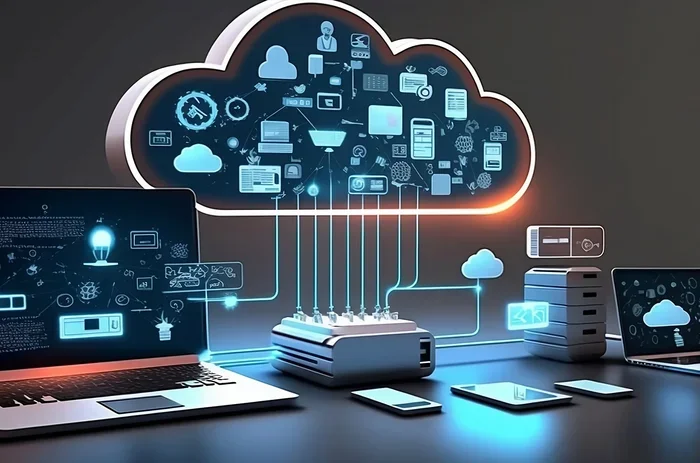
A cloud-based security camera system for business is a surveillance setup where cameras send video footage to an online server. Instead of storing tapes or hard drives on your property, the data lives securely in the cloud. You can access this footage from any device with an internet connection.
Think of it like email. You don’t need to keep paper letters in a filing cabinet. You just log in and view everything online. That is exactly how cloud surveillance works for businesses of all sizes.
These systems use IP cameras, which are smart digital cameras that connect to your network. They send video streams through the internet to a cloud platform. From there, you can view live feeds, review recorded clips, and manage settings. The whole process happens seamlessly in the background.
Many business owners still rely on old-school analog cameras and DVRs. While those systems work, they come with serious limitations. Cloud-based alternatives solve most of those problems with modern technology and smart design.
How Do They Differ from Traditional Systems?
Traditional security setups store footage locally. That means you need physical storage devices on-site. If those devices fail or get stolen, your security footage could be gone forever.
Cloud-based systems eliminate this risk entirely. The footage travels over the internet to secure remote servers. Even if someone breaks into your building, the evidence is safe online. This is one of the biggest reasons cloud-based security camera systems for business are gaining popularity so fast.
Key Benefits of Cloud-Based Security Camera Systems
Switching to a cloud surveillance system brings many advantages. Let us look at the most important ones that business owners care about.
1. Remote Monitoring Made Simple
One of the best features of cloud-based security camera systems for business is remote monitoring. You can check your cameras from your office, your home, or even while traveling. All you need is a smartphone or laptop and an internet connection.
Imagine you are on vacation and get a suspicious feeling about your store. Instead of worrying, you open your app and check the live feed. You can see exactly what is happening in real time. This peace of mind is priceless for any business owner.
Many systems also send real-time alerts to your phone. If the camera detects motion or unusual activity, you get notified instantly. This allows you to act fast, even when you are not physically present.
2. Lower Upfront Costs
Traditional video surveillance systems require expensive hardware. You need servers, cables, storage devices, and sometimes dedicated IT staff to manage everything.
Cloud-based systems flip this model. Most providers use a subscription model where you pay a monthly or annual fee. There is no need to buy costly equipment upfront. This makes business security more accessible, especially for small and medium-sized companies.
Over time, the subscription costs are often lower than maintaining on-site infrastructure. You also avoid repair and replacement costs for physical storage devices.
3. Easy Scalability
As your business grows, your security needs change too. With cloud-based systems, adding new cameras is simple. You just plug in the device, connect it to the network, and it syncs with your cloud account.
You do not need to upgrade servers or reconfigure complex hardware. The cloud platform handles everything automatically. This scalability is a huge advantage for businesses that are expanding or opening new locations.
4. Secure and Reliable Storage
Your security footage is stored on encrypted cloud servers. These servers are protected by multiple layers of cybersecurity. Even if a natural disaster damages your building, your video data remains safe.
Most cloud providers offer redundancy. This means your data is backed up across multiple servers in different locations. So even if one server goes down, your footage is still accessible.
5. Smart Analytics and AI Features
Modern cloud-based security camera systems for business come with video analytics. These are smart tools that analyze your footage automatically. They can detect motion detection events, recognize faces, and even identify unusual behavior patterns.
Some systems offer threat detection powered by artificial intelligence. They can distinguish between a person walking by and a potential intruder. This reduces false alarms and helps your team respond to real threats faster.
How Cloud-Based Surveillance Systems Work
Understanding how cloud-based security camera systems for business operate helps you make informed decisions. The process is simpler than most people think.
Step 1: Cameras Capture Footage
Your IP cameras record video continuously or based on triggers like motion. These cameras connect to your Wi-Fi or wired network. They compress the video data to make it easy to transmit over the internet.
Step 2: Data Travels to the Cloud
The compressed video is sent through the internet to a cloud server. This happens in real time, so there is usually no delay. The cloud platform processes and stores the footage securely.
Step 3: You Access the Footage
You can view live or recorded footage through a web portal or mobile app. You can search for specific events, download clips, and share footage with authorities if needed. Everything is organized and easy to find.
Step 4: Smart Alerts and Analytics
The system continuously analyzes the footage for important events. When it detects something unusual, it sends you an alert. You can then review the clip and decide on the next steps.
Choosing the Right Cloud Security Camera System
Not all cloud-based security camera systems for business are the same. Choosing the right one depends on your specific needs. Here are the factors you should consider.
Camera Quality and Features
Look for cameras with high resolution. At least 1080p is recommended for clear footage. Many modern systems offer 4K resolution for even sharper images.
Other features to consider include:
- Night vision for 24/7 monitoring
- Wide-angle lenses for larger coverage areas
- Two-way audio for communicating through the camera
- Weatherproofing for outdoor installations
- Smart motion detection to reduce unnecessary alerts
Storage Options and Retention
Check how much cloud storage is included in the plan. Some providers offer unlimited storage, while others cap it at a certain number of days. Most businesses need at least 30 days of retention for security footage.
Also look for options to store footage locally as a backup. This gives you an extra layer of protection in case of internet outages.
Ease of Use
The best digital surveillance system is one your team can actually use. Look for platforms with intuitive dashboards and mobile apps. If your staff cannot figure out how to review footage, the system is not doing its job.
Integration with Other Tools
A great cloud security system works with your existing tools. Look for systems that integrate with access control, alarm systems, and business management software. This creates a unified security ecosystem.
Pricing and Contract Terms
Compare pricing plans carefully. Some providers charge per camera, while others offer flat-rate plans. Watch out for hidden fees like installation charges or early termination penalties.
Many providers offer free trials. Take advantage of these to test the system before committing long-term.
Common Mistakes to Avoid
Many businesses make avoidable mistakes when setting up cloud-based security camera systems for business. Here are the most common ones and how to prevent them.
Skipping the Internet Speed Check
Cloud cameras need a stable and fast internet connection. If your Wi-Fi is weak, your live feeds will lag and footage may not upload properly. Always test your network speed before installing cameras.
Ignoring Cybersecurity
Since your system connects to the internet, it can be a target for hackers. Use strong passwords, enable two-factor authentication, and keep your firmware updated. These simple steps protect your business security from digital threats.
Choosing the Wrong Camera Placement
Even the best cameras will not help if they are placed poorly. Avoid pointing cameras directly at light sources. Cover all entry points including doors, windows, and parking areas. Think like a potential intruder when planning your layout.
Not Training Your Team
Your staff should know how to use the system. Train them on how to view live feeds, respond to alerts, and export footage. A well-trained team gets much more value from your surveillance system.
The Future of Business Security Cameras
The world of cloud-based security camera systems for business is evolving quickly. New trends are making these systems even more powerful and accessible.
AI and Machine Learning
Artificial intelligence is making video analytics smarter every year. Future systems will be able to identify specific people, vehicles, and objects with incredible accuracy. This will reduce false alarms and improve response times dramatically.
Edge Computing
Edge computing brings processing power closer to the cameras themselves. This means faster analysis and lower bandwidth usage. It is a game-changer for businesses with many cameras and limited internet capacity.
5G Connectivity
The rollout of 5G networks will make cloud surveillance faster and more reliable. High-resolution video will stream without lag, even in areas with heavy network traffic. This opens up new possibilities for enterprise security and large-scale deployments.
Integration with Smart Building Systems
Security cameras are becoming part of larger smart building ecosystems. They will work alongside HVAC systems, lighting, and occupancy sensors. This creates a smarter, more efficient, and more secure business environment.
Final Thoughts
Cloud-based security camera systems for business are no longer a luxury. They are a smart, practical investment for any company that wants to protect its people, property, and reputation. The benefits are clear: remote access, lower costs, easy scalability, and powerful smart features.
Whether you are a small retail shop or a large corporate office, there is a cloud surveillance solution that fits your needs. Start by evaluating your security goals, comparing providers, and testing a system before committing fully. The right setup will give you confidence and control every single day.
Do not wait for a security incident to realize you need better protection. Make the switch to cloud-based cameras today and take a proactive step toward a safer, smarter business.
Frequently Asked Questions
Are cloud-based security camera systems for business safe from hackers?
Most reputable providers use strong encryption and cybersecurity measures to protect your data. You can further improve safety by using strong passwords and enabling two-factor authentication. Always choose a trusted provider with a solid security track record.
How much does a cloud-based surveillance system cost per month?
Pricing varies widely depending on the number of cameras and features. Most plans range from $10 to $50 per camera per month. Some providers offer bundled plans that include storage and analytics at a lower rate.
Can I keep my existing cameras and use them with a cloud system?
It depends on the camera model. Many modern IP cameras are compatible with cloud platforms. However, older analog cameras usually need to be replaced with IP cameras to work with cloud storage. Check with your provider for specific compatibility details.
What happens to my footage if the internet goes down?
Most cloud camera systems have a local buffer that stores footage temporarily during an outage. Once the internet connection is restored, the footage uploads to the cloud automatically. Some systems also support SD card backup for extra protection.
How much cloud storage do I need for business security cameras?
Most businesses need at least 30 days of retention for security footage. The exact amount depends on the number of cameras and the resolution settings. Many providers offer flexible plans so you can adjust storage as your needs change.
Can I access my cloud security cameras from multiple devices?
Yes, most cloud-based systems allow you to view live feeds and recorded footage from multiple devices. You can log in from your phone, tablet, and computer simultaneously. This makes it easy for managers and security teams to stay connected.