Sap Business One on Azure Why It Beats Traditional Hosting
Sap Business One on Azure is a game-changer for businesses that want reliable, scalable, and secure ERP software without the headaches of traditional hosting. By running SAP Business One on Microsoft Azure, companies enjoy automatic updates, remote access, and lower IT costs. Traditional on-premise setups are rigid, expensive, and hard to maintain. Cloud hosting gives you the flexibility to grow your business without worrying about servers or downtime. If you are still running SAP Business One the old way, it is time to make the switch.
Running a business is hard enough without worrying about your IT systems. If you use Sap Business One, you already know it is a powerful ERP solution. But where you host it makes a huge difference. Sap Business One on Azure is changing the way small and mid-sized companies manage their operations. It offers speed, flexibility, and peace of mind that traditional hosting simply cannot match.
Traditional hosting means managing your own servers, dealing with hardware failures, and paying for IT staff to keep everything running. It is expensive, risky, and outdated. Cloud hosting on Microsoft Azure flips the script. You get enterprise-grade infrastructure without the enterprise-grade price tag. In this article, we will walk you through why SAP Business One on Azure beats traditional hosting in every meaningful way.
Key Takeaways
- Better Scalability: Azure lets you scale resources up or down based on your business needs without buying new hardware.
- Lower Total Cost of Ownership: Cloud hosting eliminates the need for expensive on-premise servers and dedicated IT staff.
- Stronger Security: Microsoft Azure provides enterprise-grade security, compliance certifications, and automatic threat detection.
- Remote Access Anywhere: Your team can access SAP Business One from any device with an internet connection.
- Automatic Updates and Backups: Azure handles system updates, patches, and disaster recovery so you do not have to.
- Faster Deployment: Setting up Sap Business One on Azure takes days, not weeks or months.
- Future-Proof Your Business: Cloud hosting keeps your ERP system ready for growth, new features, and changing business demands.
📑 Table of Contents
What Is Sap Business One on Azure?
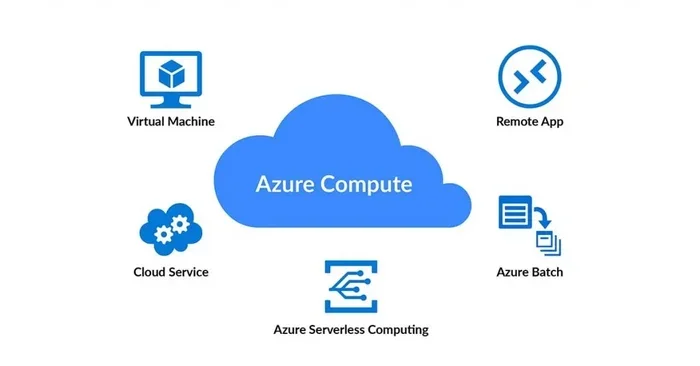
Sap Business One on Azure means running your ERP software on Microsoft’s cloud platform instead of on your own physical servers. Think of it like renting a fully managed apartment versus building and maintaining your own house. With Azure, Microsoft handles the infrastructure, security, and maintenance. You just focus on running your business.
SAP Business One is already one of the most popular ERP systems for small and medium businesses. It handles finance, sales, inventory, purchasing, and manufacturing. When you move it to Azure, you unlock the full power of cloud computing. This combination gives you a modern, flexible, and reliable business management software setup without the traditional headaches.
How Does Cloud Hosting Work for SAP Business One?
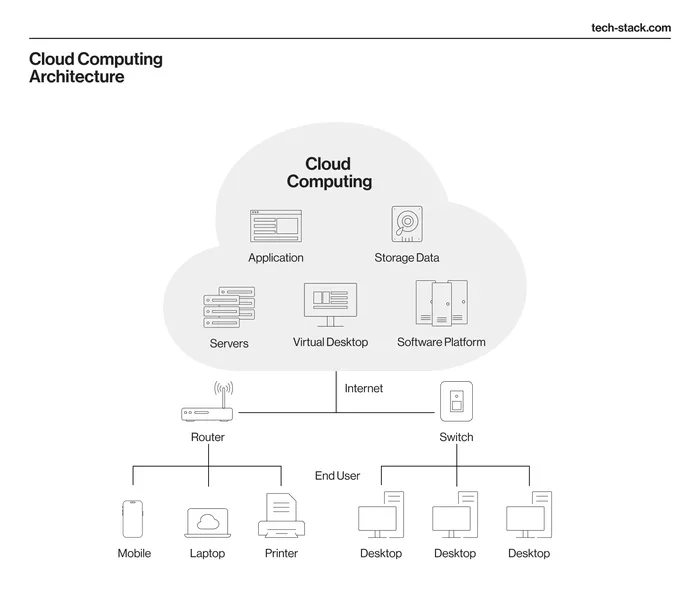
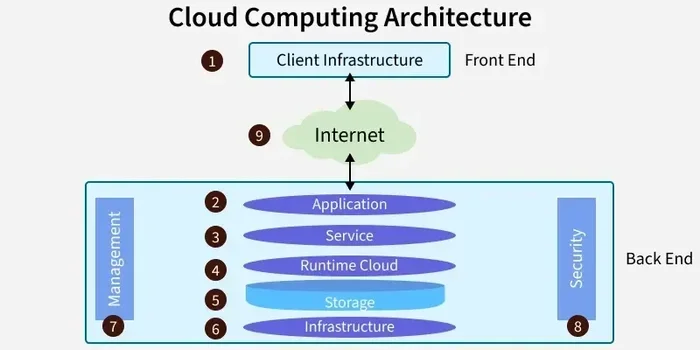
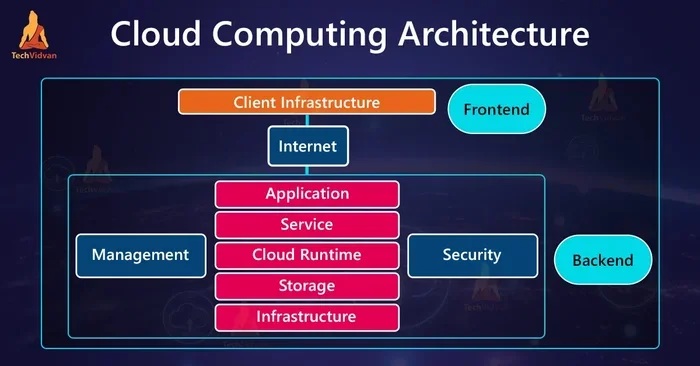
Cloud hosting places your SAP Business One application and database on virtual servers inside Microsoft’s data centers. These data centers are spread across the globe and come with built-in redundancy. If one server fails, another takes over instantly. You access the system through the internet, just like you would access email or a cloud storage service.
There are different deployment options too. You can choose a public cloud, a private cloud, or even a hybrid setup. A hybrid cloud approach lets you keep some data on-premise while running the rest on Azure. This flexibility is one of the biggest advantages of cloud migration for businesses with unique needs.
Why Traditional Hosting Falls Behind
Traditional hosting, also called on-premise hosting, has been the standard for decades. You buy physical servers, install them in your office or a data center, and manage everything yourself. It works, but it comes with serious limitations. Let us look at why this approach is losing ground.
High Upfront Costs
Setting up on-premise hosting requires a large initial investment. You need to buy servers, networking equipment, and software licenses. You also need a climate-controlled room to house the hardware. Many small businesses simply cannot afford this kind of setup. The total cost of ownership for on-premise ERP systems is often much higher than expected.
Limited Scalability
What happens when your business grows? With traditional hosting, you need to buy more servers, install them, configure them, and hope they work. This process can take weeks or months. During peak seasons, your system might struggle to handle the load. With cloud hosting, you can scale up in minutes with just a few clicks.
Maintenance and Downtime Risks
On-premise servers need constant care. You need IT staff to monitor them, apply patches, replace failing hardware, and manage backups. If a server goes down, your business stops. There is no automatic failover unless you invest in expensive redundant setups. This level of IT infrastructure management is a burden most small businesses do not need.
Limited Remote Access
Traditional hosting ties your ERP system to a specific location. Your team needs to be in the office or connected through a VPN. This limits productivity, especially for businesses with remote workers or multiple office locations. Remote access is a basic expectation today, and on-premise setups simply cannot deliver it easily.
Key Benefits of Sap Business One on Azure
Now let us get into the good stuff. Why exactly does Sap Business One on Azure outperform traditional hosting? Here are the biggest benefits that matter to real businesses.
Scalability That Grows With You
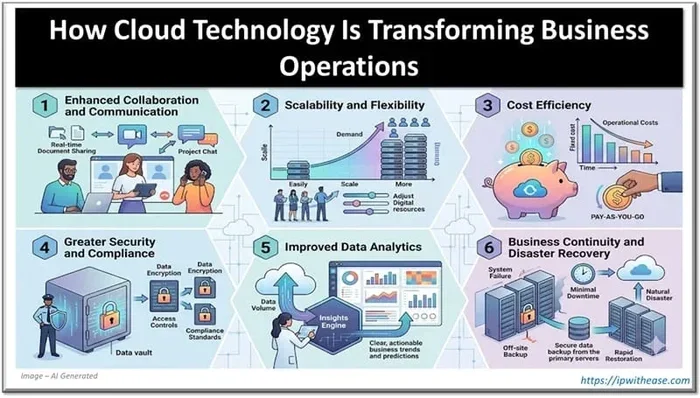
Azure gives you the ability to adjust computing power, storage, and memory based on your current needs. If you are processing a large batch of orders at month-end, you can temporarily boost resources. When things calm down, you scale back. This scalability means you never pay for what you do not use.
For growing businesses, this is a huge advantage. You do not need to predict your future IT needs perfectly. Azure adapts to your actual usage patterns. This kind of business agility helps you respond quickly to market changes and new opportunities.
Significant Cost Savings
One of the most compelling reasons to choose cloud hosting for SAP Business One is the cost savings. Instead of large capital expenditures, you pay a predictable monthly subscription. This shifts your IT spending from a one-time big investment to a manageable ongoing expense.
You also save on electricity, cooling, physical space, and IT personnel. Microsoft handles hardware maintenance, security updates, and system monitoring. Over time, the total cost of ownership for Azure-hosted SAP Business One is significantly lower than on-premise setups.
Enterprise-Grade Security
Security is a top concern for any business running an ERP system. Microsoft Azure invests billions of dollars in cybersecurity every year. It offers advanced threat detection, encryption at rest and in transit, and multi-factor authentication. These security features are available out of the box.
Azure also complies with major industry standards and regulations. You get certifications like ISO 27001, SOC 1 and SOC 2, GDPR compliance, and HIPAA readiness. For businesses in regulated industries, this level of security compliance is extremely valuable. Achieving the same security posture with on-premise hosting would cost a fortune.
Automatic Updates and Backups
With traditional hosting, you are responsible for applying software updates and patches. This can be time-consuming and risky if not done correctly. Azure handles automatic updates for the underlying infrastructure. Microsoft also provides built-in backup and disaster recovery tools.
Your data is replicated across multiple data centers automatically. If something goes wrong, you can restore your system quickly. This level of disaster recovery capability is something most businesses could never afford to build on their own.
Anywhere Access and Collaboration
Running Sap Business One on Azure means your team can access the system from anywhere. Whether they are in the office, working from home, or traveling, they can log in securely. This boosts collaboration and productivity across your entire organization.
You can also integrate Azure with other Microsoft tools like Power BI, Outlook, and Teams. This creates a seamless workflow where your ERP data flows naturally into your daily tools. The result is better visibility and faster decision-making across your business.
Faster Deployment Times
Setting up SAP Business One on traditional hardware can take weeks or even months. You need to procure equipment, install the operating system, configure the network, and deploy the software. With Azure, you can have a fully functional ERP system running in days. Pre-built templates and automated deployment tools make the process smooth and fast.
This speed matters. The faster you get your system running, the sooner you start seeing value. For businesses that need to respond quickly to market demands, fast deployment is a competitive advantage.
Cost Comparison: Cloud vs. Traditional Hosting
Let us talk numbers. Understanding the cost difference between Sap Business One on Azure and traditional hosting is essential for making a smart decision. The table below compares the two approaches across key cost factors.
| Cost Factor | Traditional Hosting | SAP Business One on Azure |
|---|---|---|
| Initial Hardware Cost | High (servers, networking, setup) | None (cloud infrastructure provided) |
| Monthly IT Expenses | High (staff, maintenance, electricity) | Low to moderate (subscription-based) |
| Scalability Cost | Expensive (new hardware purchases) | Pay-as-you-go (scale up or down) |
| Disaster Recovery | Expensive to implement | Built-in and included |
| Software Updates | Manual and staff-dependent | Automatic and managed |
| Total Cost of Ownership | High over 3-5 years | Lower and more predictable |
As you can see, the total cost of ownership for Azure hosting is much more favorable. You avoid large upfront investments and unpredictable maintenance costs. The subscription model gives you budget predictability, which is a huge relief for any business owner.
Quick Tips for Reducing Cloud Hosting Costs
- Right-size your Azure resources to match your actual usage.
- Use Azure’s reserved instance pricing for long-term savings.
- Set up auto-shutdown for non-production environments after hours.
- Monitor your spending with Azure Cost Management tools.
- Review your usage quarterly and adjust as your needs change.
Security and Compliance on Microsoft Azure
Security is where Microsoft Azure truly shines. When you host Sap Business One on Azure, you inherit Microsoft’s world-class security infrastructure. This is something no small business could replicate on its own with on-premise hosting.
Azure provides multiple layers of security. Physical security protects the data centers. Network security controls incoming and outgoing traffic. Application security safeguards your ERP data. And data encryption ensures that even if someone intercepted your data, they could not read it.
For businesses in regulated industries like healthcare, finance, or manufacturing, compliance is critical. Azure meets dozens of regulatory standards worldwide. You get built-in tools to help you prove compliance during audits. This saves you time, money, and stress compared to managing compliance on your own.
Common Mistakes to Avoid When Migrating to Azure
- Skipping the assessment phase: Always evaluate your current setup before migrating. Understand your data volumes, user count, and integration needs.
- Ignoring network bandwidth: Migrating large amounts of data to the cloud requires a solid internet connection. Plan for adequate bandwidth.
- Not training your team: Even though the system is the same, the access methods may change. Train your users on the new remote access workflows.
- Overlooking licensing: Make sure you understand Azure licensing for SAP Business One. Work with your SAP partner to get the right plan.
- Forgetting about backups: Even though Azure has built-in backup tools, always verify your backup and restore procedures before going live.
How to Migrate Sap Business One to Azure
Migrating your Sap Business One system to Azure might sound intimidating, but it is actually quite straightforward when you have the right partner. The process typically involves a few clear steps.
Step 1: Assessment and Planning
Start by evaluating your current environment. Document your hardware, software versions, database size, and number of users. Identify any customizations or integrations that need special attention. This assessment helps you choose the right Azure deployment plan.
Step 2: Choose Your Deployment Model
You have options. You can go with a fully cloud-hosted setup, a hybrid model, or a dedicated cloud instance. Your SAP Business One partner can help you decide which model fits your business goals and budget. Each option has its own benefits depending on your deployment options and requirements.
Step 3: Data Migration
This is the most critical step. Your data moves from your on-premise servers to Azure. A good migration plan minimizes downtime and ensures data integrity. Most migrations can be completed over a weekend with proper planning. Always test the migrated system thoroughly before cutting over from your old setup.
Step 4: Testing and Go-Live
After migration, run thorough tests. Check that all modules work correctly, integrations are functioning, and users can log in without issues. Once you are confident everything works, you go live. Your team will appreciate the improved speed and reliability from day one.
Expert Insight
According to industry experts, businesses that migrate SAP Business One to Azure typically see a 30-40% reduction in IT costs within the first year. The improved system reliability and faster performance also lead to better user adoption and productivity. The key is to work with an experienced migration partner who understands both SAP Business One and Azure infrastructure.
Key Takeaways
- Better Scalability: Azure lets you scale resources up or down based on your business needs without buying new hardware.
- Lower Total Cost of Ownership: Cloud hosting eliminates the need for expensive on-premise servers and dedicated IT staff.
- Stronger Security: Microsoft Azure provides enterprise-grade security, compliance certifications, and automatic threat detection.
- Remote Access Anywhere: Your team can access SAP Business One from any device with an internet connection.
- Automatic Updates and Backups: Azure handles system updates, patches, and disaster recovery so you do not have to.
- Faster Deployment: Setting up Sap Business One on Azure takes days, not weeks or months.
- Future-Proof Your Business: Cloud hosting keeps your ERP system ready for growth, new features, and changing business demands.
Frequently Asked Questions
What is SAP Business One on Azure?
Sap Business One on Azure means running your SAP Business One ERP software on Microsoft’s cloud platform instead of on physical servers in your office. Azure provides the computing power, storage, and security infrastructure, while you access the system over the internet. This setup gives you all the benefits of cloud computing without managing any hardware yourself.
Is SAP Business One on Azure more expensive than traditional hosting?
Actually, the opposite is true in most cases. While traditional hosting requires large upfront investments in hardware and ongoing IT staff costs, Azure uses a subscription model with predictable monthly expenses. The total cost of ownership is typically 30-40% lower over three to five years. You also save on electricity, cooling, and physical space for servers.
How secure is Sap Business One on Azure?
Microsoft Azure is one of the most secure cloud platforms in the world. It offers enterprise-grade encryption, multi-factor authentication, and advanced threat detection. Azure also complies with major industry standards including ISO 27001, SOC 1 and SOC 2, and GDPR. For most businesses, security compliance on Azure is far superior to what they could achieve with on-premise hosting.
Can I access SAP Business One on Azure from anywhere?
Yes, absolutely. One of the biggest advantages of cloud hosting is anywhere access. As long as you have an internet connection, you can log into SAP Business One from your office, home, or while traveling. This is perfect for teams with remote workers or businesses with multiple office locations. The system works just as well on a laptop as it does on a desktop.
How long does it take to migrate SAP Business One to Azure?
The migration timeline depends on the complexity of your current setup, but most businesses complete the process within a few weeks. Simple migrations can take as little as a few days. The key steps include assessment, planning, data migration, testing, and go-live. Working with an experienced SAP partner helps ensure a smooth and timely migration.
What happens if there is a system outage on Azure?
Microsoft Azure is designed with redundancy and failover built in. Your data is replicated across multiple data centers in different geographic regions. If one data center experiences an issue, your system automatically fails over to another. This level of disaster recovery is built into the platform and is far more reliable than most on-premise setups could ever achieve.
=== CONCLUSION ===
Sap Business One on Azure is the clear winner when compared to traditional hosting. It offers better scalability, stronger security, significant cost savings, and the flexibility to work from anywhere. The days of managing physical servers and worrying about hardware failures are behind you. With Azure, you get a modern, reliable, and future-proof ERP hosting solution that lets you focus on what really matters: growing your business.
If you are still running SAP Business One on traditional servers, the time to switch has never been better. The migration process is straightforward, the cost savings are real, and the benefits are immediate. Talk to your SAP partner today about moving your business management software to the cloud. Your future self will thank you.