LinkedIn Cybersecurity with Cloud Computing Strategies
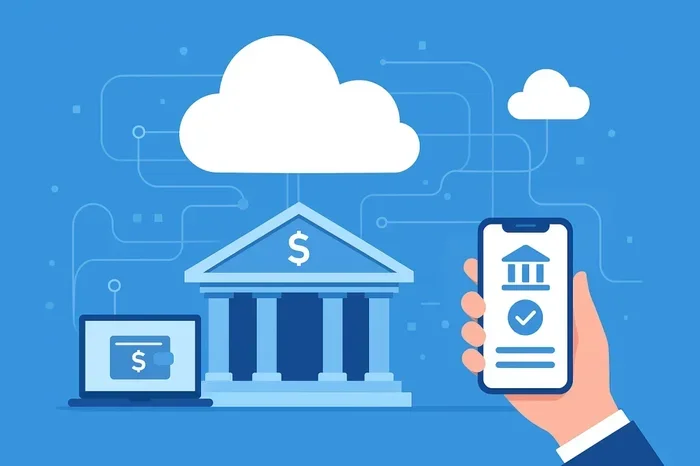
LinkedIn cybersecurity with cloud computing is essential for protecting your professional data and network. Cloud-based security strategies help safeguard user accounts, prevent data breaches, and ensure safe online networking. This guide covers actionable tips, common threats, and proven cloud defense methods.
LinkedIn has become one of the most important platforms for professionals worldwide. With over 900 million users sharing career details, job listings, and business connections, the platform is a goldmine for cybercriminals. That is why LinkedIn cybersecurity with cloud computing has never been more important. The combination of cloud-based tools and smart security strategies keeps your data safe while you network online. In this article, we will explore how cloud computing strengthens LinkedIn’s security and what you can do to stay protected.
Every day, millions of people log in to LinkedIn to connect, share, and grow their careers. But with that activity comes real risk. Hackers target professional networks because they hold valuable personal and business data. Cloud computing strategies give LinkedIn the power to detect threats, encrypt data, and respond to incidents faster than ever before. Whether you are a job seeker, recruiter, or business owner, understanding these strategies helps you use the platform with confidence.
Key Takeaways
- Cloud computing plays a vital role in keeping LinkedIn accounts and data secure from modern cyber threats.
- Multi-factor authentication and encryption are core components of effective LinkedIn cybersecurity with cloud computing.
- Zero trust architecture helps professionals access LinkedIn tools safely without exposing sensitive data.
- Regular security updates and threat detection in the cloud reduce the risk of unauthorized access.
- Security awareness training empowers users to recognize phishing and social engineering attacks on LinkedIn.
- Cloud infrastructure scaling allows LinkedIn to respond to growing security demands efficiently.
- Incident response planning ensures quick recovery when security incidents occur on the platform.
📑 Table of Contents
- Why LinkedIn Needs Cybersecurity with Cloud Computing
- Key Cloud Computing Strategies for LinkedIn Security
- How LinkedIn Protects User Data with Cloud Tools
- Common Cyber Threats Targeting LinkedIn Users
- Best Practices for Securing LinkedIn in a Cloud Environment
- The Future of LinkedIn Cybersecurity and Cloud Innovation
- Conclusion
Why LinkedIn Needs Cybersecurity with Cloud Computing
LinkedIn stores massive amounts of sensitive information. User profiles, private messages, payment details, and company data all live on cloud servers. Without strong protection, this data is an easy target for attackers. Cloud computing provides the tools LinkedIn needs to defend against these threats at scale.
The Growing Threat Landscape for Professional Networks
Cyberattacks on professional networks have increased sharply in recent years. Phishing campaigns, credential stuffing, and social engineering attacks are just a few tactics hackers use. Many attackers create fake profiles to trick users into sharing sensitive information. Cloud-based threat detection helps LinkedIn identify and block these bad actors before they cause harm.
Here are some of the most common threats targeting LinkedIn users today:
- Phishing emails that mimic LinkedIn notifications to steal login credentials
- Fake job offers designed to collect personal and financial data
- Credential stuffing where hackers use leaked passwords from other sites
- Social engineering through direct messages to build trust and extract information
- Data scraping by unauthorized bots collecting profile information at scale
How Cloud Computing Enables Stronger Defense
Cloud computing gives LinkedIn the ability to process security data in real time. Instead of relying on local servers, cloud infrastructure spreads across multiple data centers worldwide. This means threats can be detected and neutralized faster. Cloud-based security operations centers monitor activity around the clock, looking for suspicious patterns and anomalies.
One major advantage of cloud security is scalability. As LinkedIn grows, its security systems must grow with it. Cloud platforms allow LinkedIn to add more processing power, storage, and security features without rebuilding from scratch. This flexibility is essential for staying ahead of evolving cyber threats.
Key Cloud Computing Strategies for LinkedIn Security
LinkedIn uses several cloud computing strategies to keep its platform secure. Each strategy addresses a different layer of protection. Together, they create a strong defense system that works silently in the background.
Multi-Factor Authentication and Access Control
Multi-factor authentication (MFA) is one of the most effective ways to protect user accounts. When you log in, LinkedIn can ask for a second form of verification, like a code sent to your phone. Cloud computing makes this process fast and seamless. Even if a hacker steals your password, they still cannot access your account without the second factor.
Access control in the cloud ensures that only authorized users can view or modify sensitive data. LinkedIn uses role-based access to limit what employees and third-party apps can do on the platform. This reduces the risk of insider threats and accidental data exposure.
Encryption and Data Protection
Encryption is the process of scrambling data so that only authorized parties can read it. LinkedIn uses cloud-based encryption to protect user messages, profile information, and payment details. When data travels between your device and LinkedIn’s servers, it is encrypted using advanced protocols.
Data protection in the cloud also includes regular backups and redundancy. If one data center goes offline, another takes over instantly. This ensures that user data stays safe and accessible at all times. For LinkedIn cybersecurity with cloud computing, encryption is a non-negotiable foundation.
Zero Trust Architecture
Zero trust architecture is a security model that assumes no user or device should be trusted by default. Every request to access LinkedIn resources is verified, no matter where it comes from. Cloud computing makes zero trust possible by providing the tools to continuously monitor and authenticate every interaction.
This approach is especially important for LinkedIn because users access the platform from many different devices and locations. A zero trust model ensures that even if a device is compromised, the damage is limited. Cloud-based zero trust solutions give LinkedIn the ability to enforce strict security policies across its entire network.
Threat Detection and Response
Cloud computing allows LinkedIn to use advanced threat detection tools powered by artificial intelligence and machine learning. These tools analyze billions of login attempts, messages, and profile changes every day. When something looks suspicious, the system flags it for review or automatically blocks it.
Incident response is another critical area where cloud computing shines. When a security incident occurs, LinkedIn’s cloud systems can isolate the affected area quickly. This prevents the threat from spreading and minimizes damage. The speed of cloud-based response is a huge advantage over traditional on-premise security systems.
How LinkedIn Protects User Data with Cloud Tools
LinkedIn relies on a range of cloud tools to protect its users. These tools work together to create a layered security approach. Let us look at some of the key tools and how they contribute to LinkedIn cybersecurity with cloud computing.
Security Information and Event Management
Security Information and Event Management, or SIEM, is a cloud-based tool that collects and analyzes security data from across the platform. LinkedIn uses SIEM to track login attempts, detect unusual behavior, and generate real-time alerts. This tool acts as the central nervous system of LinkedIn’s security operations.
Cloud Access Security Brokers
Cloud Access Security Brokers, or CASBs, monitor how users interact with cloud applications. They help LinkedIn enforce security policies, detect risky behavior, and prevent data leaks. CASBs are especially useful for identifying when third-party apps connected to LinkedIn may pose a security risk.
Endpoint Protection and Secure Access
LinkedIn users access the platform from many different devices. Endpoint protection in the cloud ensures that each device connecting to LinkedIn meets security standards. Secure Access Service Edge, or SASE, combines network security with cloud delivery to provide safe access from anywhere in the world.
| Security Tool | What It Does | How It Helps LinkedIn |
|---|---|---|
| Multi-Factor Authentication | Verifies user identity with multiple factors | Prevents unauthorized account access |
| Encryption | Scrambles data during transit and storage | Protects user messages and payment details |
| Zero Trust Architecture | Verifies every access request continuously | Limits damage from compromised devices |
| Threat Detection AI | Analyzes behavior patterns in real time | Blocks phishing and fake profile attacks |
| SIEM Systems | Collects and correlates security event data | Enables fast incident detection and response |
| CASB | Monitors cloud app usage and enforces policies | Prevents data leaks through third-party apps |
Common Cyber Threats Targeting LinkedIn Users
Understanding the threats helps you protect yourself. While LinkedIn and its cloud security systems do a lot of the heavy lifting, users also play a key role in staying safe. Let us look at the most common threats and how cloud computing helps fight them.
Phishing Attacks on LinkedIn
Phishing is the number one threat on LinkedIn. Attackers send messages that look like they come from LinkedIn or a trusted connection. These messages often contain links to fake login pages. Once you enter your credentials, the attacker has access to your account. Cloud-based email filtering and link scanning help LinkedIn detect and block many of these phishing attempts before they reach your inbox.
Fake Profiles and Impersonation
Fake profiles are a persistent problem on LinkedIn. Scammers create profiles that look like real people or companies to build trust and steal information. LinkedIn uses cloud-based machine learning models to detect and remove fake profiles. These models analyze patterns in profile creation, activity, and connections to flag suspicious accounts.
Data Breaches and Credential Leaks
Even large platforms can experience data breaches. When they do, cloud computing helps LinkedIn respond quickly. Encrypted data is harder for attackers to use, and cloud incident response teams can isolate compromised systems fast. LinkedIn also encourages users to enable multi-factor authentication to add an extra layer of protection.
Malware and Ransomware
Some attackers use LinkedIn to distribute malware or ransomware. They may share malicious files disguised as resumes or documents. Cloud-based endpoint protection scans files and links before they reach users. This proactive approach helps prevent malware from spreading through the platform.
Best Practices for Securing LinkedIn in a Cloud Environment
While LinkedIn handles much of the security on its end, users also need to take steps to protect themselves. These best practices work hand in hand with cloud computing strategies to keep your LinkedIn experience safe.
Enable Multi-Factor Authentication
This is the single most important step you can take. Go to your LinkedIn settings and turn on multi-factor authentication. Choose an authenticator app over SMS when possible, as apps are harder to intercept. Cloud-based MFA systems make this process quick and easy for millions of users at once.
Review Your Connections Regularly
Take time to review your connections and remove anyone you do not recognize. Fake profiles often send connection requests to build a network of targets. The fewer unknown connections you have, the smaller your attack surface becomes.
Be Skeptical of Unsolicited Messages
If you receive a message from someone you do not know, be cautious. Do not click on links in unexpected messages, even if they appear to come from LinkedIn. Cloud-based threat detection catches many of these, but no system is perfect. Your vigilance is the last line of defense.
Keep Your Software Updated
Regular updates to your browser, operating system, and apps patch security vulnerabilities. Cloud security tools work best when your devices are up to date. Enable automatic updates whenever possible to stay protected without thinking about it.
Use Strong, Unique Passwords
Never reuse passwords across different platforms. A password manager can help you create and store strong passwords for LinkedIn and other accounts. Cloud-based password managers encrypt your credentials and autofill them securely.
Quick Tips for Everyday LinkedIn Safety
- Turn on login alerts so you know when your account is accessed from a new device
- Avoid sharing sensitive information like home addresses or financial details in messages
- Report suspicious profiles and messages to LinkedIn immediately
- Use a VPN when accessing LinkedIn on public Wi-Fi networks
- Review third-party app permissions regularly and revoke access to apps you no longer use
Common Mistakes Users Make on LinkedIn
Even security-conscious users can make mistakes. Here are some common errors to avoid:
- Clicking on shortened URLs without verifying the destination
- Accepting connection requests from profiles with no mutual connections or sparse details
- Ignoring security notifications from LinkedIn about suspicious activity
- Using public Wi-Fi without a VPN to access sensitive accounts
- Oversharing personal details that could be used for social engineering attacks
The Future of LinkedIn Cybersecurity and Cloud Innovation
The world of cybersecurity is always changing. As attackers become more sophisticated, LinkedIn must stay one step ahead. Cloud computing will continue to play a central role in this effort. Let us look at what the future holds for LinkedIn cybersecurity.
Artificial Intelligence and Machine Learning
AI and machine learning are already transforming how LinkedIn detects threats. In the future, these tools will become even more powerful. Cloud-based AI can analyze vast amounts of data to predict and prevent attacks before they happen. LinkedIn cybersecurity with cloud computing will rely heavily on AI-driven insights to protect users.
Enhanced Privacy Controls
Users are becoming more aware of their digital privacy. LinkedIn is expected to introduce more granular privacy controls powered by cloud technology. These controls will let users decide exactly who can see their information and how it is used. Stronger privacy features also make the platform a harder target for attackers.
Blockchain for Identity Verification
Some experts believe blockchain technology could help verify identities on professional networks. Cloud-based blockchain systems can create tamper-proof records of user profiles and credentials. This could significantly reduce the number of fake profiles and impersonation attacks on LinkedIn.
Collaboration with Security Researchers
LinkedIn continues to work with external security researchers through bug bounty programs. Cloud computing makes it easier to share threat intelligence and coordinate responses. This collaborative approach strengthens the entire cybersecurity ecosystem around professional networks.
Expert Insight: Why Cloud Security Matters for Professional Networks
“Cloud computing is not just a convenience for platforms like LinkedIn, it is a security necessity,” says a leading cybersecurity expert. “The scale of data on professional networks demands the flexibility, speed, and resilience that only cloud infrastructure can provide. Cloud-based security tools allow platforms to detect threats in milliseconds and respond before damage is done.”
This expert insight highlights why LinkedIn cybersecurity with cloud computing is not just a nice-to-have. It is the backbone of a secure professional networking experience. As cloud technology evolves, so will the ways LinkedIn protects its users.
Conclusion
LinkedIn cybersecurity with cloud computing is a powerful combination that keeps millions of professionals safe every day. From multi-factor authentication to zero trust architecture, cloud-based strategies provide the layers of protection needed in today’s threat landscape. LinkedIn’s use of encryption, threat detection, and incident response tools shows a strong commitment to user safety.
But security is a shared responsibility. While LinkedIn invests heavily in cloud defense, users must also take proactive steps to protect themselves. Enabling MFA, reviewing connections, and staying skeptical of unsolicited messages are simple habits that make a big difference.
The future of LinkedIn security looks bright. AI, enhanced privacy controls, and blockchain verification are just a few innovations on the horizon. As long as cloud computing continues to evolve, LinkedIn will have the tools it needs to stay ahead of cyber threats. Stay informed, stay vigilant, and enjoy a safer networking experience on one of the world’s most important professional platforms.
Frequently Asked Questions
What is LinkedIn cybersecurity with cloud computing?
It refers to the use of cloud-based tools and strategies to protect LinkedIn users from cyber threats. Cloud computing enables real-time threat detection, encryption, and secure access control on the platform.
How does cloud computing improve LinkedIn security?
Cloud computing provides scalable infrastructure for monitoring threats, encrypting data, and responding to incidents quickly. It allows LinkedIn to process massive amounts of security data in real time and protect users across the globe.
What are the biggest cyber threats on LinkedIn?
The most common threats include phishing attacks, fake profiles, credential stuffing, social engineering, and malware distribution. Cloud-based security tools help LinkedIn detect and block many of these threats before they reach users.
How can I protect my LinkedIn account using cloud security features?
Enable multi-factor authentication, use strong unique passwords, review your connections regularly, and avoid clicking on suspicious links. These steps work alongside LinkedIn’s cloud security systems to keep your account safe.
Does LinkedIn use zero trust architecture in the cloud?
Yes, LinkedIn employs zero trust principles through its cloud infrastructure. Every access request is verified, and users are authenticated continuously to minimize the risk of unauthorized access to sensitive data.
What is the future of LinkedIn cybersecurity with cloud computing?
The future includes stronger AI-driven threat detection, enhanced privacy controls, blockchain-based identity verification, and closer collaboration with security researchers. Cloud computing will remain the foundation of these innovations.