Examples of Cloud Computing in Daily Life You Use Every Day
You use examples of cloud computing in daily life every single day without even realizing it. From streaming your favorite shows to backing up photos, the cloud is everywhere. This article breaks down the most common cloud computing examples in simple, everyday terms. You will learn how cloud-based apps make life easier and more connected. By the end, you will see the cloud in a whole new light.
You wake up, grab your phone, and check the weather. You stream a podcast during your commute. You upload a photo to the cloud before your coffee even cools down. Sound familiar? These are all examples of cloud computing in daily life. You probably never think about it, but the cloud is working behind the scenes every single day.
Cloud computing might sound like a tech buzzword. But in reality, it is simply using someone else’s computers to store, process, and deliver data over the internet. Instead of keeping everything on your own device, you tap into cloud services that run on powerful servers somewhere else in the world. The result? Faster speeds, seamless access, and a much smoother digital experience.
This article walks you through the most common cloud computing examples you already use. We will break them down in plain language so you can finally understand what the cloud actually does for you. Whether you are a tech newbie or a casual user, you will walk away with a clearer picture of how the digital world works.
Key Takeaways
- Email and messaging apps are among the most common examples of cloud computing in daily life.
- Streaming services like Netflix and Spotify rely entirely on cloud infrastructure to deliver content.
- Smart home devices use cloud computing to process commands and sync data across gadgets.
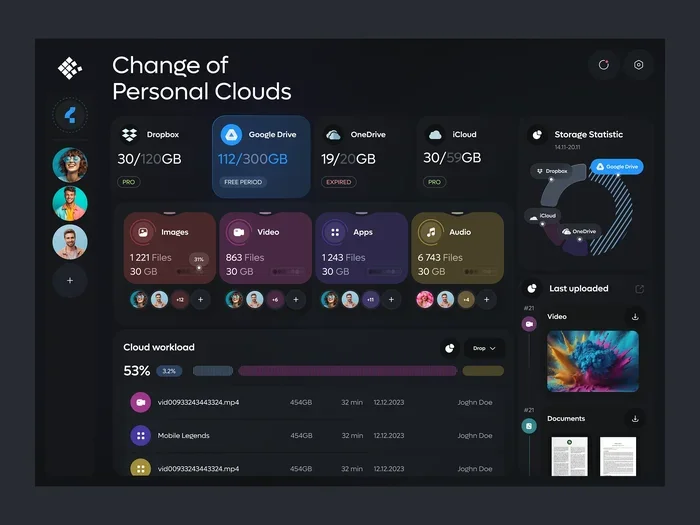
- Cloud storage services like Google Drive and iCloud keep your files safe and accessible anywhere.
- Work and productivity tools such as Google Workspace run on cloud platforms for seamless collaboration.
- Social media and photo sharing depend on cloud servers to store and deliver content instantly.
- Understanding cloud computing examples helps you make smarter choices about digital tools and services.
📑 Table of Contents
- What Cloud Computing Really Means
- Email and Messaging: The Original Cloud Use
- Streaming and Entertainment: The Cloud in Action
- Smart Home Devices: The Cloud in Your House
- Work and Productivity Tools
- Everyday Apps You Did Not Know Were Cloud-Based
- Common Mistakes People Make with the Cloud
- Quick Tips for Getting More from the Cloud
- Expert Insights on Cloud Computing in Everyday Life
- Conclusion
What Cloud Computing Really Means
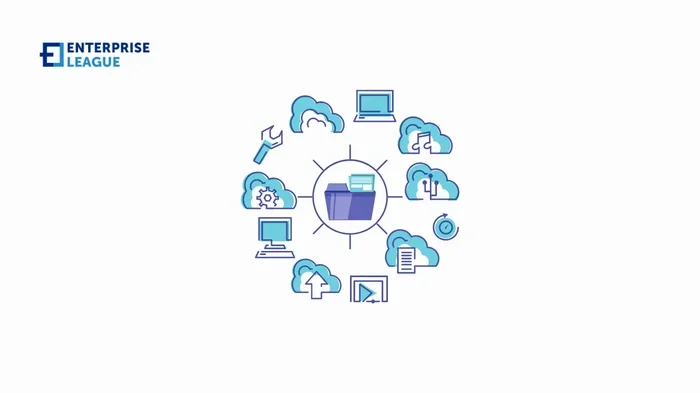
Before we dive into cloud computing examples, let us clear up what the cloud actually is. Think of it as a giant network of computers housed in massive data centers around the world. When you save a file, watch a video, or send a message, your device sends a request to these servers. The servers handle the heavy lifting and send the results back to you in seconds.
How It Works Behind the Scenes
Here is a simple way to picture it. Imagine a huge library with millions of books. Instead of carrying every book home, you visit the library whenever you need something. The library (the cloud) stores everything. You just access it through the internet. That is basically how cloud-based apps work.
The beauty of cloud infrastructure is that you do not need a super-powered computer to use it. Your phone, tablet, or laptop just needs an internet connection. The cloud handles the rest. This is why you can start a movie on your TV and finish it on your phone without missing a beat.
Cloud services come in different flavors. Some store your data, like cloud storage services. Others run software for you, known as SaaS (Software as a Service). And some provide computing power on demand, which businesses love. But no matter the type, they all follow the same basic idea. You access what you need, when you need it, through the internet.
Email and Messaging: The Original Cloud Use
Email is one of the oldest and most overlooked examples of cloud computing in daily life. When you send an email, it does not travel directly to the recipient’s device. It goes to a cloud server, which then delivers it. Gmail, Outlook, and Yahoo Mail all run on cloud platforms. Your emails live in the cloud, not on your computer.
How Your Email Lives in the Cloud
Think about what happens when you check email on two different devices. You open your phone and see the same messages as your laptop. That is because cloud hosting keeps everything synced in real time. Every sent message, every attachment, every folder move gets saved to the cloud instantly.
Messaging apps like WhatsApp, Telegram, and iMessage work the same way. Your conversations are stored on cloud servers. This means you can switch phones and never lose your chat history. The cloud technology makes this possible by keeping data centralized and accessible from anywhere.
Here are a few cloud computing examples in email and messaging you probably use every day:
- Sending and receiving emails through Gmail or Outlook
- Backing up WhatsApp chats to Google Drive or iCloud
- Syncing messages across your phone, tablet, and computer
- Sharing files and documents through email attachments stored in the cloud
- Using Slack or Microsoft Teams for work communication
The next time you send a quick text or check your inbox, remember that cloud services are making it happen behind the scenes.
Streaming and Entertainment: The Cloud in Action
Streaming is one of the biggest examples of cloud computing in daily life for most people. Whether you watch movies, listen to music, or play games, the cloud delivers the content directly to your screen. Without cloud computing, streaming as we know it would not exist.
Music and Video Streaming in the Cloud
Services like Netflix, Spotify, YouTube, and Disney+ all run on cloud platforms. When you hit play on a movie, the video files are stored on remote servers. Those servers stream the content to your device in real time. You are not downloading the file. You are accessing it from the cloud on demand.
This is why you can start watching a show on your smart TV and continue on your laptop during a break. The cloud storage and cloud infrastructure keep everything in sync. Your watch progress, your playlists, your recommendations, all live in the cloud.
Even online gaming relies heavily on the cloud now. Services like Xbox Cloud Gaming and NVIDIA GeForce Now let you play demanding games without a powerful console. The game runs on remote servers, and the video stream comes to your device. It is a perfect example of how cloud technology changes the way we entertain ourselves.
Here are everyday entertainment activities powered by the cloud:
- Binge-watching shows on Netflix or Hulu
- Listening to Spotify or Apple Music playlists
- Watching YouTube videos on any device
- Playing cloud-based video games
- Reading ebooks on Kindle or other cloud-synced devices
The cloud computing examples in entertainment are everywhere. They make our downtime more enjoyable and more flexible than ever before.
Smart Home Devices: The Cloud in Your House
Smart home gadgets are some of the most exciting examples of cloud computing in daily life. Devices like Amazon Echo, Google Nest, and smart doorbells all depend on the cloud to function. They collect data, process commands, and sync with other devices through cloud services.
How Cloud Computing Powers Your Home
When you say “Hey Google” or “Alexa,” your voice goes to a cloud server. The server processes your command and sends back a response. All of this happens in a fraction of a second. Without the cloud, these smart devices would be nothing more than expensive paperweights.
Cloud-based apps also let you control your home from anywhere. You can adjust the thermostat, check your security cameras, or turn off the lights while sitting at your office. The cloud technology makes this remote access possible by keeping your home data stored and processed online.
Here are common smart home features that rely on the cloud:
- Voice assistants like Alexa, Google Assistant, and Siri
- Smart thermostats that learn your habits and adjust automatically
- Security cameras that stream live footage to your phone
- Smart locks that you control remotely through an app
- Robot vacuums that map your home using cloud processing
The cloud computing examples in smart homes show how the technology makes daily life more convenient and secure. As more devices connect to the internet, the role of the cloud will only grow.
Work and Productivity Tools
For many people, the cloud is a work tool as much as a personal one. Cloud-based apps have transformed how we collaborate, share files, and get things done. If you have ever used Google Docs or joined a Zoom meeting, you have already benefited from cloud services.
Cloud-Based Collaboration Made Easy
Tools like Google Workspace, Microsoft 365, and Slack are built on cloud platforms. They let multiple people work on the same document at the same time. Changes update instantly for everyone. No need to email files back and forth or worry about version conflicts.
This kind of online collaboration would be impossible without the cloud. Your files live on remote servers, and you access them through a web browser or app. It means you can work from home, a coffee shop, or a different country and still stay connected to your team.
Here are productivity tools that run on the cloud:
- Google Docs, Sheets, and Slides for real-time document editing
- Microsoft Teams for video calls and team chat
- Trello and Asana for project management
- Dropbox and OneDrive for file sharing and storage
- Zoom and Google Meet for video conferencing
The cloud computing examples in the workplace have become essential. They help teams stay productive, organized, and connected no matter where they are.
Everyday Apps You Did Not Know Were Cloud-Based
Some of the most common examples of cloud computing in daily life are hiding in plain sight. Many apps you use every single day rely on the cloud, even if you never think about it. Let us shine a light on a few of them.
Social Media and Photo Storage
Instagram, Facebook, TikTok, and Twitter all use cloud infrastructure to store and deliver billions of posts, photos, and videos every day. When you upload a photo, it goes to a cloud server. From there, it gets distributed to your followers instantly. The cloud makes social media fast and scalable.
Photo apps like Google Photos and iCloud are pure cloud storage services. They back up your pictures automatically and make them accessible from any device. You can search for a photo from three years ago, and the cloud finds it in seconds.
Navigation and Maps
Google Maps and Apple Maps are great cloud computing examples in daily life. They pull real-time traffic data, route calculations, and satellite imagery from the cloud. Your phone does not store all that information locally. It fetches it on demand from powerful cloud servers.
Weather Apps
Your weather app gets its data from cloud-based weather stations and forecasting models. The app itself is just a window into the cloud. It pulls current conditions, forecasts, and alerts from remote servers and displays them in a clean, easy-to-read format.
Here are more cloud computing examples hiding in your daily routine:
- Food delivery apps like Uber Eats and DoorDash
- Ride-sharing apps like Uber and Lyft
- Banking apps that sync transactions in real time
- Fitness trackers that sync data to the cloud for analysis
- Online shopping platforms that process orders through the cloud
The truth is, the cloud touches almost every part of modern life. Once you start looking for it, you will find cloud computing examples everywhere you turn.
Common Mistakes People Make with the Cloud
While the cloud is incredibly useful, there are a few pitfalls to watch out for. Knowing these mistakes can help you get the most out of cloud services and keep your data safe.
Mistake 1: Assuming the cloud is always backed up. Not all cloud storage services automatically back up everything. Check your settings and make sure important files are synced.
Mistake 2: Ignoring security settings. Your cloud-based apps are only as secure as your passwords. Use strong, unique passwords and enable two-factor authentication whenever possible.
Mistake 3: Not understanding storage limits. Many cloud platforms offer free storage with limits. Once you exceed them, you either pay or lose access. Keep an eye on your usage.
Mistake 4: Relying on the cloud without internet. The cloud needs an internet connection. If you are offline, you may not be able to access your files or use certain apps. Download important content ahead of time when you know you will be offline.
Mistake 5: Sharing links carelessly. When you share files through cloud storage, make sure you set the right permissions. A shared link can accidentally expose private information to the wrong people.
Avoiding these mistakes ensures your cloud technology experience stays smooth, safe, and stress-free.
Quick Tips for Getting More from the Cloud
Want to make the most of your cloud services? Here are some quick tips that anyone can follow:
- Enable automatic syncing. This keeps your files up to date across all devices without any effort.
- Use cloud storage for photos and videos. Free up space on your phone by moving media to the cloud.
- Explore free tiers before paying. Most cloud platforms offer free plans that are perfect for casual users.
- Organize your folders. A clean folder structure makes it easy to find anything you need in seconds.
- Review sharing permissions regularly. Make sure only the people you trust can access your files.
- Use offline mode when available. Some cloud-based apps let you work offline and sync later.
These small habits make a big difference. They help you stay organized, keep your data safe, and enjoy everything the cloud has to offer.
Expert Insights on Cloud Computing in Everyday Life
According to industry experts, the average person interacts with cloud computing dozens of times a day without realizing it. From sending a text message to unlocking a smart door, the cloud is woven into the fabric of modern life.
Cloud adoption has grown rapidly over the past decade. More people are storing photos, working remotely, and using smart devices than ever before. This trend shows no signs of slowing down. As cloud infrastructure improves, we can expect even more seamless and intelligent cloud-based apps in the future.
Experts also highlight the importance of digital literacy. Understanding how the cloud works empowers users to make better decisions about their data and privacy. It is not just a tech issue, it is a life skill in the modern world.
Conclusion
The cloud is not some abstract concept floating somewhere far away. It is right there in your pocket, your home, and your workplace. The examples of cloud computing in daily life we covered in this article show just how deeply the cloud is woven into our routines. From email and streaming to smart homes and work tools, cloud services make life easier, faster, and more connected.
Next time you stream a song, send a message, or snap a photo, take a moment to appreciate the cloud technology working behind the scenes. Understanding these cloud computing examples gives you a new appreciation for the digital world around you. And who knows, it might even inspire you to explore new cloud-based apps that can make your life even better.
The cloud is here to stay. Embrace it, use it wisely, and enjoy the incredible convenience it brings to your everyday life.
Frequently Asked Questions
What are the simplest examples of cloud computing in daily life?
The simplest examples of cloud computing in daily life include checking email, streaming music on Spotify, using Google Maps, and backing up photos to iCloud. These activities all rely on cloud services to store and deliver data over the internet.
Is cloud computing safe for everyday use?
Yes, cloud computing is generally very safe for everyday use. Most cloud platforms use strong encryption and security measures to protect your data. You can boost your safety by using strong passwords and enabling two-factor authentication on your accounts.
Do I need internet access to use the cloud?
Most cloud-based apps require an internet connection to access your data. However, some cloud services offer offline modes that let you work without Wi-Fi. Your changes will sync automatically once you reconnect to the internet.
How does cloud computing save me money?
Cloud services eliminate the need for expensive hardware and physical storage. You can store thousands of photos, documents, and videos without buying extra hard drives. Many cloud platforms also offer free tiers that cover basic needs at no cost.
Can small businesses benefit from cloud computing?
Absolutely. Small businesses use cloud technology for email hosting, file sharing, project management, and customer relationship management. Cloud-based apps allow teams to collaborate remotely and scale their operations without heavy upfront investment.
What is the difference between cloud storage and cloud computing?
Cloud storage is specifically for saving and retrieving files, like using Google Drive or Dropbox. Cloud computing is a broader term that includes storage, processing power, and software delivery over the internet. All cloud storage is part of cloud computing, but not all cloud computing is just storage.
=== SEO TITLE ===
Examples of Cloud Computing in Daily Life You Use Every Day
=== META TITLE ===
Cloud Computing in Daily Life: Examples You Use Every Day
=== URL SLUG ===
/examples-of-cloud-computing-in-daily-life
=== OPENING SUMMARY ===
You use examples of cloud computing in daily life every single day without even realizing it. From streaming your favorite shows to backing up photos, the cloud is everywhere. This article breaks down the most common cloud computing examples in simple, everyday terms. You will learn how cloud-based apps make life easier and more connected. By the end, you will see the cloud in a whole new light.