Best Cloud Computing Services for Small Businesses Guide
Choosing the best cloud computing services for small businesses can transform how you work, collaborate, and grow. This guide breaks down the top providers, compares pricing, and helps you pick the right fit for your budget and needs. Whether you need simple storage, powerful software, or full infrastructure, you will find the best option here.
Running a small business means wearing many hats. You are the accountant, the marketer, the customer service rep, and sometimes the IT department too. One decision that can feel overwhelming is choosing the right cloud computing services for small business use. There are so many options, and the stakes feel high. Get it wrong, and you waste money. Get it right, and your operations become smoother, faster, and more scalable.
The good news is that you do not need a degree in technology to make a smart choice. This guide walks you through everything you need to know about cloud solutions for small business — from understanding the basics to picking the right provider and avoiding common pitfalls. By the end, you will have a clear roadmap to follow.
Key Takeaways
- Right-sizing matters: Small businesses save money by choosing cloud plans that match actual needs.
- Security is non-negotiable: The best providers offer strong encryption and compliance features built in.
- Scalability gives flexibility: Cloud services let you grow or shrink resources as your business changes.
- Pricing varies widely: Understanding pay-as-you-go vs. fixed plans helps you avoid overspending.
- Migration is easier than you think: Most providers offer tools and support to move your data smoothly.
- Collaboration boosts productivity: Cloud tools let teams work together from anywhere in real time.
📑 Table of Contents
What Are Cloud Computing Services?
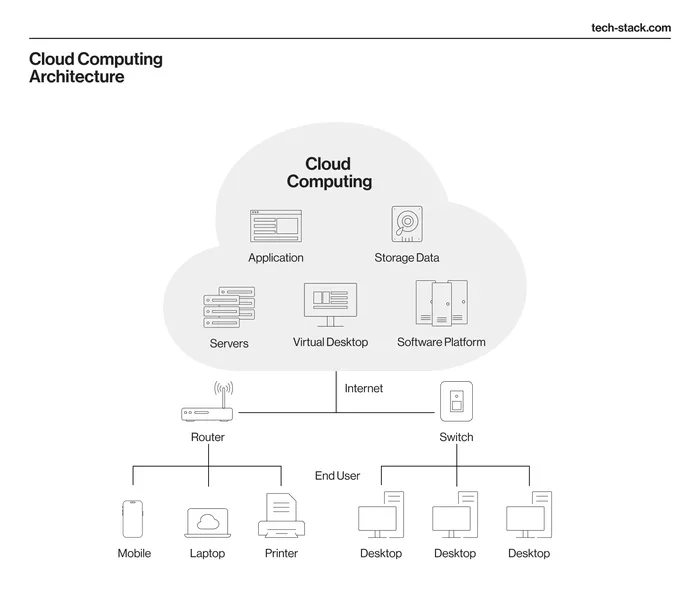
At its simplest, cloud computing means storing and accessing data and programs over the internet instead of on your computer’s hard drive. Think of it like renting a storage unit instead of building a warehouse. You pay for what you use, and the provider handles the maintenance.
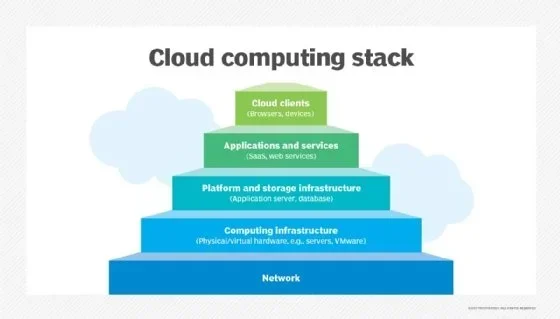
There are three main types of cloud services that every small business should understand:
Infrastructure as a Service (IaaS)
IaaS gives you the basic building blocks. This includes virtual servers, storage, and networking. You control the operating system and applications, while the provider manages the physical hardware. IaaS cloud solutions are ideal for businesses that want flexibility without investing in expensive servers.
Platform as a Service (PaaS)
PaaS goes a step further. It provides a platform where you can develop, run, and manage applications without worrying about the underlying infrastructure. If your business builds custom software, PaaS platforms save you significant time and setup effort.
Software as a Service (SaaS)
SaaS is the most common type for small businesses. You access software applications over the internet, usually through a web browser. Examples include email, customer relationship management, and accounting tools. SaaS applications require zero installation and minimal maintenance on your end.
Why Small Businesses Need Cloud Computing
The shift to cloud services for small business is not just a trend — it is a practical necessity. Here is why so many small businesses are making the move:
- Cost savings: You eliminate the need for expensive on-site hardware and the staff to maintain it. Affordable cloud solutions let you pay monthly or annually, spreading costs over time.
- Scalability: Need more storage or users next month? Scalable cloud services let you adjust instantly without purchasing new equipment.
- Remote access: Your team can work from anywhere with an internet connection. cloud-based business tools make remote and hybrid work models possible.
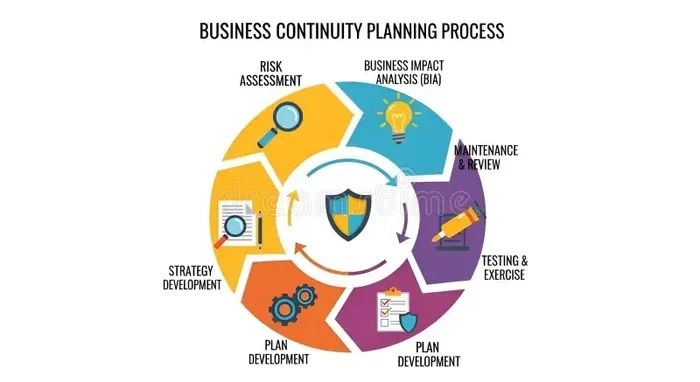
- Disaster recovery: Cloud providers back up your data automatically. If something goes wrong, your data is safe and recoverable.
- Automatic updates: The provider handles software updates and security patches, so you always have the latest features without extra effort.
Top Cloud Computing Services for Small Businesses
Now let us look at the leading cloud computing providers for small business and what they offer. Each has strengths, so the best choice depends on your specific needs.
Amazon Web Services (AWS)
AWS is the largest cloud provider in the world. It offers an enormous range of services, from basic storage to advanced machine learning tools. AWS for small business is incredibly flexible, which makes it a favorite for businesses that expect to grow quickly. However, the learning curve can be steep, and pricing can get complex if you are not careful.
Microsoft Azure
Microsoft Azure is a strong choice, especially if your business already uses Microsoft products like Office 365 or Windows Server. Azure cloud services integrate seamlessly with the Microsoft ecosystem, making migration easier. Azure also offers solid small business cloud solutions with good support and a wide global network of data centers.
Google Cloud Platform (GCP)
Google Cloud shines in data analytics, machine learning, and open-source technologies. If your business relies heavily on data analysis or AI-powered tools, GCP cloud solutions offer powerful capabilities at competitive prices. Google also provides a user-friendly interface that many find easier to navigate than AWS.
Dropbox Business
For businesses that need simple and reliable cloud storage solutions, Dropbox Business is a popular option. It is easy to set up, works well for file sharing and collaboration, and integrates with many third-party apps. It is not as feature-rich as AWS or Azure, but for straightforward storage needs, it gets the job done.
Microsoft 365
Microsoft 365 combines cloud storage with the full Office suite — Word, Excel, PowerPoint, and more. It is one of the most popular cloud computing platforms for small business because it covers both productivity and collaboration in a single subscription. Teams can co-author documents in real time, which boosts efficiency.
Salesforce
If customer relationship management is your priority, Salesforce is the gold standard. It is a SaaS platform that helps small businesses manage leads, track sales, and improve customer service. Salesforce scales well and offers a vast app marketplace for customization.
How to Choose the Right Cloud Service
Selecting the right cloud computing services for small business requires some thoughtful evaluation. Here are the key factors to consider:
Assess Your Business Needs
Start by asking what you actually need. Do you need simple file storage? A full customer management system? A platform to build custom apps? Identifying your core requirements prevents you from paying for features you will never use.
Consider Your Budget
Cloud cost management is critical for small businesses. Some providers charge per user, others charge based on storage or usage. Always look for affordable cloud solutions that offer transparent pricing with no hidden fees. Watch out for costs that spike as your usage grows.
Evaluate Security and Compliance
Your data is sensitive, and your customers trust you to protect it. Look for providers that offer cloud security features like encryption, multi-factor authentication, and compliance with regulations such as GDPR or HIPAA if applicable. Secure cloud hosting should be a top priority.
Check Integration Capabilities
The best cloud-based business tools integrate easily with the software you already use. If you rely on Google Workspace, for example, choosing a provider that plays well with Google’s ecosystem saves you headaches. Check for API support and available integrations before committing.
Review Support and Reliability
When something goes wrong, you need help fast. Look for providers that offer strong customer support, ideally with 24/7 availability. Also check their uptime guarantees — reputable providers typically promise 99.9% or higher cloud uptime.
Common Mistakes to Avoid
Many small businesses stumble when adopting cloud computing services. Here are the most common mistakes and how to avoid them:
- Choosing based on price alone: The cheapest option is not always the best. Consider features, support, and long-term costs.
- Ignoring data migration challenges: Moving your existing data to the cloud can be complicated. Plan your cloud migration strategy carefully and test before going live.
- Overlooking security: Do not assume the provider handles everything. You still need strong passwords, access controls, and employee training.
- Not training your team: The best cloud tools for small business are useless if your staff does not know how to use them. Invest in onboarding and training.
- Forgetting to review costs regularly: Cloud usage can creep up over time. Schedule periodic reviews of your cloud cost management to stay on budget.
Expert Insights on Cloud Adoption
Cloud adoption for small businesses has accelerated dramatically in recent years. Industry experts agree that the benefits far outweigh the challenges for most organizations. According to recent studies, over 90% of small businesses report improved productivity after moving to cloud-based business tools.
Experts also emphasize starting small. You do not need to migrate everything at once. Begin with a single application — such as email or file storage — and expand gradually as your team becomes comfortable. This incremental cloud adoption approach reduces risk and helps your team adapt without feeling overwhelmed.
Another key insight from technology consultants is to negotiate. Many cloud computing providers offer discounts for small businesses, non-profits, or startups. Always ask about special pricing programs before signing a contract. You may be surprised at the savings available.
The Future of Cloud Computing for Small Businesses
The cloud computing landscape continues to evolve rapidly. Here are a few trends shaping the future:
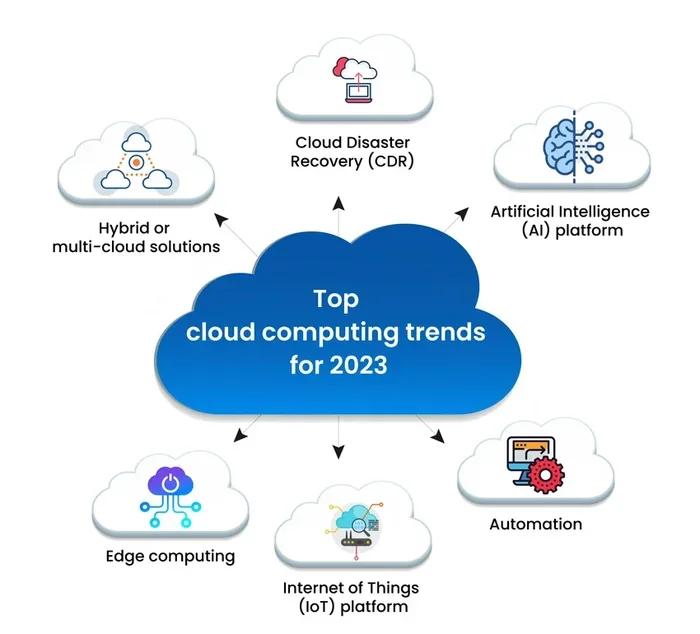
- Artificial intelligence integration: Cloud providers are embedding AI tools into their platforms, making advanced analytics and automation accessible to small businesses.
- Edge computing: Processing data closer to its source reduces latency and improves performance for real-time applications.
- Hybrid cloud solutions: Many businesses are adopting a mix of on-premises and cloud infrastructure for greater control and flexibility.
- Enhanced security: Providers are investing heavily in cloud security features, including AI-powered threat detection and zero-trust architectures.
Staying informed about these trends helps you make smarter decisions today and prepares your business for what comes next.
Final Thoughts
Finding the best cloud computing services for small business does not have to be intimidating. Start by understanding your needs, compare your options, and choose a provider that aligns with your goals and budget. The right cloud solutions for small business can save you money, boost productivity, and position your company for long-term growth.
Remember, the cloud is not a one-size-fits-all solution. Take your time, do your research, and do not be afraid to start small and scale up. With the right approach, cloud computing for small business becomes one of the smartest investments you can make.
Frequently Asked Questions
What is the best cloud computing service for a small business?
The best service depends on your specific needs. AWS offers the most flexibility, Microsoft Azure integrates well with existing Microsoft tools, and Google Cloud excels in data analytics. For simple storage, Dropbox Business is a great choice, and Microsoft 365 covers productivity and collaboration in one package.
How much does cloud computing cost for a small business?
Costs vary widely based on the provider and your usage. Many affordable cloud solutions start as low as a few dollars per user per month. SaaS applications like Microsoft 365 and Google Workspace offer predictable monthly fees, while IaaS providers like AWS charge based on actual usage.
Is cloud computing safe for small businesses?
Yes, reputable providers invest heavily in cloud security features including encryption, multi-factor authentication, and regular audits. However, you also play a role — use strong passwords, limit access, and train your team on security best practices.
How long does cloud migration take?
Migration time depends on the size of your data and the complexity of your setup. Simple migrations can take a few days, while larger, more complex setups may take several weeks. Planning your cloud migration strategy in advance helps keep the process smooth.
Can I switch cloud providers after I start?
Yes, but it can be complicated. To avoid difficulties, choose a provider carefully from the start. Look for services that support data portability and standard formats, which make future cloud migration easier if you ever need to switch.
What is the difference between IaaS, PaaS, and SaaS?
IaaS provides the basic infrastructure like servers and storage. PaaS adds a platform for building and running applications. SaaS delivers ready-to-use software applications over the internet. For most small businesses, SaaS is the easiest starting point.