Database in Cloud Computing Everything You Should Know
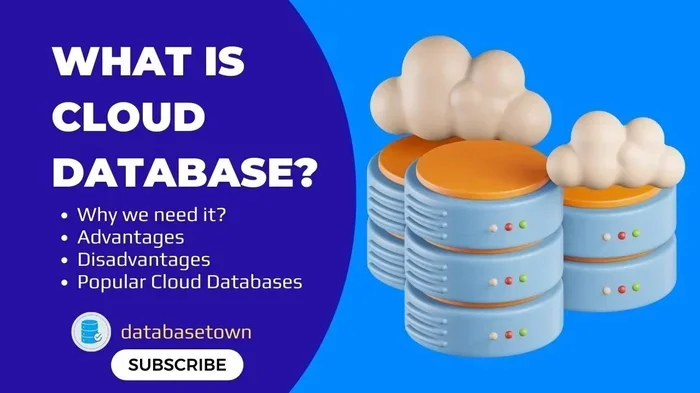
A database in cloud computing is a service that lets you store, manage, and access data over the internet instead of on local servers. This guide covers everything you need to know, from types and benefits to security and choosing the right option. Whether you are a beginner or a business owner, you will find practical tips and clear insights to help you make smart decisions.
A database in cloud computing has changed the way businesses store and manage information. Instead of relying on physical servers in an office, companies now use remote data centers to handle their data. This shift has made it easier for small startups and large enterprises alike to access powerful tools without huge upfront costs.
If you have ever wondered what a cloud database is or why so many organizations are making the switch, you are in the right place. This article breaks down everything you need to know in simple, clear language. We will walk you through the types, benefits, challenges, and practical tips for getting started.
The world of data storage has evolved fast. What used to require expensive hardware and a dedicated IT team can now be managed from a web browser. Let us dive into the details and explore why a database in cloud computing is such a big deal today.
Key Takeaways
- Cloud databases offer flexibility and scalability that traditional setups simply cannot match.
- There are multiple types of cloud databases, including relational, NoSQL, and cloud-native options.
- Security and compliance are top priorities, and major providers invest heavily in protecting your data.
- Cost savings are real when you move your database to the cloud.
- Automatic backups and disaster recovery come standard with most cloud database services.
- Choosing the right provider depends on your specific needs, budget, and technical expertise.
📑 Table of Contents
- What Is a Database in Cloud Computing?
- Types of Databases in Cloud Computing
- Benefits of Using a Database in Cloud Computing
- Challenges and Things to Watch Out For
- How to Choose the Right Cloud Database
- Popular Cloud Database Providers
- Best Practices for Managing a Database in Cloud Computing
- Future Trends in Cloud Databases
- Conclusion
What Is a Database in Cloud Computing?
A database in cloud computing refers to a database service that is hosted on a cloud platform and accessed through the internet. Instead of installing software on your own computer or server, you rent database resources from a provider like Amazon, Google, or Microsoft. These providers manage the hardware, updates, and maintenance for you.
Think of it like renting a storage unit instead of building your own warehouse. You pay for what you use, and the storage company handles the security, climate control, and upkeep. A cloud database works the same way. You focus on your data, and the provider handles the infrastructure.
How Does It Work?
When you use a database in cloud computing, your data lives on servers in remote data centers. These servers are connected to the internet, so you can access your data from anywhere in the world. The provider takes care of things like hardware upgrades, security patches, and performance tuning.
You interact with the database using standard query languages like SQL or through APIs. Most cloud platforms offer web-based dashboards where you can monitor performance, set up backups, and manage user access. This makes it very beginner-friendly.
Types of Databases in Cloud Computing
Not all cloud databases are the same. Different types serve different needs. Understanding these options helps you choose the right one for your situation. Here are the main categories you will encounter.
Relational Databases
A relational database organizes data into tables with rows and columns. This structure works well for data that has clear relationships, like customer orders or financial records. Popular relational cloud databases include Amazon RDS, Google Cloud SQL, and Azure SQL Database.
Relational databases follow strict rules for data consistency. They use a language called SQL (Structured Query Language) to read and write data. If your business needs strong data integrity and structured queries, a relational option is a great fit.
NoSQL Databases
NoSQL databases are more flexible than relational ones. They do not require a fixed table structure, which makes them ideal for handling large volumes of unstructured data. Examples include MongoDB, Cassandra, and Amazon DynamoDB.
These databases shine when you need to store diverse data types like text, images, or sensor readings. They also scale out horizontally very easily, meaning you can add more servers as your data grows. A database in cloud computing often includes NoSQL options because of this scalability advantage.
Cloud-Native Databases
Cloud-native databases are built from the ground up for cloud environments. They take full advantage of cloud features like automatic scaling, global distribution, and serverless computing. Google Cloud Spanner and Amazon Aurora are examples of cloud-native databases.
These databases offer high performance and availability. They are designed to handle millions of requests per second without breaking a sweat. If you are building a modern application that needs to scale quickly, cloud-native databases are worth serious consideration.
In-Memory Databases
An in-memory database stores data directly in RAM instead of on disk. This makes data retrieval incredibly fast. Redis and Amazon ElastiCache are popular choices for caching and real-time analytics.
These databases are perfect for applications where speed matters most, like gaming leaderboards or real-time bidding systems. However, they tend to cost more because RAM is pricier than disk storage.
Benefits of Using a Database in Cloud Computing
Moving your database to the cloud comes with many advantages. Let us look at the biggest reasons businesses make this switch.
Scalability
One of the top benefits of a database in cloud computing is scalability. When your traffic spikes, you can quickly add more resources. When things calm down, you can scale back and save money. This flexibility is impossible with traditional on-premises setups.
For example, an e-commerce site might need extra database power during a holiday sale. With a cloud database, you can increase capacity in minutes and reduce it after the rush ends. You only pay for what you use.
Cost Efficiency
Cloud databases eliminate the need for expensive hardware and physical space. You also do not need a large team to maintain servers. Most cloud providers offer pay-as-you-go pricing, which keeps costs predictable and manageable.
Small businesses especially benefit from this model. They can access enterprise-grade database features without a huge upfront investment. This levels the playing field and allows startups to compete with larger companies.
Automatic Backups and Recovery
Data loss can be catastrophic. Cloud databases handle automatic backups, so your data is always protected. Most providers offer point-in-time recovery, which lets you restore your database to any moment in time.
Disaster recovery is also built into cloud database services. If a data center goes down, your data is replicated to another location. This means your applications stay online even during unexpected outages.
Global Accessibility
A cloud database can be accessed from anywhere with an internet connection. This is essential for remote teams and global businesses. Your developers, analysts, and partners can all work with the same data in real time.
Many cloud providers also offer multi-region deployment. This means your data is stored in data centers around the world, reducing latency for users in different locations.
Security and Compliance
Major cloud providers invest billions in security measures. They offer encryption, identity management, and threat detection as standard features. Many also comply with industry regulations like GDPR, HIPAA, and SOC 2.
While no system is 100% risk-free, cloud databases are generally very secure. The key is to follow best practices, like using strong passwords, enabling encryption, and limiting user access. A database in cloud computing can be safer than an on-premises setup if managed properly.
Challenges and Things to Watch Out For
Cloud databases are not perfect. Being aware of potential challenges helps you plan ahead and avoid surprises.
Vendor Lock-In
When you commit to a specific cloud provider, switching to another can be difficult. Your data, configurations, and applications may be tightly tied to that platform. This is known as vendor lock-in.
To reduce this risk, use open-source database engines and standard protocols. Avoid proprietary features unless they are essential. This keeps your options open if you ever need to migrate.
Network Dependency
A cloud database requires a stable internet connection. If your internet goes down, you may not be able to access your data. This can be a concern for businesses in areas with unreliable connectivity.
You can mitigate this by using local caching or choosing providers with multiple availability zones. A database in cloud computing works best when you have a dependable internet connection.
Cost Management
While cloud databases can save money, costs can spiral if you are not careful. Over-provisioning resources, leaving unused instances running, or storing unnecessary data all add up.
Set up billing alerts and review your usage regularly. Most cloud platforms offer cost management tools that show exactly where your money is going. Being proactive about monitoring keeps your expenses in check.
Data Migration Complexity
Moving an existing database to the cloud can be complex. You need to plan the migration carefully to avoid downtime or data loss. Large databases with complex schemas require extra attention.
Start with a thorough assessment of your current setup. Use migration tools provided by your cloud provider, and test the migration in a staging environment first. A phased approach reduces risk and gives you time to address any issues.
How to Choose the Right Cloud Database
Selecting the right database for your cloud setup is a big decision. Here are the key factors to consider.
Understand Your Data Needs
Start by asking what kind of data you are working with. Is it structured or unstructured? Do you need complex queries or simple key-value lookups? The answers to these questions guide your choice.
If your data is highly structured and relational, a traditional cloud database service like Amazon RDS or Azure SQL is a solid option. If your data is flexible and varied, a NoSQL database might serve you better.
Consider Performance Requirements
Think about how fast your application needs to respond. Real-time applications need low-latency databases like Redis or in-memory options. Analytics workloads benefit from columnar databases optimized for reading large datasets quickly.
Performance also depends on the region where your database is hosted. Choose a data center close to your users for the best experience.
Evaluate Security Features
Check what security features each provider offers. Look for encryption at rest and in transit, role-based access control, and audit logging. If you operate in a regulated industry, compliance certifications matter a lot.
A database in cloud computing should meet your security requirements without requiring you to build everything from scratch. The best providers give you enterprise-grade security out of the box.
Compare Pricing Models
Cloud database pricing varies widely. Some providers charge per hour, others per gigabyte stored or per million queries read. Understand the pricing model before you commit.
Free tiers are a great way to test a service before paying. Most major providers offer a free tier for their database services, so you can explore features and performance at no cost.
Plan for Growth
Choose a database that can grow with your business. Look for features like automatic scaling, read replicas, and multi-region support. These capabilities ensure your database keeps up as your user base expands.
It is also wise to pick a provider with strong documentation and community support. When you run into issues, you want to find answers quickly. A well-supported database platform saves you time and frustration.
Popular Cloud Database Providers
The cloud database market has several strong players. Here is a quick look at the most popular options.
Amazon Web Services (AWS) offers a wide range of database services through Amazon RDS, DynamoDB, and Aurora. AWS is the market leader and supports nearly every database engine imaginable.
Google Cloud Platform provides Cloud SQL, Firestore, and Spanner. Google is known for its strong analytics and machine learning integration, making it a great choice for data-heavy applications.
Microsoft Azure offers Azure SQL Database, Cosmos DB, and Azure Database for PostgreSQL. Azure integrates well with Microsoft tools, which makes it a natural choice for businesses already using the Microsoft ecosystem.
Other notable providers include IBM Cloud, Oracle Cloud, and DigitalOcean. Each has its strengths, so compare features and pricing before deciding.
Best Practices for Managing a Database in Cloud Computing
Once you have set up your cloud database, ongoing management is key to keeping things running smoothly.
Monitor Performance Regularly
Use the monitoring tools provided by your cloud provider. Watch for slow queries, high CPU usage, and storage limits. Catching issues early prevents bigger problems later.
Implement Strong Access Controls
Only grant database access to people who truly need it. Use role-based access control and change passwords regularly. Enable multi-factor authentication wherever possible.
Automate Backups
Set up automated backup schedules and test your restore process regularly. A backup is only useful if you can actually restore from it when needed.
Optimize Queries
Slow queries waste resources and increase costs. Review your queries periodically and add indexes where needed. Use query performance insights to identify bottlenecks.
Stay Updated
Keep your database engine and cloud platform up to date. Providers release security patches and performance improvements regularly. Staying current protects your data and keeps your system running efficiently.
Future Trends in Cloud Databases
The world of a database in cloud computing is always evolving. Here are some trends to watch.
Serverless databases are gaining popularity. They automatically scale to zero when not in use, which means you pay nothing when there is no activity. This is a game-changer for applications with unpredictable traffic.
AI-powered database management is another exciting development. Cloud providers are using artificial intelligence to optimize queries, predict failures, and automate tuning. This reduces the need for manual database administration.
Multi-cloud and hybrid cloud strategies are becoming more common. Businesses are spreading their databases across multiple providers to avoid lock-in and improve reliability. This trend will likely continue as cloud technology matures.
Edge computing is also making its way into database services. By processing data closer to where it is generated, edge databases reduce latency and improve real-time performance. This is especially relevant for IoT applications and mobile services.
Conclusion
A database in cloud computing is one of the most powerful tools available to businesses today. It offers unmatched flexibility, scalability, and cost savings. Whether you are running a small app or managing enterprise data, the cloud has a database solution for you.
The key is to understand your needs, choose the right type of database, and follow best practices for security and management. With the right approach, a cloud database can power your applications reliably for years to come. Start exploring your options today and take full advantage of what the cloud has to offer.
Frequently Asked Questions
What is a database in cloud computing?
A database in cloud computing is a database service hosted on remote servers and accessed over the internet. Instead of storing data on local hardware, you rent database resources from a cloud provider. This setup offers flexibility, scalability, and lower upfront costs.
What are the main types of cloud databases?
The main types include relational databases, NoSQL databases, cloud-native databases, and in-memory databases. Relational databases use tables and SQL, while NoSQL databases handle unstructured data with more flexibility. Cloud-native databases are built specifically for cloud environments and offer advanced features like automatic scaling.
Is a cloud database secure?
Yes, cloud databases are generally very secure. Major providers invest heavily in encryption, access controls, and threat detection. They also comply with industry standards like GDPR and HIPAA. However, you should still follow security best practices on your end, such as using strong passwords and limiting user access.
How much does a cloud database cost?
Cost varies based on the provider, database type, storage size, and usage. Most providers offer pay-as-you-go pricing, so you only pay for what you use. Many also provide free tiers for small projects, making it easy to get started without any upfront investment.
Can I migrate my existing database to the cloud?
Yes, most cloud providers offer migration tools to help you move your existing database to the cloud. The process involves planning, testing, and executing the migration in stages to minimize downtime. It is recommended to start with a non-production environment and thoroughly test before going live.
What is the difference between a cloud database and a traditional database?
A traditional database runs on local servers that you own and maintain. A cloud database is hosted and managed by a provider in remote data centers. Cloud databases offer automatic scaling, built-in backups, and global accessibility, which are difficult to achieve with traditional setups.
=== META TITLE ===
Database in Cloud Computing Everything You Must Know
=== URL SLUG ===
database-in-cloud-computing-guide
=== SEO TITLE ===
Database in Cloud Computing Everything You Should Know