What Does Cloud Computing Mean Everything You Need
Cloud computing means using remote servers on the internet to store, manage, and process data instead of your local computer. It powers everyday apps, business tools, and streaming services you use daily. This guide breaks down everything you need to know about cloud computing in simple, easy-to-understand language.
Have you ever wondered what happens when you save a photo to your phone and it magically appears on your laptop? Or how Netflix streams thousands of movies to millions of people at the same time? The answer is simple. Cloud computing makes it all possible.
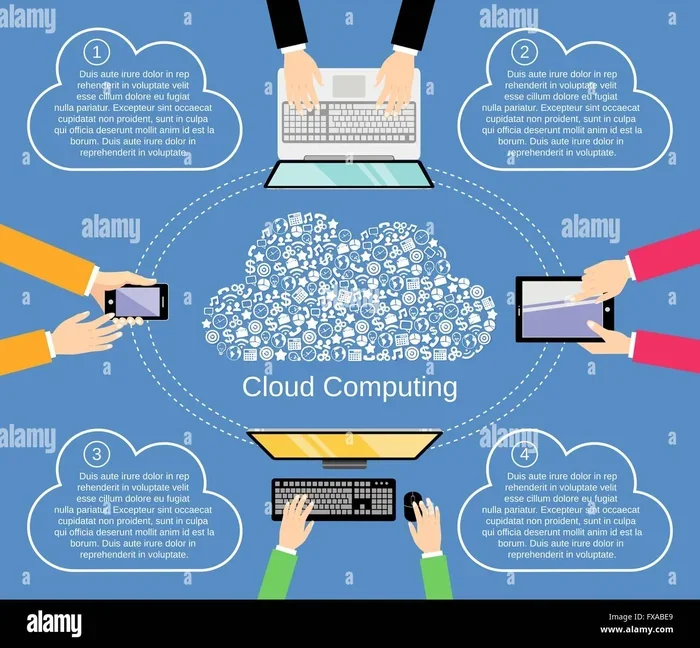
At its core, cloud computing means using remote servers connected to the internet to store, manage, and process data. Instead of relying on your computer’s hard drive or a local server, you tap into powerful cloud infrastructure hosted in massive data centers around the world.
This technology has completely changed how we work, play, and communicate. From small businesses to global corporations, everyone uses cloud services in some form. Whether you are backing up files, running software, or streaming videos, the cloud is working behind the scenes.
In this guide, we will break down everything you need to know about cloud computing. We will cover what it is, how it works, the different types, real-world examples, and why it matters so much today. By the end, you will have a clear and confident understanding of this powerful technology.
Key Takeaways
- Cloud computing lets you access data and apps over the internet without needing physical hardware or local storage.
- The three main service models are SaaS, PaaS, and IaaS, each serving different needs for individuals and businesses.
- Cloud platforms offer cost savings, scalability, and flexibility, making them ideal for startups and large enterprises alike.
- Popular examples include Google Drive, Netflix, and Dropbox, which all rely on remote servers and data centers.
- Security in cloud technology has improved significantly, but users should still follow best practices like strong passwords and encryption.
- The future of cloud computing includes AI integration, edge computing, and hybrid cloud solutions that will reshape how we work and live.
📑 Table of Contents
Understanding Cloud Computing Basics
What Is Cloud Computing in Simple Terms?
Think of cloud computing like renting a storage unit instead of building your own garage. You do not need to own the building. You just pay for the space you use. That is essentially what cloud technology does with computing power and storage.
When you use cloud services, your data lives on remote servers housed in huge facilities called data centers. These servers handle everything from storing your files to running complex applications. You access them through the internet using any device, anywhere in the world.
The term “cloud” is really just a metaphor for the internet. Before the cloud existed, people ran software and stored data directly on their own computers or local servers. Internet-based computing changed all of that by shifting the workload to powerful machines managed by someone else.
Here is a simple way to think about it:
- Traditional computing: You own and manage everything. Your laptop, your hard drive, your software.
- Cloud computing: You rent access to resources managed by a provider. You use them over the internet.
That shift has made technology more accessible, affordable, and powerful for everyone.
How Does Cloud Computing Work?
Cloud computing relies on a network of virtualization technology. Virtualization creates virtual versions of physical servers, storage devices, and networks. This means one physical server can run many virtual machines at the same time.
Here is a quick look at the process:
- A provider builds and maintains massive data centers filled with physical servers.
- They use virtualization to divide those servers into smaller virtual resources.
- Users like you and me rent those resources over the internet.
- The provider handles maintenance, updates, and security behind the scenes.
When you upload a file to Google Drive or edit a document in Microsoft 365, your device sends a request over the internet. The cloud infrastructure processes that request on a remote server and sends the result back to you. All of this happens in seconds.
The beauty of this setup is that you do not need a supercomputer on your desk. The heavy lifting happens somewhere else, and you just enjoy the results.
Types of Cloud Computing Services
SaaS, PaaS, and IaaS Explained
Cloud computing services fall into three main categories. These are often called the cloud service models. Each one serves a different purpose, but they all rely on the same basic idea of delivering resources over the internet.
SaaS (Software as a Service) is the most common type for everyday users. It gives you access to software applications running on cloud platforms. You do not install anything on your computer. You just open a browser or app and start using it.
Examples of SaaS include:
- Google Workspace (Docs, Sheets, Gmail)
- Salesforce for customer relationship management
- Slack for team communication
- Dropbox for file storage and sharing
PaaS (Platform as a Service) provides a environment for developers to build, test, and deploy applications. It includes tools, frameworks, and infrastructure so developers do not have to set up everything from scratch.
IaaS (Infrastructure as a Service) gives you the raw building blocks of computing. This includes virtual machines, storage, and networking. Companies use IaaS when they want full control over their cloud deployment without buying physical hardware.
Public, Private, and Hybrid Cloud
Cloud computing also comes in different deployment models. These define who gets to use the cloud infrastructure and how it is managed.
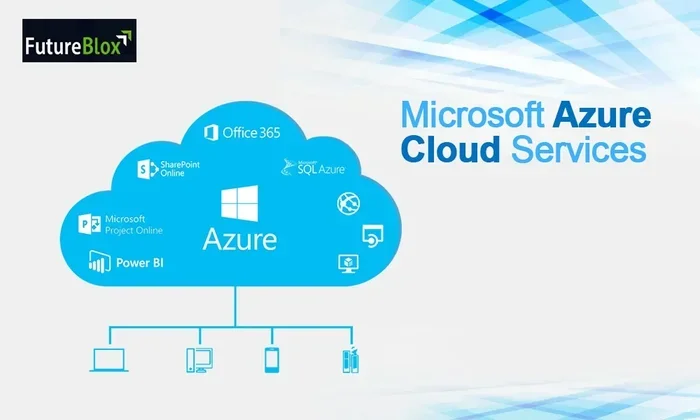
Public cloud is the most widely used model. A provider owns and operates the data centers and shares resources with multiple customers over the internet. Think of it like a public swimming pool. Everyone uses it, but the facility is managed by someone else. AWS, Microsoft Azure, and Google Cloud are all public cloud providers.
Private cloud is dedicated to a single organization. It might be hosted on-premises or by a third party. Businesses choose private clouds when they need tighter control over their data and security.
Hybrid cloud combines both public and private setups. A company might keep sensitive data on a private cloud while using the public cloud for less critical tasks. This gives the best of both worlds.
Benefits of Cloud Computing
Cost Savings and Scalability
One of the biggest reasons businesses and individuals love cloud computing is cost savings. You do not need to buy expensive servers or hire a team to maintain them. The cloud provider handles all of that for you.
You pay only for what you use. This is called a pay-as-you-go model. If your needs grow, you can scale up instantly. If they shrink, you scale down. This scalability is something traditional computing simply cannot match.
For startups especially, this is a game changer. You do not need a huge upfront investment to get started. You can launch your cloud applications with just a few dollars a month and grow as your business grows.
Flexibility and Accessibility
Cloud technology gives you the freedom to work from anywhere. As long as you have an internet connection, you can access your files, apps, and data. This has become especially important with the rise of remote work and distributed teams.
Here are some key flexibility benefits of cloud services:
- Access your data from any device, anywhere in the world
- Collaborate with team members in real time on shared documents
- Scale resources up or down based on demand
- Get automatic updates and patches without lifting a finger
- Recover your data quickly in case of a local device failure
These benefits make cloud computing essential for modern businesses and individuals alike.
Common Cloud Computing Examples
Everyday Apps That Use the Cloud
You probably use cloud computing every single day without even realizing it. Many of the apps and services you rely on run entirely on cloud infrastructure.
Think about these everyday examples:
- Netflix: Streams video content from remote servers to your TV, phone, or laptop. It does not store movies on your device.
- Spotify: Streams millions of songs using cloud hosting and on-demand computing resources.
- WhatsApp: Stores your messages and media on cloud servers so you can access them across devices.
- Instagram: Processes and stores billions of photos and videos using massive cloud platforms.
- Zoom: Runs video calls through cloud technology that connects people around the world in real time.
Each of these services depends on cloud computing to deliver a seamless experience to millions of users simultaneously.
How Businesses Use Cloud Technology
Businesses of all sizes have embraced cloud services to stay competitive and efficient. Small businesses use cloud applications for email, accounting, and customer management. Large enterprises use them for complex data analysis, artificial intelligence, and global operations.
Here is how different types of businesses benefit:
- Startups use IaaS to avoid buying expensive hardware and focus on building their product.
- E-commerce stores rely on cloud hosting to handle traffic spikes during sales events like Black Friday.
- Healthcare companies store patient records securely on private or hybrid cloud infrastructure.
- Creative agencies use SaaS tools for design, project management, and client collaboration.
- Schools and universities use cloud platforms for online learning, file sharing, and virtual classrooms.
The versatility of cloud technology is what makes it so valuable across industries.
How to Get Started with Cloud Computing
Choosing the Right Cloud Provider
If you are new to cloud computing, picking the right provider can feel overwhelming. There are many options out there, but a few stand out as the most popular and reliable.
Here are some factors to consider when choosing a cloud provider:
- Pricing: Compare pay-as-you-go rates and look for hidden fees.
- Features: Make sure the provider offers the services you need, whether it is storage, computing power, or machine learning tools.
- Reliability: Look for providers with strong uptime guarantees and a proven track record.
- Security: Check what security certifications and compliance standards the provider meets.
- Support: Good customer support matters, especially when something goes wrong.
Amazon Web Services, Microsoft Azure, and Google Cloud Platform are the three biggest players in the market. Each has its strengths, so take time to evaluate which one fits your needs best.
Security Considerations for Cloud Users
Security is one of the top concerns people have about cloud computing. After all, your data lives on someone else’s servers. But modern cloud technology has come a long way in protecting user information.
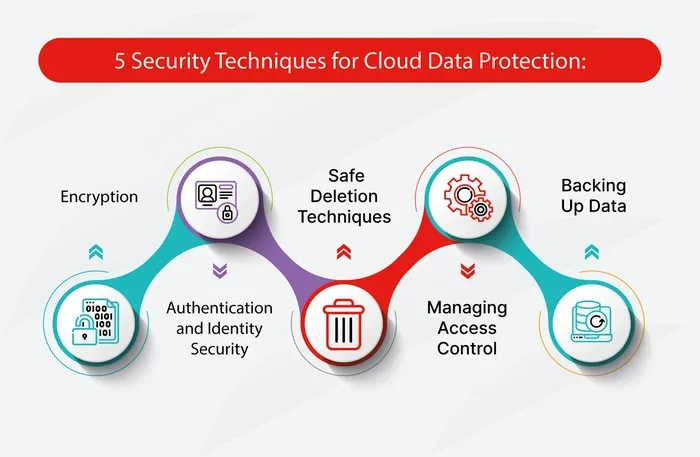
Most reputable providers invest heavily in security measures. These include encryption, multi-factor authentication, regular audits, and physical security at their data centers. Many also comply with strict regulations like GDPR and HIPAA.
That said, you also have a role to play. Here are some quick tips to keep your cloud data safe:
- Use strong, unique passwords for every account
- Enable two-factor authentication whenever possible
- Review sharing permissions regularly
- Back up important files in more than one location
- Be cautious about connecting to public Wi-Fi when accessing cloud services
By following these practices, you can enjoy the benefits of cloud services with confidence.
The Future of Cloud Computing
The world of cloud computing is constantly evolving. New trends and technologies are shaping the future of how we store, process, and use data. Understanding these trends can help you stay ahead of the curve.
Artificial intelligence and machine learning are becoming deeply integrated with cloud platforms. Providers now offer AI tools that anyone can use, from developers building smart apps to businesses analyzing customer data. This is making advanced technology more accessible than ever.
Edge computing is another exciting development. Instead of sending all data to a central data center, edge computing processes information closer to where it is generated. This reduces latency and improves performance for applications like self-driving cars and smart home devices.
Hybrid cloud and multi-cloud strategies are also growing in popularity. More organizations are using a mix of public and private clouds, or even multiple public cloud providers, to get the best results. This approach offers greater flexibility and helps avoid vendor lock-in.
As cloud technology continues to mature, we can expect even more powerful, affordable, and innovative solutions. The cloud is not just a trend. It is the foundation of modern computing.
Conclusion
Cloud computing is one of the most transformative technologies of our time. It has changed how we store data, run applications, and connect with the world. From streaming your favorite shows to running a global business, the cloud makes it all possible.
We have covered a lot of ground in this guide. We explored what cloud computing means in simple terms. We looked at the different service models and deployment types. We discussed the many benefits, from cost savings to flexibility. And we examined real-world examples that show how deeply embedded cloud technology is in our daily lives.
The key takeaway is this: cloud computing is not just for tech experts. It is for everyone. Whether you are a student, a freelancer, a small business owner, or a corporate executive, understanding the cloud gives you a powerful advantage.
Start small if you need to. Try a cloud storage service or experiment with a cloud application. As you get comfortable, you will see just how much this technology can do for you. The future is in the cloud, and it is waiting for you.
Frequently Asked Questions
What is cloud computing in simple words?
Cloud computing means using remote servers on the internet to store, manage, and process data instead of your own computer or local server. It lets you access files and applications from anywhere with an internet connection.
What are the three main types of cloud computing services?
The three main types are SaaS (Software as a Service), PaaS (Platform as a Service), and IaaS (Infrastructure as a Service). SaaS delivers ready-to-use software, PaaS provides tools for developers, and IaaS offers raw computing resources like virtual machines and storage.
Is cloud computing safe?
Yes, reputable cloud providers invest heavily in security measures like encryption, multi-factor authentication, and regular audits. However, users should also follow best practices such as using strong passwords and enabling two-factor authentication to keep their data safe.
Can I use cloud computing for personal use?
Absolutely. Many people use cloud services every day without realizing it. Services like Google Drive, Dropbox, Netflix, and Spotify all run on cloud technology. You can use the cloud for personal file storage, photo backups, and streaming content.
How much does cloud computing cost?
Cost varies depending on the provider and the services you use. Most cloud providers offer pay-as-you-go pricing, which means you only pay for the resources you actually consume. Many services also have free tiers for light users and small projects.
What is the difference between cloud hosting and traditional hosting?
Traditional hosting relies on a single physical server that you manage yourself. Cloud hosting uses a network of virtual servers spread across multiple data centers. This makes cloud hosting more flexible, scalable, and reliable than traditional hosting options.