All You Need to Know About Cloud Computing Delivery Models
Cloud computing delivery models define how services are delivered over the internet, including IaaS, PaaS, and SaaS. Understanding these models helps businesses choose the right cloud services for their needs. This guide covers every delivery model, deployment type, and practical tips for making the best choice.
Cloud computing delivery models have changed the way businesses operate. Whether you run a small startup or a large enterprise, these models shape how you access technology. The right choice can save you money, boost efficiency, and help you scale faster. But with so many options available, it is easy to feel overwhelmed.
This guide breaks down every cloud computing delivery model in simple terms. You will learn what IaaS, PaaS, and SaaS mean, how deployment models work, and how to pick the best fit for your needs. By the end, you will have a clear roadmap to make smart decisions about your cloud strategy.
Key Takeaways
- IaaS, PaaS, and SaaS are the three main cloud computing delivery models that serve different business needs.
- Public, private, and hybrid clouds are the primary deployment models that determine where your data lives.
- Choosing the right model depends on your budget, security needs, and technical expertise.
- Scalability and flexibility are key benefits of all cloud computing delivery models.
- Serverless computing is a newer model that lets developers focus purely on code without managing servers.
- Multi-cloud strategies are becoming popular as businesses use multiple providers for different workloads.
- Understanding these models helps you save money and avoid costly migration mistakes.
📑 Table of Contents
- What Are Cloud Computing Delivery Models?
- The Three Main Cloud Service Models
- Cloud Deployment Models
- How to Choose the Right Cloud Computing Delivery Model
- Benefits of Understanding Cloud Computing Delivery Models
- Common Mistakes to Avoid
- Expert Insights on Cloud Computing Delivery Models
- Conclusion
What Are Cloud Computing Delivery Models?
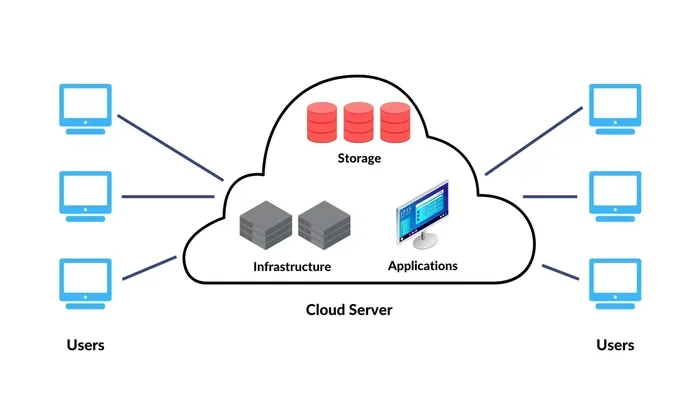
Cloud computing delivery models refer to the different ways services are provided over the internet. Instead of buying and maintaining physical servers, you rent computing resources from a provider. These models define what you get, who manages what, and how you interact with the technology.
Think of it like renting an apartment. You do not own the building, but you pay for the space you need. Cloud computing delivery models work the same way. You pay for the level of service you use, and the provider handles the rest.
The three main cloud service models are IaaS, PaaS, and SaaS. Each one gives you a different amount of control and responsibility. The deployment models, like public and private cloud, determine where your data is stored. Let us explore each of these in detail.
The Three Main Cloud Service Models
The cloud service models are the foundation of cloud computing delivery models. They answer a simple question: how much do you want to manage yourself? The answer determines which model fits your business best.
Infrastructure as a Service (IaaS)
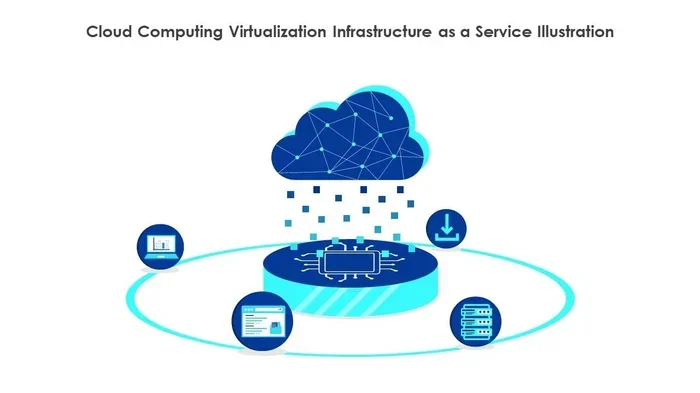
IaaS gives you the most control. You rent virtual machines, storage, and networking resources. The provider owns the physical hardware, but you manage the operating system, applications, and data. Think of IaaS as renting empty land and building whatever you want on it.
Popular IaaS providers include Amazon Web Services (AWS), Microsoft Azure, and Google Cloud Platform. Companies use IaaS when they need full flexibility and control over their environment. It is also ideal for businesses that want to scale on demand without buying expensive hardware.
Best for: IT teams, developers, and companies with custom infrastructure needs.
Platform as a Service (PaaS)
PaaS goes a step further. It provides a platform where you can build, test, and deploy applications without worrying about the underlying infrastructure. The provider manages the servers, storage, and networking. You just focus on writing code and building your app.
PaaS is a favorite among developers because it speeds up the development process. You do not need to set up environments or manage updates. The provider handles all of that behind the scenes. This lets you concentrate on creating great software.
Best for: Development teams, startups building apps, and companies that want faster time to market.
Software as a Service (SaaS)
SaaS is the most complete model. You access fully functional software over the internet, usually through a browser. The provider manages everything: infrastructure, platforms, applications, and updates. You simply log in and use the tool.
Examples of SaaS include Google Workspace, Microsoft 365, Salesforce, and Slack. You do not install anything. You just subscribe and start working. SaaS is the most popular model for everyday business users because it requires zero technical knowledge.
Best for: Businesses that need ready-to-use tools without IT overhead.
Comparison Table: IaaS vs PaaS vs SaaS
- Control: IaaS offers the most control, PaaS gives moderate control, and SaaS gives the least.
- Management: In IaaS, you manage the OS and apps. In PaaS, you manage just the app. In SaaS, the provider manages everything.
- Flexibility: IaaS is the most flexible, while SaaS is the most convenient.
- Cost: SaaS is usually the cheapest because you pay for the tool. IaaS can vary based on usage. PaaS falls in the middle.
- Target Users: IaaS suits IT pros, PaaS suits developers, and SaaS suits all business users.
Cloud Deployment Models
While service models define what you get, deployment models define where your data lives. Cloud deployment models determine how the cloud infrastructure is accessed and who can use it. There are three main types.
Public Cloud
In a public cloud, resources are owned and operated by a third-party provider. These resources are shared across multiple customers, known as tenants. Public clouds offer excellent scalability and low upfront costs. AWS, Azure, and Google Cloud are all public cloud providers.
Public clouds work great for businesses that need flexibility and do not have strict compliance requirements. They are also perfect for startups and small businesses that want to avoid large capital investments.
Private Cloud
A private cloud is dedicated to a single organization. It can be hosted on-premises or by a third-party provider. Private clouds offer greater control, security, and customization. They are ideal for businesses that handle sensitive data or must meet strict regulatory requirements.
However, private clouds come with higher costs. You are responsible for maintaining the infrastructure, which means you need a skilled IT team. Large enterprises and government organizations often prefer private clouds for this reason.
Hybrid Cloud
A hybrid cloud combines public and private clouds. You can keep sensitive data in the private cloud while using the public cloud for less critical workloads. This model gives you the best of both worlds: security and scalability.
Many businesses start with a hybrid approach. They keep legacy systems on-premises while moving new applications to the public cloud. Over time, they can shift more workloads to the public cloud as they gain confidence in cloud migration strategies.
Multi-Cloud
Multi-cloud means using services from multiple cloud providers. For example, you might use AWS for computing and Google Cloud for data analytics. This approach prevents vendor lock-in and gives you more options for on-demand computing resources.
Multi-cloud is growing in popularity, especially among large enterprises. It allows businesses to pick the best services from each provider and optimize costs and performance.
How to Choose the Right Cloud Computing Delivery Model
Choosing the right model depends on several factors. There is no one-size-fits-all answer. Here is how to decide what works best for your situation.
Step 1: Identify Your Business Needs
Start by asking yourself what you need. Do you want full control over your infrastructure? Or do you just need a tool to get work done? Your answer will point you toward IaaS, PaaS, or SaaS.
Consider your team’s technical skills too. If you have experienced developers, PaaS might be a great fit. If you have a small team with limited IT knowledge, SaaS will save you time and headaches.
Step 2: Evaluate Your Budget
Budget plays a big role in your decision. SaaS is usually the most affordable because it requires no infrastructure management. IaaS gives you more control but also more responsibility for costs. PaaS falls in between.
Look at your long-term costs, not just the monthly subscription. Factor in maintenance, training, and potential scaling expenses. A cloud cost optimization strategy will help you stay on track.
Step 3: Consider Security and Compliance
Security is a top concern for every business. If you handle sensitive customer data, a private cloud or hybrid cloud might be the safest choice. Check industry regulations like HIPAA, GDPR, or PCI-DSS before making a decision.
Public clouds are generally secure, but you must follow best practices. Use strong passwords, enable multi-factor authentication, and encrypt your data. These steps protect your virtualization environment from threats.
Step 4: Think About Scalability
Will your business grow quickly? If so, choose a model that supports easy scaling. Public cloud and IaaS are highly scalable. You can add resources in minutes without buying new hardware.
SaaS also scales easily because the provider handles the backend. You just upgrade your subscription plan. This makes SaaS a popular choice for growing businesses.
Quick Tips for Choosing
- Start small. Try one service model before committing to a full migration.
- Involve your team. Get input from IT, finance, and operations before deciding.
- Test performance. Run a pilot project to see how the model performs in real-world conditions.
- Review contracts carefully. Understand the pricing model, support terms, and exit clauses.
Benefits of Understanding Cloud Computing Delivery Models
Knowing your options gives you a major advantage. Here are the key benefits of understanding cloud computing delivery models.
Cost savings are the most obvious benefit. You pay only for what you use. There is no need to buy expensive servers or hire a large IT team for maintenance. This makes cloud computing accessible to businesses of all sizes.
Flexibility is another major advantage. You can switch between models as your needs change. Start with SaaS for your email and move to IaaS for custom applications. The cloud lets you evolve with your business.
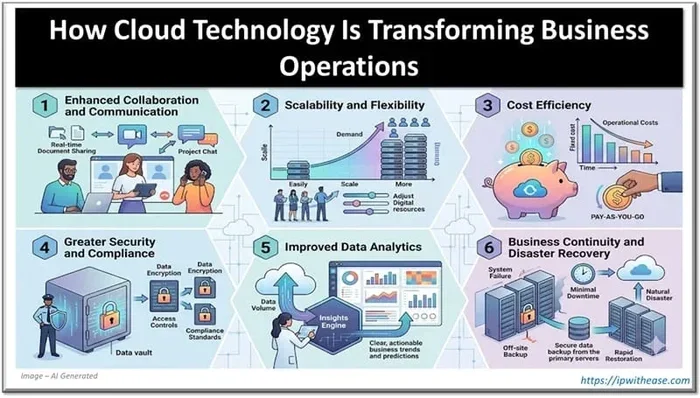
Disaster recovery is also easier with cloud models. Your data is stored in multiple locations, so a single failure does not wipe everything out. Most providers offer built-in backup and recovery tools that keep your data safe.
Collaboration improves significantly with cloud services. Teams can access files and applications from anywhere in the world. This is especially valuable for remote and hybrid work environments.
Innovation speed is a hidden benefit. With PaaS and SaaS, you can deploy new features and tools in days instead of months. This gives you a competitive edge in fast-moving markets.
Common Mistakes to Avoid
Even with the best intentions, businesses make mistakes when adopting cloud computing delivery models. Here are the most common ones and how to avoid them.
Choosing the cheapest option without considering needs. The lowest price does not always mean the best value. Consider features, support, and long-term costs before deciding.
Ignoring security. Some businesses assume the provider handles all security. In reality, you share responsibility with the provider. Understand your role in securing your data and applications.
Overlooking vendor lock-in. If you build everything on one platform, switching later can be painful. Consider a multi-cloud strategy to maintain flexibility.
Underestimating training needs. Moving to the cloud requires new skills. Invest in training your team so they can use the new tools effectively. This reduces errors and boosts productivity.
Skipping the exit plan. Always know how you will move your data if you ever need to leave a provider. Read the terms of service carefully before signing any contract.
Expert Insights on Cloud Computing Delivery Models
Industry experts agree that understanding cloud computing delivery models is essential for modern business success. According to Gartner, over 95% of new digital workloads will be deployed on cloud-native platforms by 2025. This shows how critical cloud knowledge has become.
Experts also emphasize that the lines between service models are blurring. Many providers now offer combinations of IaaS, PaaS, and SaaS in bundled packages. Serverless computing, a newer approach, is gaining traction too. With serverless, you write code and the provider handles everything else automatically.
The key takeaway from experts is this: do not rush into a decision. Take the time to understand each model, evaluate your needs, and plan your migration carefully. A thoughtful approach pays off in the long run.
Conclusion
Cloud computing delivery models are the building blocks of modern technology. Whether you choose IaaS, PaaS, or SaaS, each model offers unique benefits for different business needs. The deployment models, including public, private, and hybrid clouds, add another layer of flexibility.
The best approach is to start with a clear understanding of your goals. Assess your budget, security needs, and technical capabilities. Then pick the model that aligns with your objectives. As your business grows, you can always adjust your strategy.
The cloud is not just a trend. It is the future of computing. By mastering cloud computing delivery models today, you position your business for success tomorrow. Take the first step, explore your options, and build a cloud strategy that works for you.
Frequently Asked Questions
What is the difference between cloud service models and deployment models?
Cloud service models (IaaS, PaaS, SaaS) define what you get from the cloud. Deployment models (public, private, hybrid) define where your data is stored and who accesses it. Together, they shape your overall cloud strategy.
Which cloud computing delivery model is best for small businesses?
SaaS is usually the best choice for small businesses. It requires no technical expertise, has low upfront costs, and provides ready-to-use tools. As your business grows, you can explore PaaS or IaaS for more advanced needs.
Can I use more than one cloud delivery model at the same time?
Yes, many businesses use a combination of models. For example, you might use SaaS for email, PaaS for app development, and IaaS for custom infrastructure. This approach is called a multi-cloud strategy.
Is cloud computing safe for sensitive data?
Yes, when implemented correctly. Public clouds use strong security measures, but private clouds offer the highest level of control. Always encrypt your data, use strong access controls, and choose providers that comply with industry regulations.
How does serverless computing fit into cloud delivery models?
Serverless computing is a newer model that lets you run code without managing servers. It is often considered part of the PaaS family. The provider handles all the infrastructure, and you only pay when your code runs.
What is cloud migration, and why does it matter?
Cloud migration is the process of moving your data, applications, and workloads from on-premises systems to the cloud. It matters because it unlocks scalability, reduces costs, and improves accessibility. Planning your migration carefully ensures a smooth transition.