What Is AWS Cloud Computing Everything You Need to Know
What is AWS cloud computing? It is Amazon’s on-demand cloud platform that offers over 200 services, from virtual servers to storage and AI tools. AWS cloud computing lets businesses scale resources up or down, pay only for what they use, and deploy applications globally. Whether you are a startup or a Fortune 500 company, AWS cloud computing provides the cloud infrastructure you need to innovate fast and stay competitive.
If you have ever heard the term “cloud computing” and wondered what it means, you are not alone. What is AWS cloud computing, and why does it matter so much today? Simply put, AWS cloud computing is Amazon’s massive online platform that lets you rent technology resources over the internet instead of buying and managing physical hardware.
Think of it like renting electricity instead of building your own power plant. You plug in, use what you need, and pay for what you consume. AWS cloud computing works the same way. You access virtual servers, storage, databases, and advanced tools like artificial intelligence through a web browser or API calls.
Today, Amazon Web Services powers millions of businesses worldwide. From small startups running their first website to giant enterprises processing billions of transactions, AWS cloud computing has become the backbone of modern technology. In this guide, we will break down everything you need to know about what is AWS cloud computing, how it works, what services it offers, and why so many organizations trust it.
Key Takeaways
- What is AWS cloud computing? It is Amazon’s comprehensive cloud platform offering compute, storage, databases, and more.
- AWS cloud computing works on a pay-as-you-go model, so you only pay for the resources you actually use.
- Key AWS services include EC2 for virtual servers, S3 for storage, Lambda for serverless computing, and RDS for databases.
- Benefits of AWS cloud computing include scalability, global reach, strong security, and cost savings.
- AWS cloud computing serves startups, enterprises, governments, and individuals across virtually every industry.
- Cloud computing basics like IaaS, PaaS, and SaaS all fit under the AWS umbrella.
- AWS cloud computing continues to grow with new services, making it the leading cloud platform worldwide.
📑 Table of Contents
- What Is AWS Cloud Computing?
- How Does AWS Cloud Computing Work?
- Key AWS Services You Should Know
- Benefits of Using AWS Cloud Computing
- AWS Cloud Computing Pricing and Plans
- Who Uses AWS Cloud Computing?
- Common Mistakes to Avoid with AWS Cloud Computing
- Expert Insights on AWS Cloud Computing
- Key Takeaways
- Conclusion
What Is AWS Cloud Computing?
What is AWS cloud computing at its core? It is a collection of on-demand computing services delivered over the internet by Amazon. These services include virtual servers, cloud storage, networking, databases, machine learning tools, and much more. Instead of buying expensive physical servers and maintaining data centers, you can access all of this power remotely.
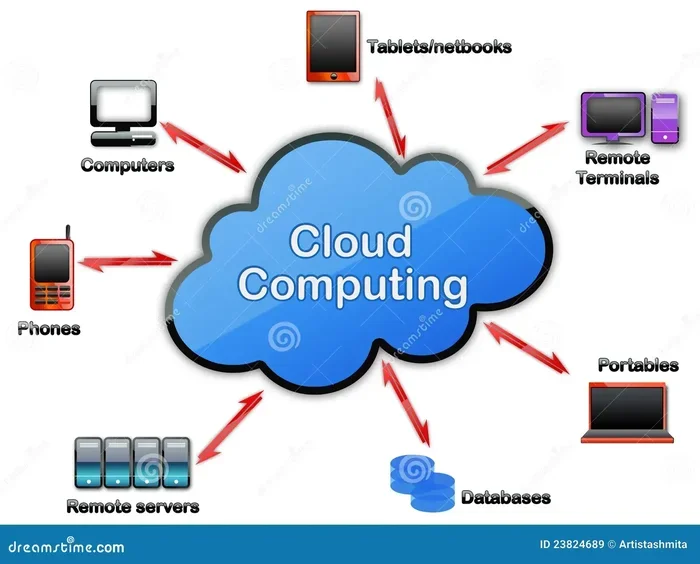
The term “cloud” simply means your data and applications live on remote servers, not on your local computer. AWS cloud computing uses a global network of data centers called regions and availability zones. This setup ensures your applications stay fast, reliable, and available even if one location goes down.
Cloud computing basics rest on three main models: Infrastructure as a Service (IaaS), Platform as a Service (PaaS), and Software as a Service (SaaS). AWS cloud computing covers all three. You get raw virtual machines with IaaS, managed development environments with PaaS, and ready-to-use software solutions too.
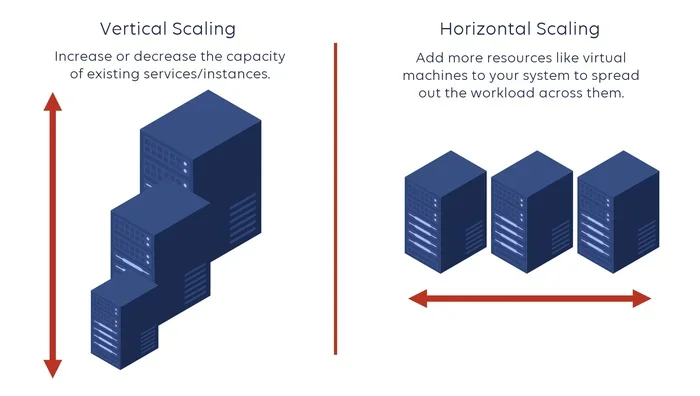
Elastic cloud computing is another key concept. It means you can scale resources up during traffic spikes and scale them down when demand drops. This elastic cloud capability saves money and keeps performance steady without manual intervention.
Why AWS Dominates the Cloud Market
Amazon launched AWS in 2006, making it one of the first major cloud platforms. Today, it holds the largest share of the global cloud market. Why? Because AWS cloud computing offers unmatched reliability, a massive service catalog, and continuous innovation.
Other providers exist, but AWS cloud computing sets the industry standard. Companies choose AWS for its proven track record, extensive documentation, and strong community support. The platform also offers over 200 fully featured services, giving users incredible flexibility.
How Does AWS Cloud Computing Work?
Understanding how AWS cloud computing works is simpler than you might think. When you sign up for AWS, you get access to the AWS Management Console, a web-based interface. From there, you can browse services, launch resources, and monitor your usage in real time.
Here is a quick look at the basic workflow of AWS cloud computing:
- Sign up for an AWS account with your email and payment method.
- Choose a service you need, such as virtual servers or storage.
- Configure your resources by selecting region, size, and settings.
- Deploy and run your application or store your data.
- Monitor and scale based on your needs using built-in tools.
All of this happens over the internet. You do not need to install any special hardware or software on your end. AWS cloud computing handles the heavy lifting behind the scenes. The AWS console gives you a clean dashboard where you can see everything in one place.
Regions, Availability Zones, and Edge Locations
AWS cloud computing operates through a global infrastructure. AWS has data centers spread across the world, grouped into regions. Each region contains multiple availability zones, which are isolated data centers within a geographic area.
This design gives you cloud security and redundancy. If one availability zone fails, your application can fail over to another zone in the same region. AWS also has edge locations through its Content Delivery Network (CDN) service called CloudFront, which caches content closer to users for faster delivery.
Currently, AWS operates in over 30 regions worldwide. This global footprint means you can deploy cloud deployment resources close to your users, reducing latency and improving user experience.
Key AWS Services You Should Know
AWS cloud computing offers hundreds of services. While you do not need to learn all of them, some core services form the foundation of most workloads. Here are the essential AWS services every beginner should understand.
Amazon EC2 (Elastic Compute Cloud)
Amazon EC2 is the flagship cloud hosting service of AWS cloud computing. It provides resizable virtual servers, also called instances, in the cloud. You can choose from many instance types optimized for different tasks, whether you need more CPU power, memory, or GPU capabilities.
With EC2, you have full control over your virtual machines. You can install any operating system, run custom applications, and configure networking rules. It is the go-to cloud service for hosting websites, running databases, and powering complex enterprise applications.
Amazon S3 (Simple Storage Service)
Amazon S3 is the most widely used cloud storage service in the world. It lets you store and retrieve any amount of data from anywhere on the internet. AWS cloud computing users rely on S3 for backups, media files, data lakes, and archive storage.
S3 is incredibly durable, offering 99.999999999% durability. It also scales automatically, so you never have to worry about running out of space. The pay-as-you-go pricing model means you only pay for the storage you actually use.
AWS Lambda
AWS Lambda is a serverless computing service that lets you run code without provisioning or managing servers. You simply upload your function, and AWS runs it in response to events like HTTP requests, file uploads, or database changes.
This serverless computing approach is a game-changer for cloud computing basics. You do not need to worry about server maintenance, patching, or scaling. AWS Lambda automatically scales to handle any workload, from a few requests per day to millions per second.
Amazon RDS (Relational Database Service)
Amazon RDS makes it easy to set up, operate, and scale a relational database in the cloud. It supports popular database engines like MySQL, PostgreSQL, SQL Server, and Oracle.
With RDS, AWS handles routine database tasks such as backups, software patching, and replication. This lets you focus on building applications instead of managing database infrastructure. It is one of the most popular cloud services for teams that need reliable database performance.
Benefits of Using AWS Cloud Computing
Why do so many organizations choose AWS cloud computing over traditional on-premises infrastructure? The benefits are clear and compelling. Let us explore the main advantages.
Cost Savings
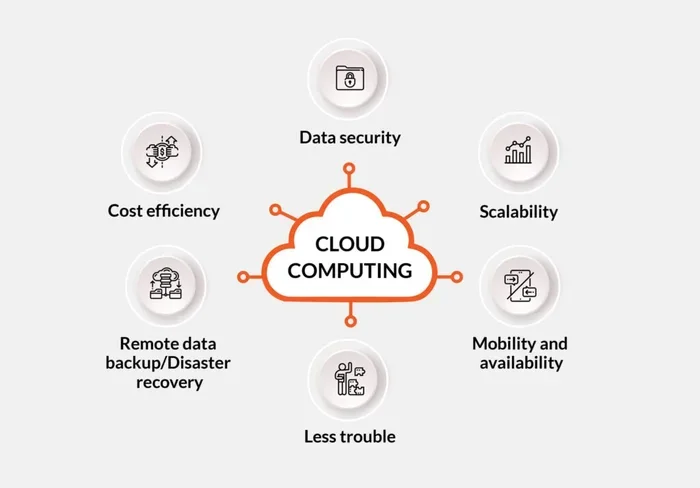
One of the biggest advantages of AWS cloud computing is cost efficiency. Traditional IT infrastructure requires large upfront capital investments in hardware, cooling, power, and physical space. AWS cloud computing eliminates all of that.
With AWS cloud computing, you use a pay-as-you-go model. You pay only for the compute hours, storage, and data transfer you actually consume. There are no long-term contracts or hidden fees. Startups and small businesses especially benefit from this approach because they can start small and grow without massive upfront costs.
Scalability and Flexibility
Scalability is at the heart of AWS cloud computing. Your application might get 100 visitors on a slow Tuesday and 100,000 visitors on a busy Friday. AWS cloud computing lets you scale resources automatically to match demand.
You can also scale down when traffic decreases, ensuring you do not waste money on idle resources. This elastic cloud flexibility gives businesses a huge competitive advantage. You can experiment, launch new features, and respond to market changes without worrying about infrastructure limits.
Security and Compliance
Cloud security is a top priority for AWS cloud computing. Amazon invests billions of dollars annually in security technology and practices. AWS cloud computing provides built-in features like encryption, identity and access management (IAM), firewalls, and threat detection.
AWS also complies with numerous industry standards and regulations, including HIPAA, GDPR, SOC 2, and ISO 27001. This makes AWS cloud computing a trusted choice for businesses in healthcare, finance, government, and other regulated industries.
Global Reach
With data centers in over 30 regions worldwide, AWS cloud computing gives you the power to deploy applications close to your users anywhere on the planet. This reduces latency and improves performance for a global audience.
Global reach also supports cloud migration strategies. Companies can move their workloads to the cloud region that best suits their regulatory requirements and user base without sacrificing performance.
AWS Cloud Computing Pricing and Plans
Understanding AWS cloud computing pricing is essential for managing costs effectively. The good news is that AWS cloud computing offers flexible pricing options to fit different needs and budgets.
Pay-As-You-Go Pricing
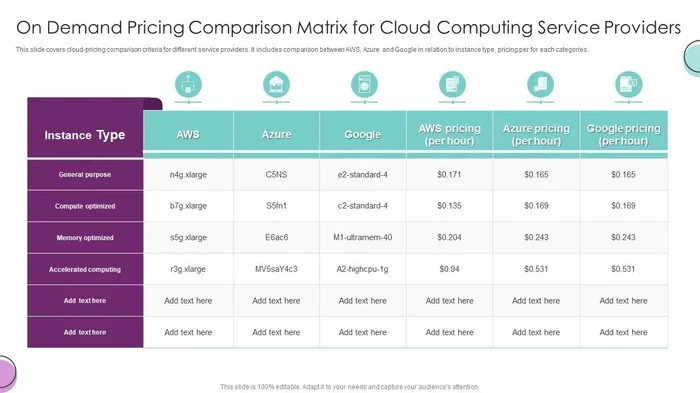
The most common pricing model is pay-as-you-go. You pay for compute time by the second or minute, storage by the gigabyte, and data transfer by the gigabyte. There are no upfront commitments. This model works well for workloads with variable or unpredictable traffic.
For example, if you run an EC2 instance for 30 minutes, you pay for exactly 30 minutes. If you store 50 gigabytes of files in S3, you pay for 50 gigabytes. Simple and transparent.
Reserved Instances and Savings Plans
If you have predictable workloads, AWS cloud computing offers reserved instances and savings plans. These options let you commit to a one- or three-year term in exchange for significant discounts, often up to 72% off on-demand prices.
Reserved instances are ideal for databases, steady-state applications, and baseline workloads. They give you cost predictability while still leveraging the power of AWS cloud computing.
Free Tier
AWS offers a generous free tier for new users. You can experiment with many services at no cost for 12 months. Some services also have a perpetual free tier, meaning they remain free indefinitely. This makes AWS cloud computing an excellent choice for learning, testing, and small projects.
Who Uses AWS Cloud Computing?
AWS cloud computing serves a remarkably diverse range of users. Its versatility and power make it suitable for organizations of all sizes and across every sector.
Startups and Small Businesses
Startups love AWS cloud computing because it removes the barrier of expensive infrastructure. A small team can launch a global application in days without buying any hardware. The pay-as-you-go model means startups can keep costs low while they validate their ideas and grow their user base.
Enterprise Organizations
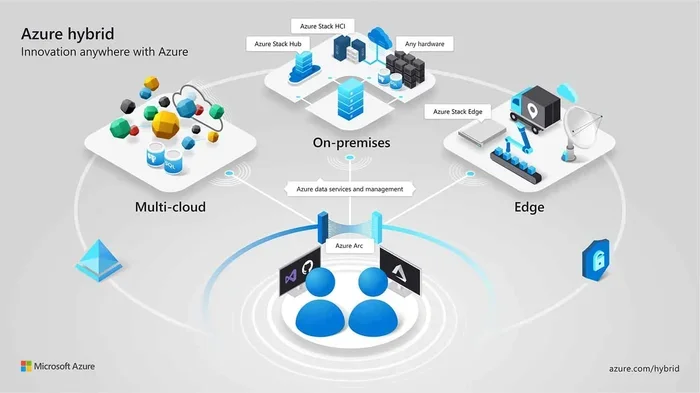
Fortune 500 companies rely on AWS cloud computing to run mission-critical workloads. Enterprises use AWS cloud computing for data analytics, customer-facing applications, disaster recovery, and hybrid cloud setups. The scalability and security features meet the demands of large, complex organizations.
Government and Nonprofits
Government agencies and nonprofits also use AWS cloud computing. The platform offers specialized programs and compliance certifications that meet strict regulatory requirements. Cloud migration to AWS helps public sector organizations modernize their technology and serve citizens more effectively.
Individual Developers and Creators
Independent developers, freelancers, and content creators use AWS cloud computing to host portfolios, run side projects, and experiment with new technologies. The free tier and low-cost services make it accessible for anyone with an internet connection.
Common Mistakes to Avoid with AWS Cloud Computing
While AWS cloud computing is powerful, it is easy to make mistakes that lead to unexpected costs or security issues. Here are common pitfalls to watch out for.
- Ignoring cost monitoring. Without tracking your usage, AWS cloud computing bills can surprise you. Use AWS Cost Explorer and set up billing alerts to stay on top of spending.
- Over-provisioning resources. Choosing larger instances than you need wastes money. Right-size your resources based on actual demand and use auto-scaling features.
- Neglecting security settings. Misconfigured security groups or open S3 buckets can expose your data. Always review cloud security settings and follow the principle of least privilege.
- Not using tags. Resource tags help you organize and track costs by project, team, or environment. Skipping tags makes it hard to understand where your money goes.
- Skipping backups. Even though AWS is durable, you should still implement backup strategies. Use S3 versioning, RDS snapshots, and cross-region replication for critical data.
Expert Insights on AWS Cloud Computing
Industry experts consistently highlight AWS cloud computing as a transformative force in technology. According to Gartner, AWS holds the leading position in the cloud platform market for over a decade. Its continuous innovation and broad service portfolio keep it ahead of competitors.
Experts also emphasize that AWS cloud computing is not just for tech companies anymore. Industries like healthcare, retail, manufacturing, and entertainment have embraced the cloud to drive innovation and efficiency. The on-demand computing model empowers teams to move faster and respond to challenges in real time.
One key insight from experienced cloud architects is to start small and grow gradually. You do not need to migrate everything to AWS cloud computing at once. Pick one workload, test it, learn, and then expand. This approach reduces risk and helps you build confidence with the platform.
Key Takeaways
- What is AWS cloud computing? It is Amazon’s comprehensive cloud platform offering compute, storage, databases, and over 200 other services delivered over the internet.
- AWS cloud computing works on a pay-as-you-go model, so you only pay for the resources you actually consume.
- Key AWS services include EC2 for virtual servers, S3 for storage, Lambda for serverless computing, and RDS for managed databases.
- Benefits of AWS cloud computing include cost savings, scalability, strong security, and global reach across 30+ regions.
- AWS cloud computing serves startups, enterprises, government agencies, and individual developers across virtually every industry.
- Cloud computing basics like IaaS, PaaS, and SaaS all fit under the AWS umbrella, giving users incredible flexibility.
- AWS cloud computing continues to evolve with new services, cementing its position as the world’s leading cloud platform.
Conclusion
What is AWS cloud computing? It is the most powerful, flexible, and widely adopted cloud platform in the world. AWS cloud computing gives you the tools to build, deploy, and scale applications without the burden of managing physical infrastructure. Whether you are a solo developer launching a side project or a global enterprise running critical systems, AWS cloud computing has something to offer.
The platform’s pay-as-you-go pricing, elastic cloud scalability, and robust cloud security make it an ideal choice for organizations of every size. With hundreds of services and a global network of data centers, AWS cloud computing removes the limits on what you can build.
If you are just getting started, explore the AWS console and take advantage of the free tier. Experiment with EC2, store files in S3, or try Lambda for a simple serverless project. The best way to learn what is AWS cloud computing is to dive in and experience it yourself. The cloud is waiting, and the possibilities are truly endless.
Frequently Asked Questions
Is AWS cloud computing expensive for small businesses?
Not at all. AWS cloud computing uses a pay-as-you-go model, meaning small businesses only pay for what they use. The free tier also allows new users to experiment with many services at no cost for up to 12 months, making it very accessible for startups and small teams.
What is the difference between AWS and traditional hosting?
Traditional hosting means renting space on a single physical server with fixed resources. AWS cloud computing provides virtualized, on-demand resources that you can scale up or down instantly. This elastic cloud approach gives you far more flexibility and cost efficiency compared to traditional hosting.
Do I need technical skills to use AWS cloud computing?
A basic understanding of networking and operating systems helps, but you do not need to be an expert. AWS cloud computing offers a user-friendly web console, extensive documentation, and tutorials. Many services, like Lambda and S3, are designed to be beginner-friendly and easy to set up.
How secure is AWS cloud computing?
AWS cloud computing is highly secure. Amazon invests heavily in cloud security infrastructure, including encryption, firewalls, and identity management. AWS also complies with major industry standards like HIPAA, GDPR, and SOC 2. However, users should also follow best practices and configure their own security settings properly.
Can I migrate my existing applications to AWS cloud computing?
Yes, absolutely. Cloud migration to AWS cloud computing is a common strategy. AWS provides tools like AWS Migration Hub and AWS Transfer Family to simplify moving workloads from on-premises servers or other clouds. You can migrate gradually, starting with less critical applications and expanding over time.
What certifications does AWS offer for cloud computing?
AWS offers several certifications for different skill levels, including AWS Cloud Practitioner, Solutions Architect, Developer, and SysOps Administrator. These certifications validate your knowledge of AWS cloud computing and are recognized industry-wide, helping professionals advance their careers in cloud technology.