Windows Azure Cloud Computing Made Easy for Everyone
Windows Azure cloud computing offers powerful tools for building, hosting, and scaling applications in the cloud. This guide breaks down everything you need to know in plain, simple language. Whether you are a beginner or a business owner, you will find practical tips and clear explanations inside.
Have you ever wondered how big companies run their websites and apps without owning giant computer rooms? The answer is windows azure cloud computing. It is a powerful platform created by Microsoft that lets people and businesses use the internet to access computing resources. You do not need expensive hardware or a team of experts to get started. In this guide, we will walk you through everything you need to know about cloud services in a way that makes sense.
Many people hear the words “cloud computing” and think it is too complicated for them. But that is not true at all. Microsoft Azure was designed to be simple and accessible. Whether you want to host a small website or run a large enterprise application, this platform has you covered. Let us break it all down together.
Key Takeaways
- Easy to Understand: Windows Azure cloud computing is explained in simple, everyday language anyone can follow.
- Powerful Cloud Services: Learn how Microsoft Azure delivers computing power, storage, and networking on demand.
- Scalable and Flexible: Grow your applications easily with pay-as-you-go pricing and elastic resources.
- Built for Security: Microsoft Azure includes strong cloud security features to protect your data.
- Great for Beginners: This guide walks you through setup, deployment, and best practices step by step.
- Real-World Value: Understand how businesses use cloud solutions to save money and boost productivity.
📑 Table of Contents
- What Is Windows Azure Cloud Computing?
- Key Features of Microsoft Azure
- Benefits of Using Windows Azure
- How to Get Started with Azure
- Common Use Cases for Azure
- Windows Azure vs. Other Cloud Platforms
- Common Mistakes to Avoid
- Quick Tips for Success
- Expert Insights on Cloud Computing
- Key Takeaways
- Conclusion
What Is Windows Azure Cloud Computing?
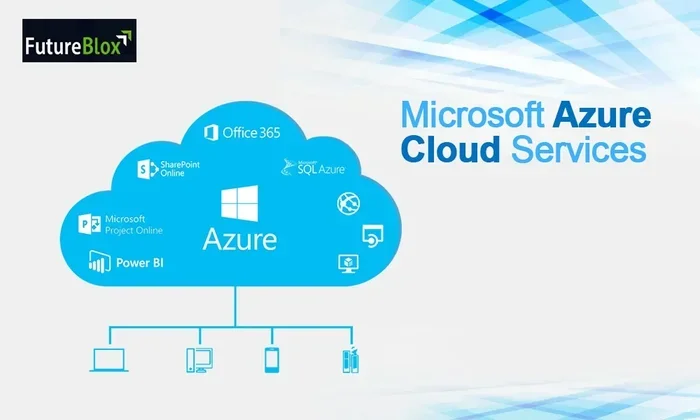
Windows Azure cloud computing refers to the collection of cloud services offered by Microsoft through its Azure platform. Think of it as a giant virtual warehouse of computer resources. Instead of buying physical servers, you rent computing power, storage, and networking tools over the internet. This model is often called Infrastructure as a Service or IaaS for short.
Microsoft launched Azure in 2010, and it has grown into one of the most popular cloud computing platforms in the world. Today, millions of businesses rely on it every day. The platform supports a wide range of tasks, from simple data storage to running complex artificial intelligence models.
How Cloud Computing Works
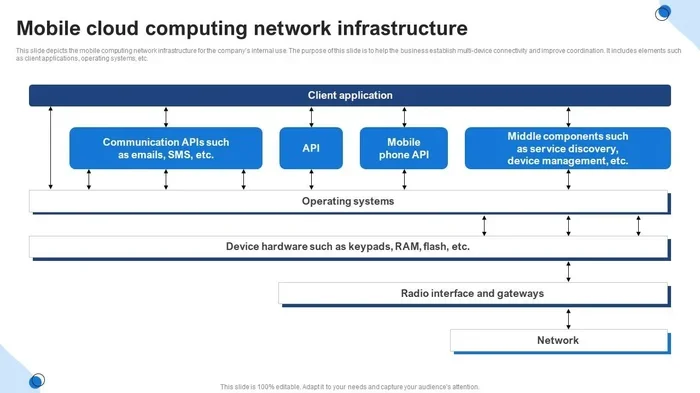
At its core, cloud computing means using remote servers instead of your own computer to store data and run programs. Here is a simple way to think about it:
- You send a request over the internet.
- A data center somewhere in the world processes that request.
- The result is sent back to you almost instantly.
Microsoft operates thousands of data centers across the globe. These centers house massive clusters of servers that handle all the heavy lifting. When you use Azure cloud services, you are tapping into this enormous network of machines.
Key Features of Microsoft Azure
Windows Azure cloud computing comes packed with features that make it stand out. Let us look at the most important ones that users love.
Virtual Machines
A virtual machine is like a computer that lives inside a server somewhere else. You can choose the operating system, the amount of memory, and the processing power you need. Azure offers both Windows and Linux virtual machines. This is perfect for cloud hosting websites, databases, and testing environments.
Cloud Storage
Azure provides several types of cloud storage options. Blob storage is great for files like images and videos. File storage works like a shared drive that multiple users can access. Table storage handles structured data efficiently. No matter what kind of data you have, there is a storage option that fits.
Scalability
One of the biggest advantages of cloud solutions is scalability. If your website suddenly gets a lot of traffic, Azure can automatically add more resources to handle the load. When traffic goes down, it scales back. This means you only pay for what you use. This pay-as-you-go model saves businesses a lot of money.
Security and Compliance
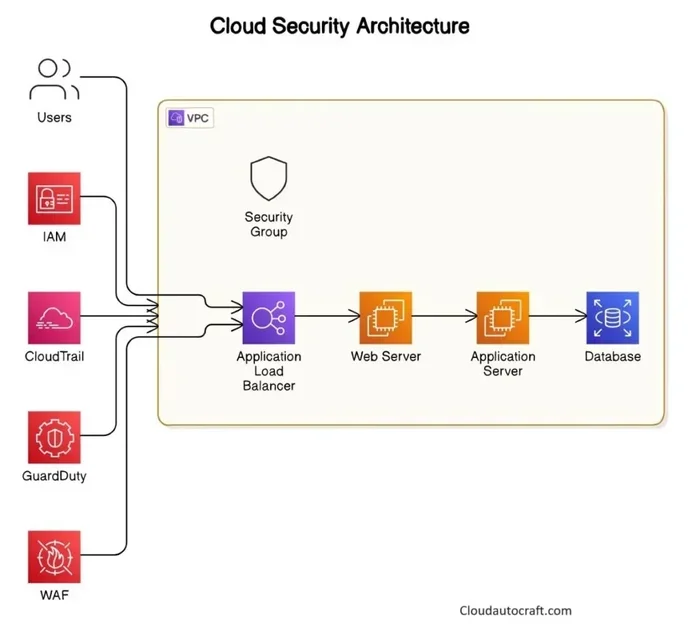
Cloud security is a top priority for Microsoft. Azure includes built-in tools for threat detection, identity management, and data encryption. The platform also complies with hundreds of industry standards and regulations. This makes it a trusted choice for healthcare, finance, and government organizations.
Benefits of Using Windows Azure
Why do so many people choose windows azure cloud computing over other options? Let us explore the key benefits.
Cost Savings
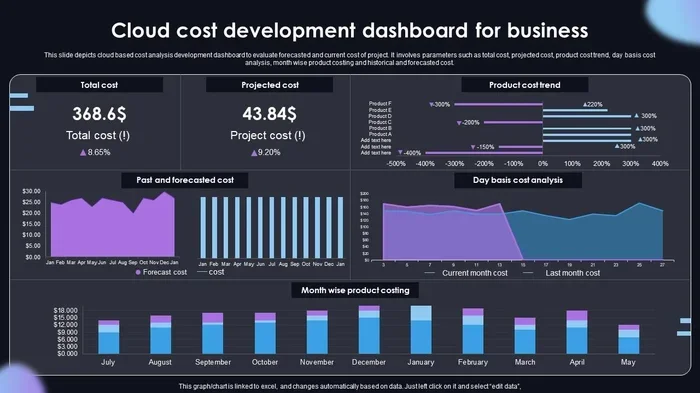
Running your own servers is expensive. You have to buy the hardware, pay for electricity, and hire people to maintain it. With Azure, you skip all of that. You pay a monthly bill based on what you actually use. Many small businesses save thousands of dollars every year by switching to cloud hosting.
Global Reach
Microsoft has data centers in more than 60 regions around the world. This means your applications can be hosted close to your users, no matter where they live. Faster load times mean happier customers and better user experiences.
Integration with Microsoft Tools
If you already use products like Office 365, Dynamics 365, or Active Directory, Azure fits right in. The seamless integration makes it easy to connect your existing tools with cloud services. This saves time and reduces the learning curve for your team.
Disaster Recovery
What happens if your office loses power or a server crashes? With Azure, your data is backed up across multiple locations. Disaster recovery is built into the platform. You can restore your systems quickly and get back to business with minimal downtime.
How to Get Started with Azure
Getting started with windows azure cloud computing is simpler than you might think. Here is a step-by-step guide to help you begin.
Step 1: Create a Free Account
Visit the Microsoft Azure website and sign up for a free account. Microsoft offers a generous free tier that includes 200 GB of storage and 750 hours of virtual machine usage each month. You can explore the platform without spending a single dollar.
Step 2: Choose Your Services
Once your account is set up, browse the Azure portal. You will see a long list of available cloud computing services. Start with the basics like virtual machines and storage. As you get comfortable, you can explore more advanced features like AI and machine learning tools.
Step 3: Deploy Your First Application
Deploying an app on Azure is straightforward. You can use the web-based portal, command-line tools, or visual Studio. Microsoft provides detailed tutorials for every scenario. Within an hour, you can have a working application running in the cloud.
Step 4: Monitor and Optimize
After deployment, use Azure Monitor to track performance and usage. The platform gives you real-time dashboards and alerts. This helps you spot issues early and optimize costs. Regular monitoring is a key part of running a successful cloud deployment.
Common Use Cases for Azure
Windows Azure cloud computing serves a wide variety of needs. Here are some of the most common ways people use the platform.
Web Hosting
Many developers use Azure to host websites and web applications. The platform supports popular frameworks like ASP.NET, Node.js, and Python. Azure App Service makes it easy to deploy and manage web apps without worrying about the underlying infrastructure.
Data Analytics
Businesses generate massive amounts of data every day. Azure offers powerful tools for storing, processing, and analyzing that data. Services like Azure Synapse Analytics and Power BI help companies turn raw data into actionable insights. This drives better decision-making across the organization.
DevOps and CI/CD
Azure supports modern software development practices. DevOps teams use Azure DevOps to plan, build, test, and deploy code. Continuous integration and continuous delivery pipelines are built right into the platform. This speeds up the development cycle and improves software quality.
Hybrid Cloud Solutions
Not every business wants to move everything to the cloud. Azure supports hybrid cloud setups where some workloads run on-premises and others run in the cloud. Azure Arc helps manage resources across different environments from a single dashboard. This gives businesses the flexibility they need during their cloud migration journey.
Internet of Things (IoT)
Azure IoT Hub connects millions of devices to the cloud. Manufacturers use it to monitor equipment, collect sensor data, and automate processes. The platform provides real-time analytics and machine learning capabilities for IoT workloads. This helps businesses improve efficiency and reduce downtime.
Windows Azure vs. Other Cloud Platforms
There are several major players in the cloud computing services market. Here is how Microsoft Azure compares to the competition.
| Feature | Microsoft Azure | Amazon AWS | Google Cloud |
|---|---|---|---|
| Market Share | Second largest | Largest | Third largest |
| Hybrid Cloud | Excellent support | Good support | Growing support |
| Microsoft Integration | Seamless | Limited | Limited |
| Global Data Centers | 60+ regions | 30+ regions | 35+ regions |
| Pricing Model | Pay-as-you-go | Pay-as-you-go | Pay-as-you-go |
| AI and ML Tools | Strong | Strong | Very strong |
Each platform has its strengths. Azure shines in environments that already use Microsoft products. Its hybrid cloud capabilities and enterprise support make it a top choice for large organizations. However, AWS leads in raw market share and Google Cloud excels in data analytics and AI tools.
Common Mistakes to Avoid
Even experienced users make mistakes when working with windows azure cloud computing. Here are some pitfalls to watch out for.
- Ignoring Costs: Always set up budget alerts. Without monitoring, your bill can surprise you at the end of the month.
- Over-Provisioning: Do not allocate more resources than you need. Start small and scale up as your demand grows.
- Skipping Security: Use strong passwords, enable multi-factor authentication, and review access logs regularly.
- Not Using Templates: Azure Resource Manager templates save time and reduce errors. Use them for repeatable deployments.
- Neglecting Documentation: Document your setup and configurations. This helps with troubleshooting and team collaboration.
Quick Tips for Success
Here are some practical tips to help you get the most out of Microsoft Azure:
- Start with the free tier to learn the platform without risk.
- Use Azure Advisor for personalized recommendations on cost optimization.
- Leverage automation tools to reduce manual work and human error.
- Join the Azure community forums to learn from other users.
- Take advantage of Microsoft Learn for free training and certification paths.
- Tag your resources for better organization and cost tracking.
- Set up auto-shutdown for development virtual machines to save money.
Expert Insights on Cloud Computing
Cloud computing has transformed the way businesses operate. Industry experts agree that the shift to cloud services is not just a trend but a necessity. Companies that embrace cloud solutions can innovate faster, respond to market changes more quickly, and reduce their IT overhead significantly.
According to recent reports, the global cloud computing market is expected to grow by over 15% each year. Microsoft Azure continues to gain market share thanks to its robust feature set and strong enterprise relationships. The platform invests billions of dollars every year in research and development to stay ahead of the competition.
For businesses considering cloud migration, the key is to start small and build momentum. Move one application at a time, learn from the experience, and gradually expand. This approach reduces risk and helps your team build confidence with the new technology.
Key Takeaways
- Windows Azure cloud computing is a versatile and powerful platform for building and hosting applications in the cloud.
- Microsoft Azure offers virtual machines, cloud storage, and advanced security features that meet the needs of businesses of all sizes.
- The pay-as-you-go pricing model helps you control costs and only pay for the resources you actually use.
- Azure supports hybrid cloud setups, making it easy to transition gradually from on-premises infrastructure.
- Common use cases include web hosting, data analytics, DevOps, IoT, and disaster recovery.
- Avoiding common mistakes like ignoring costs and skipping security measures leads to a smoother experience.
- Starting with the free tier and leveraging Microsoft Learn are great first steps for beginners.
Conclusion
Windows azure cloud computing opens up incredible possibilities for individuals and businesses alike. It removes the barriers of expensive hardware and complex infrastructure. With Microsoft Azure, anyone can access enterprise-grade computing power with just an internet connection. The platform is flexible, secure, and designed to grow with your needs.
Whether you are hosting a simple website, running complex data analytics, or building the next big mobile app, Azure has the tools to help you succeed. Start exploring today, and you will quickly see why millions of users trust this platform for their cloud computing needs. The future of technology is in the cloud, and Azure makes it easy to be part of that future.
What Is Windows Azure Cloud Computing Used For?
Windows Azure cloud computing is used for hosting websites, running applications, storing data, performing analytics, and building AI-powered solutions. Businesses use it to reduce IT costs and improve scalability.
Is Microsoft Azure Free to Use?
Microsoft offers a free tier with limited resources, and new accounts receive a credit bonus. However, full-scale usage requires a paid subscription based on consumption. Always monitor your usage to avoid unexpected charges.
How Does Azure Compare to AWS?
Both platforms offer strong cloud services, but Azure excels in Microsoft integration and hybrid cloud support. AWS has a larger market share and more global regions. The best choice depends on your specific needs and existing tech stack.
Can Beginners Learn Azure Easily?
Absolutely. Microsoft provides free learning paths through Microsoft Learn. The platform is designed to be beginner-friendly, with guided tutorials and hands-on labs that make cloud computing accessible to everyone.
What Are the Main Azure Services?
The core services include virtual machines, Azure App Service, Azure Storage, Azure SQL Database, and Azure Active Directory. Each service addresses a specific need in cloud hosting and application development.
How Secure Is Azure for Business Data?
Azure has enterprise-grade security with built-in encryption, threat detection, and compliance certifications. Microsoft invests heavily in security research and follows strict global standards to protect customer data.
Frequently Asked Questions
What is windows azure cloud computing?
windows azure cloud computing is an important topic with many practical applications.