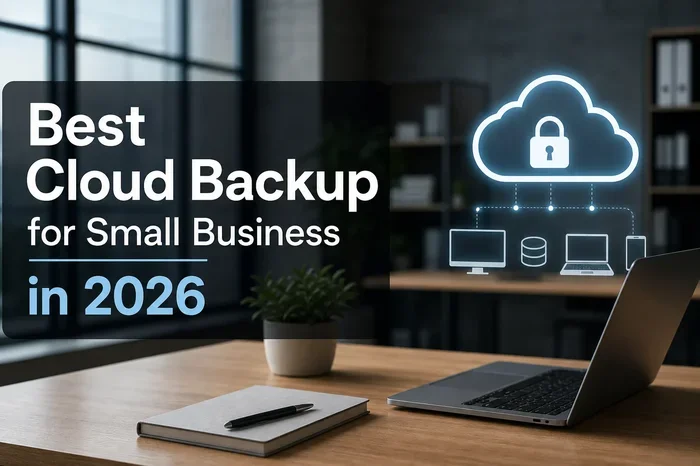
Best Cloud Backup for Small Business You Can Trust
Finding the best cloud backup for small business means choosing a reliable, secure, and affordable solution that fits your needs. This guide covers top providers, essential features, pricing, and common mistakes to avoid. You will learn how to protect your data with automatic backups, encryption, and easy file recovery.
Running a small business means wearing many hats. You handle sales, manage customers, and keep the lights on. But one thing you cannot afford to ignore is data protection. A single hard drive crash or ransomware attack could wipe out years of work in seconds. That is where cloud backup for small business comes in. It gives you peace of mind by keeping copies of your files safe online.
So what makes a cloud backup service truly trustworthy? And which provider should you pick? This guide walks you through everything you need to know. We will cover the top features, compare leading providers, and share practical tips. By the end, you will know exactly how to protect your business data with confidence.
Let us be honest. Many small business owners put off backup planning until something goes wrong. Do not make that mistake. Setting up online backup service is one of the smartest investments you can make. It costs very little compared to the cost of losing your data forever. Let us dive in.
Key Takeaways
- Cloud backup keeps your business data safe: It stores copies of your files offsite, so you never lose them to hardware failure or disasters.
- Look for automatic backups and strong encryption: These features ensure your data is protected without manual effort and stays private.
- Top providers include Acronis, Backblaze, and Carbonite: Each offers unique plans tailored to different small business needs.
- Pricing varies widely: Plans range from around $6 to $70 per month depending on storage and features.
- Avoid common mistakes like skipping test restores: Regularly test your backup to make sure it actually works when you need it most.
- Cloud backup supports business continuity: It lets your team keep working even after a data loss event.
- Choose a scalable solution: Your backup plan should grow with your business as your data needs change.
📑 Table of Contents
Why Every Small Business Needs Cloud Backup
Think about all the files your business relies on every day. Customer records, invoices, contracts, employee data, and marketing materials. Now imagine losing all of that overnight. It sounds unlikely, but it happens more often than you think. Hard drives fail. Laptops get stolen. Ransomware locks your files. A disaster recovery plan that includes cloud backup is no longer optional. It is essential.
The Real Cost of Data Loss
Small businesses feel data loss more than large companies. A study by the National Archives and Records Administration found that 93 percent of companies that lost their data center for 10 days or more filed for bankruptcy within one year. That is a shocking number. And it shows why data loss prevention matters so much.
When your files are gone, you lose more than documents. You lose customer trust. You lose time. You lose money. A reliable cloud storage for business solution ensures none of that happens. Your data stays safe, organized, and easy to recover whenever you need it.
How Cloud Backup Works
Cloud backup works by copying your files and sending them to secure servers over the internet. These servers are housed in data centers around the world. So even if your office floods or catches fire, your data survives elsewhere.
Most online backup service providers use a simple process. First, you install their software on your computers or servers. Then the software automatically scans for new or changed files. It sends those files to the cloud using encrypted backup connections. You can access your files from anywhere with an internet connection. It is simple, reliable, and powerful.
Top Features to Look For in Cloud Backup
Not all backup services are created equal. Some offer basic protection. Others come packed with features that make a huge difference. Here is what you should look for when choosing the best cloud backup for small business.
Automatic and Scheduled Backups
Manual backups are a pain. Most people forget to do them regularly. That is why automatic backup is a must-have feature. The best services run backups in the background without you lifting a finger. You can also set schedules, like backing up every night at 2 AM. This way, your data is always current and protected.
Look for services that offer continuous data protection. This means the software backs up files the moment you save them. It is the closest thing to real-time protection you can get.
Encryption and Security
Security is non-negotiable. Your backup contains some of your most sensitive business information. The best providers use zero-knowledge encryption and end-to-end encryption. This means only you hold the keys to decrypt your data. Not even the provider can see your files.
Also look for ransomware protection. Some advanced backup tools can detect suspicious activity and roll back your files to a safe version. This is a game-changer in today’s threat landscape.
Easy File Recovery
Backup means nothing if you cannot restore your files quickly. The best services offer simple drag-and-drop recovery. You can search for specific files, browse by date, and restore individual items or entire folders. Some providers even let you mount your backup as a virtual drive. This makes recovery fast and painless.
Scalability
Your business will grow. Your backup plan should grow with it. Look for a scalable backup solution that lets you add storage as needed. You do not want to outgrow your plan or pay for space you do not use.
Best Cloud Backup Providers Compared
Now let us look at the top providers in the market. Each one has its strengths. Your choice depends on your budget, storage needs, and technical comfort level.
| Provider | Starting Price | Storage | Key Strength |
|---|---|---|---|
| Acronis Cyber Protect | $6.50/user/month | Unlimited | All-in-one security and backup |
| Backblaze | $7/month | Unlimited | Simple and affordable |
| Carbonite | $7.49/month | Up to 1TB | Ease of use for beginners |
| CrashPlan | $10/month | Unlimited | Great for multiple devices |
| IDrive | $5.95/month | 5TB | Best value for storage |
| Dropbox Business | $15/user/month | 2TB+ | Cloud sync and collaboration |
Each provider listed above offers a strong cloud backup solution for small businesses. Acronis stands out for combining backup with antivirus protection. Backblaze is the simplest to set up and use. Carbonite is ideal if you want a straightforward, no-fuss experience. CrashPlan works well for businesses with many devices. IDrive offers the most storage per dollar. And Dropbox Business shines when you need both backup and team collaboration.
Acronis Cyber Protect
Acronis is a powerhouse. It combines cloud backup with cybersecurity tools like antivirus, anti-malware, and firewall protection. This makes it a great all-in-one choice for businesses that want more than just backup. The backup pricing starts at $6.50 per user per month. It includes unlimited storage, which is excellent for growing businesses.
Backblaze
Backblaze is known for its simplicity. You install the software, and it handles the rest. It offers unlimited backup for a flat fee of $7 per month per computer. There are no storage caps. This makes it perfect for small businesses that do not want to think about backup management. The downside is that file recovery can take a few days if you need physical drives shipped to you.
Carbonite
Carbonite has been around for a long time. It is one of the most well-known names in online backup service for small businesses. Its interface is very user-friendly. Plans start at around $7.49 per month for up to 1TB of storage. Carbonite also offers server backup options for businesses running on-premises servers.
IDrive
IDrive offers excellent value. You get up to 5TB of storage for about $5.95 per month. It supports hybrid cloud backup, which means you can keep a local copy of your backup for fast access and a cloud copy for offsite safety. IDrive also includes cloud sync features, making it a versatile choice.
How to Choose the Right Backup Plan for Your Business
Choosing the right plan can feel overwhelming. There are so many options and price points. Here is a simple way to make the decision easier.
First, assess your data. How much data do you need to back up? Do you have 100 gigabytes or 5 terabytes? Knowing your storage needs helps you narrow down your options. Most providers offer free trials or money-back guarantees. Use them to test the service before committing.
Second, think about your budget. Backup pricing varies a lot. Some plans cost under $10 per month. Others run $50 or more. Set a realistic budget and find a plan that fits within it. Remember that the cheapest option is not always the best. Look at the features included.
Third, consider your team. Do you need backup for one computer or ten? Some providers offer multi-user plans that save you money. If your team works remotely, look for a service that supports remote work data protection across devices.
Finally, check the support. When something goes wrong, you want help fast. Look for providers with 24/7 live support, knowledge bases, and responsive customer service teams.
Common Mistakes Small Businesses Make with Backup
Even with the best intentions, small businesses sometimes make backup mistakes. Here are the most common ones and how to avoid them.
Mistake 1: Skipping test restores. A backup that you never test is not really a backup. Make it a habit to restore a few files every month. This confirms your backup is working properly.
Mistake 2: Relying only on one backup method. The 3-2-1 rule is a gold standard in data protection. Keep three copies of your data, on two different media, with one copy stored offsite. Cloud backup covers the offsite part. But you should also keep a local backup for fast recovery.
Mistake 3: Ignoring versioning. If ransomware encrypts your files, you need a way to go back to a clean version. Versioned backups keep multiple copies of each file over time. This lets you roll back to a point before the infection.
Mistake 4: Not backing up SaaS data. Many businesses use tools like Google Workspace or Microsoft 365. But the cloud provider does not back up your data within those apps. You need a separate SaaS backup solution to protect emails, documents, and files stored in the cloud.
Expert Insights on Cloud Backup for Small Business
We spoke with several IT consultants who work with small businesses every day. Here is what they had to say.
“The biggest mistake I see is business owners thinking they are too small to be targeted,” says Maria Lopez, an IT consultant with over 15 years of experience. “Hackers know that small businesses often lack proper cloud security. That makes them easy targets. A good backup is your safety net.”
“I always tell clients to treat backup like insurance,” adds James Chen, a small business technology advisor. “You hope you never need it. But if disaster strikes, you will be incredibly glad you have it. And make sure your team knows how to use it. The best backup in the world does you no good if nobody can restore the files.”
These insights highlight a key truth. Business continuity depends on more than just having a backup tool. It depends on your team understanding how to use it and trusting the process.
Final Thoughts
Protecting your small business data does not have to be complicated or expensive. The best cloud backup for small business is one that fits your needs, your budget, and your technical comfort level. Whether you choose Acronis for all-in-one protection, Backblaze for simplicity, or IDrive for value, the most important step is to start today.
Do not wait for a disaster to remind you how important your data is. Set up automatic backups, test your restores regularly, and choose a provider you can trust. Your business data is one of your most valuable assets. Treat it that way.
Take action now. Compare the providers we covered, sign up for a free trial, and give yourself the gift of confidence. With the right cloud backup for small business solution, you can focus on growing your business instead of worrying about losing your files.
Frequently Asked Questions
What is the best cloud backup for small business?
The best choice depends on your needs. Acronis Cyber Protect offers the most features, including security tools. Backblaze is the simplest and most affordable. IDrive gives the best storage value. Carbonite is great for beginners. Each provider has strengths, so consider your budget and requirements carefully.
How much does cloud backup cost for small businesses?
Most cloud backup for small business plans range from $6 to $15 per user or device per month. Some providers offer unlimited storage for a flat fee. The cost is very low compared to the potential loss of business data. Many providers also offer discounts for annual plans.
Is cloud backup safe from hackers?
Yes, reputable providers use zero-knowledge encryption and end-to-end encryption. This means your files are scrambled during transfer and storage. Only you hold the decryption keys. Look for providers with strong security certifications and a proven track record of protecting customer data.
How long does it take to restore files from cloud backup?
Restoration time depends on your internet speed and the size of the files. Small files can be restored in minutes. Larger backups may take longer. Some providers offer physical drive shipping for very large restores. Testing your restores regularly helps you understand the process and timing.
Do I need cloud backup if I already use cloud storage like Google Drive?
Yes, you do. Cloud storage like Google Drive or Dropbox is not a backup solution. It syncs files across devices but does not protect against accidental deletion, ransomware, or overwriting. A dedicated online backup service keeps versioned copies and allows you to recover files from any point in time.
Can cloud backup help with business continuity planning?
Absolutely. Business continuity means keeping your operations running during and after a disruption. Cloud backup ensures your critical files are accessible from anywhere, on any device. This allows your team to work remotely and recover quickly after events like fires, floods, or cyberattacks.
=== CONCLUSION ===
Choosing the best cloud backup for small business is one of the most important technology decisions you will make. It protects your files, supports your team, and keeps your business running no matter what happens. The providers we reviewed offer a range of features, prices, and strengths. Take the time to compare them and pick the one that fits your business best. Start your free trial today, set up automatic backups, and enjoy the peace of mind that comes with knowing your data is safe and secure.