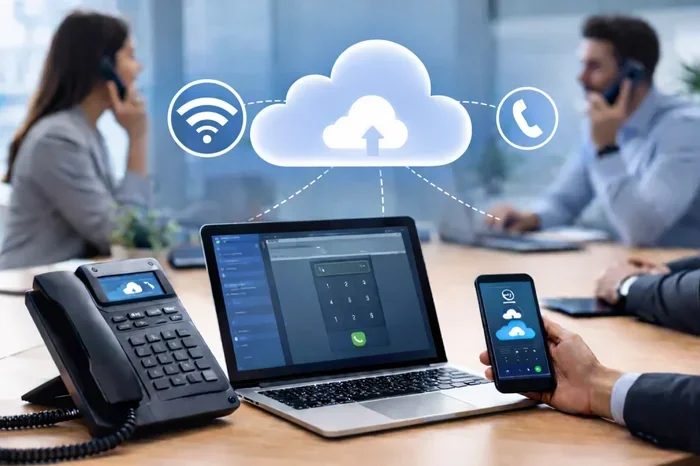
Cloud Phone System for Small Business That Saves Money
A cloud phone system for small business replaces old phone lines with internet-based calling that cuts costs and boosts flexibility. You get professional features like auto-attendants, call routing, and video conferencing without expensive hardware. This guide walks you through how these systems work, why they save money, and how to pick the right provider for your needs.
Running a small business means every dollar counts. You need tools that work hard, cost less, and grow with you. That is exactly what a cloud phone system for small business delivers. Unlike traditional phone lines tied to a physical office, cloud-based calling uses the internet to connect your team with customers. The result? Lower bills, fewer headaches, and a professional image that builds trust.
If you have been paying too much for your current phone setup, it is time to explore what a virtual phone system can do for you. This guide covers everything you need to know. We will look at how these systems save money, what features matter most, and how to choose the right provider. By the end, you will have a clear path to upgrading your small business phone system without breaking the bank.
Key Takeaways
- Saves Money: Cloud phone systems for small business eliminate the need for costly on-site hardware and reduce monthly phone bills by up to 50%.
- Easy to Set Up: You can get a virtual phone system running in hours, not weeks, with no technical expertise required.
- Scales With Your Growth: Add or remove lines instantly as your team grows or shrinks without any installation hassle.
- Rich Feature Set: Enjoy features like call forwarding, voicemail-to-email, video conferencing, and auto-attendants that rival enterprise phone systems.
- Supports Remote Work: Team members can make and receive calls from anywhere with an internet connection using their existing devices.
- Better Call Quality: Modern cloud PBX platforms offer HD voice calling and reliable uptime when paired with a good internet connection.
- Quick ROI: Most small businesses see a return on investment within the first few months thanks to reduced costs and improved productivity.
📑 Table of Contents
- What Is a Cloud Phone System for Small Business?
- How a Cloud Phone System Saves You Money
- Key Features to Look For
- Top Cloud Phone Providers Compared
- How to Choose the Right Cloud Phone System
- Quick Tips for Getting the Most Out of Your System
- Common Mistakes to Avoid
- Expert Insights on Cloud Phone Systems
- Key Takeaways
- Conclusion
What Is a Cloud Phone System for Small Business?
A cloud phone system for small business is a telephone service that runs entirely over the internet. Instead of copper wires and bulky equipment, your calls travel through data centers hosted in the cloud. This technology is often called VoIP, which stands for Voice over Internet Protocol. But you do not need to be a tech expert to use it.
Think of it like this. Traditional phone systems need a box on the wall and wires running through your building. A cloud PBX replaces all of that with software. You make calls from your computer, a dedicated desk phone, or even your smartphone. The provider handles all the backend infrastructure, updates, and maintenance.
How Does It Work?
Here is a simple breakdown of how a cloud-based phone system works in practice:
- Your voice gets converted into digital data packets.
- Those packets travel over your internet connection.
- The provider’s servers route the call to its destination.
- The data packets convert back into voice on the other end.
The whole process happens in milliseconds. Your callers hear crystal-clear voice quality, and you get access to powerful features through a web dashboard. You can manage call routing, view analytics, and update settings from anywhere with an internet connection.
Cloud Phone System vs. Traditional Phone System
Understanding the difference helps you see why so many small businesses are making the switch. Here is a quick comparison of the two approaches:
- Traditional systems require expensive hardware, ongoing maintenance contracts, and long-term commitments.
- Cloud systems need minimal upfront investment, scale on demand, and typically run on monthly subscriptions.
- Traditional systems limit you to your office desk.
- Cloud systems let your team work from home, on the road, or from a coffee shop.
- Traditional systems charge extra for most advanced features.
- Cloud systems bundle features like video, messaging, and auto-attendants into one plan.
The gap is clear. A cloud phone system for small business offers far more value, flexibility, and modern capabilities at a fraction of the cost.
How a Cloud Phone System Saves You Money
The biggest reason small businesses switch to a cloud phone system for small business is the cost savings. Let us break down exactly where the money goes.
No Expensive Hardware
Traditional phone systems require an on-site PBX box, wiring, and dedicated phones for every desk. A full setup can cost thousands of dollars upfront. With a virtual phone system, you skip all of that. You use devices you already own, like laptops and smartphones. If you want dedicated desk phones, they are inexpensive and plug right into your internet router.
Lower Monthly Bills
Cloud-based calling plans are typically much cheaper than legacy phone service. A VoIP phone service for a small team might cost between $20 and $40 per user per month. Compare that to traditional landlines, which can run $50 or more per line. Over a year, the savings add up fast, especially if you have multiple employees who need their own lines.
No Maintenance or Repair Costs
When something breaks with a traditional phone system, someone has to fix it. That means service calls, parts, and downtime. A cloud PBX is maintained entirely by the provider. They handle server updates, security patches, and hardware replacements. You never lift a finger or pay an extra dime for repairs.
Scalability Without Extra Costs
Hiring a new employee? Add a line in minutes. Someone left the company? Remove their line instantly. With a cloud phone system for small business, you only pay for what you use. There are no long-term contracts locking you into unused lines. This pay-as-you-grow model is a game-changer for startups and seasonal businesses.
Free or Low-Cost Features
Most business phone solutions include features that would cost extra with traditional providers. Think auto-attendants, call recording, voicemail transcription, and international calling. These tools make your team look professional without adding line items to your bill. The phone system pricing is all-inclusive, which makes budgeting much simpler.
Key Features to Look For
Not all cloud phone systems are created equal. When comparing providers, look for these essential features that make a real difference for small businesses.
Auto-Attendant and Call Routing
An auto-attendant acts like a virtual receptionist. It greets callers with a professional menu and routes them to the right person or department. This feature alone makes a small business phone system feel as polished as a big corporation. You can set up custom greetings, business hours, and after-hours routing without any help from an IT team.
Voicemail-to-Email Transcription
Never miss an important message again. Voicemail-to-email sends a transcript of every voicemail directly to your inbox. You can read messages quickly during a busy day or forward them to a teammate. This feature is a huge time-saver for busy owners and managers.
Video Conferencing and Screen Sharing
Many cloud communication platforms bundle video calling with phone service. This means your team can hop on a face-to-face meeting without installing a separate app. Screen sharing makes presentations, training sessions, and client calls much more productive. Look for a provider that includes these tools in the base plan.
Mobile App and Remote Access
If your team works from home or travels often, a mobile app is essential. A good business phone solution lets you use your office number on your personal phone. Callers see your business number, not your personal cell. You can take calls, join conference calls, and send messages from anywhere. This is perfect for remote work phone systems that keep your team connected.
Analytics and Call Reporting
Data helps you make better decisions. A cloud phone system for small business should give you access to call analytics. Track metrics like call volume, average wait time, missed calls, and peak hours. Use this data to staff your team better, improve customer service, and identify trends. These insights turn your phone system into a business intelligence tool.
Integrations With Your Existing Tools
The best VoIP phone service platforms connect with the tools you already use. Look for integrations with CRM software like Salesforce or HubSpot, email platforms like Gmail or Outlook, and productivity tools like Slack or Microsoft Teams. These connections streamline your workflow and reduce the time you spend switching between apps.
Top Cloud Phone Providers Compared
Choosing the right provider can feel overwhelming. There are many options on the market, and each one targets a slightly different audience. Here is a look at some of the most popular business phone providers for small businesses.
RingCentral
RingCentral is one of the most well-known names in the cloud PBX space. It offers a robust feature set including video conferencing, team messaging, and a powerful auto-attendant. The platform is reliable, with excellent uptime and strong customer support. Pricing starts around $20 per user per month, making it a solid choice for growing teams.
Nextiva
Nextiva stands out for its user-friendly interface and excellent customer service. It is a great option for small businesses that want a phone system for small business that is easy to set up and manage. Nextiva includes unlimited calling, voicemail transcription, and a mobile app. Plans start at around $19 per user per month, and the company offers a 30-day free trial.
Grasshopper
Grasshopper is designed specifically for startups, freelancers, and solopreneurs. It is a lightweight virtual phone system that gives you a professional business number without any hardware. You can set up a toll-free number, forward calls to your cell, and use a custom greeting. Plans start at around $26 per month, making it one of the most affordable options for solo professionals.
Ooma Office
Ooma Office offers a great balance of features and affordability. It includes a free Ooma Telo hardware device with annual plans, which saves you money on equipment. The platform supports HD voice calling, call forwarding, and a virtual receptionist. Ooma is a strong choice for businesses that want a cost-effective phone system with a solid feature set.
Vonage Business
Vonage Business is part of the larger Vonage Communications group and offers a comprehensive business communication platform. It includes team messaging, video meetings, and a full suite of calling features. Vonage integrates well with popular business apps and provides detailed analytics. Plans are competitive, starting around $20 per user per month.
Comparison Table
Here is a side-by-side look at the key details to help you compare:
- RingCentral — Starting at $20/user/month, includes video, messaging, and advanced auto-attendant.
- Nextiva — Starting at $19/user/month, known for ease of use and excellent support.
- Grasshopper — Starting at $26/month, ideal for freelancers and solopreneurs.
- Ooma Office — Free hardware with annual plans, strong for cost-conscious businesses.
- Vonage Business — Starting at $20/user/month, strong integrations and analytics.
Each provider has strengths, so your best choice depends on your team size, budget, and must-have features. Most of these companies offer free trials, which gives you a chance to test the cloud phone system for small business before committing.
How to Choose the Right Cloud Phone System
With so many options available, picking the right one can feel tricky. Follow these steps to find the best phone system for small business for your specific needs.
Step 1: Identify Your Must-Have Features
Make a list of features that are non-negotiable for your business. Do you need video conferencing? Is voicemail-to-email a priority? Do you require international calling? Start with your core needs and build from there. This keeps you focused and prevents you from paying for features you will never use.
Step 2: Consider Your Team Size
Think about how many people will use the system now and in the next year or two. A scalable phone system should grow comfortably with your business. Some providers offer discounts for larger teams, so ask about volume pricing. Also check if there are limits on the number of lines or extensions.
Step 3: Evaluate Your Internet Connection
A cloud phone system for small business depends on a reliable internet connection. Before switching, test your current internet speed and stability. If your connection is weak, consider upgrading your plan or adding a backup connection. Most VoIP phone service providers recommend at least 100 Kbps per call for smooth, high-quality audio.
Step 4: Check for Hidden Fees
Watch out for setup fees, cancellation charges, and costs for premium features. Some providers advertise low base prices but add fees for things like number porting, international calls, or advanced analytics. Read the fine print and ask about the total cost of ownership before signing up.
Step 5: Test Before You Commit
Almost every major provider offers a free trial or money-back guarantee. Use this time to test the system with your actual team. Check call quality, try the mobile app, and get feedback from your staff. This hands-on experience is the best way to know if a cloud PBX is the right fit.
Quick Tips for Getting the Most Out of Your System
Once you have chosen and set up your cloud phone system for small business, a few simple tips help you get the most value from it.
- Train your team on all key features so everyone uses the system to its full potential.
- Set up call analytics and review them weekly to spot trends and improve operations.
- Use the mobile app so your team stays connected even when they are away from the office.
- Update your auto-attendant regularly to reflect current hours, promotions, and team changes.
- Enable voicemail transcription to stay on top of messages without listening to every recording.
- Monitor call quality and troubleshoot any issues quickly to maintain a professional image.
Common Mistakes to Avoid
Switching to a cloud phone system for small business is straightforward, but a few common mistakes can cause problems. Here is what to watch out for.
- Skipping the internet speed check. A slow or unstable connection leads to dropped calls and poor audio quality.
- Choosing a provider with poor customer support. When something goes wrong, you want fast, helpful assistance.
- Ignoring security features. Make sure your provider offers encryption and two-factor authentication to protect sensitive calls.
- Not training your team. A great system only works if your employees know how to use it properly.
- Overlooking contract terms. Always check for long-term commitments, early termination fees, and price increase clauses.
Avoiding these pitfalls ensures a smooth transition and a phone system for small business that delivers real value day after day.
Expert Insights on Cloud Phone Systems
Small business communication has changed dramatically in the last few years. Industry experts agree that cloud-based solutions are the future. According to recent market research, the global VoIP market is expected to grow significantly through 2030, driven by small business adoption and remote work trends.
Technology advisors consistently recommend cloud phone systems because of their flexibility and cost efficiency. The shift from on-premise hardware to cloud-based platforms is not just a trend. It is a fundamental change in how businesses handle their daily communication needs. Companies that adopt early gain a competitive edge through better customer service and more efficient operations.
Industry leaders also point out that modern cloud communication platforms go beyond just voice calls. They combine phone, video, chat, and file sharing into one unified workspace. This all-in-one approach reduces tool sprawl, simplifies management, and gives your team everything they need in a single dashboard.
Key Takeaways
- Saves Money: A cloud phone system for small business eliminates hardware costs, reduces monthly bills, and removes maintenance fees.
- Easy to Set Up: You can launch a virtual phone system in hours with no technical skills or expensive equipment.
- Scales With Your Growth: Add or remove lines instantly, paying only for what you need at any given time.
- Rich Feature Set: Auto-attendants, call routing, video conferencing, and analytics are included at no extra cost.
- Supports Remote Work: Your team stays connected from anywhere using the mobile app and cloud-based tools.
- Better Call Quality: HD voice and reliable uptime make your business look professional and trustworthy.
- Quick ROI: Most businesses see savings within the first few months thanks to lower costs and improved efficiency.
Conclusion
A cloud phone system for small business is one of the smartest investments you can make. It saves you money from day one, gives your team professional tools, and scales effortlessly as you grow. Whether you are a solo entrepreneur or a team of 50, there is a VoIP phone service that fits your needs and budget.
The right business phone solution does more than handle calls. It improves customer experience, streamlines operations, and gives you the flexibility to work from anywhere. With so many affordable options available today, there has never been a better time to make the switch.
Take a look at the providers we covered, test a few free trials, and find the one that feels right for your business. Your future self, and your bottom line, will thank you.
Frequently Asked Questions
How much does a cloud phone system for small business cost?
Most providers charge between $15 and $50 per user per month. The exact price depends on the features you need and the number of lines. Many providers offer free trials so you can test the system before committing to a plan.
Is a cloud phone system reliable for business calls?
Yes, modern cloud phone systems are highly reliable. They use redundant servers and advanced networks to ensure strong uptime. As long as you have a stable internet connection, your call quality will be excellent and consistent.
Can I keep my existing phone number when I switch?
Absolutely. Most VoIP phone service providers offer number porting, which lets you transfer your current business number to the new system. The process usually takes a few days and is handled by the provider for you.
Do I need any special equipment to use a cloud phone system?
No special equipment is required. You can use your computer, smartphone, or a basic IP desk phone. All you need is a reliable internet connection and a device with a microphone and speaker. Some providers also offer free hardware with annual plans.
Is a cloud phone system secure for sensitive business calls?
Reputable providers use encryption and security protocols to protect your calls and data. Look for providers that offer features like two-factor authentication and comply with industry standards such as HIPAA or SOC 2 if your business handles sensitive information.
How long does it take to set up a cloud phone system?
Most cloud PBX systems can be set up in just a few hours. You create an account online, choose your phone numbers, and add your team members. There is no wiring or hardware installation required, which makes the process fast and hassle-free.